
Mini iframe box

Mini iframe box

توسط

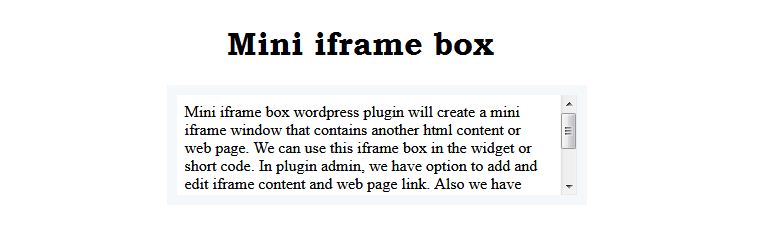
Mini iframe box wordpress plugin will create a mini iframe window that contains another html content or web page. We can use this iframe box in the widget or short code. In plugin admin, we have option to add and edit iframe content and web page link. Also we have option to configure start and end date for the iframe window. Additionally, we have option to enter iframe style in the admin.

Check official website for live demo http://www.gopiplus.com/work/2020/04/12/mini-iframe-box-wordpress-plugin/

Plugin features

  • Supports all major browsers.
  • Responsive width.
  • Easily position the window.
  • iframe style option.
  • Option to add display start and end date.

Install Plugin using WordPress Plugin Search

Go to your WordPress admin area and click on Plugins >> Add New. Search mini iframe box plugin using search option. Find the plugin and click Install Now link. Finally click activate plugin link to activate the plugin.

Popup dropping box

Install Plugin using the WordPress Admin Plugin Upload

Download the plugin mini-iframe-box.zip from download location. Go to Plugins >> Add New in your WordPress admin. Select upload plugin button. Upload the available mini-iframe-box.zip file and click Install Now. Finally click activate plugin link to activate the plugin.

سوالات متداول

Q. How to change width of the iframe box?

Q. What happen if no valid (All records expired) records exist in admin?

Q. Can we add images in the iframe content?

Q. How to change the style of the iframe box? and how to change the font name, size of the popup text?

×
نظری برای این آیتم موجود نیست.
0 0 رای ها
امتیازدهی
اشتراک در
اطلاع از
0 نظرات
قدیمی‌ترین
تازه‌ترین بیشترین رأی
هیچ نسخه‌ای برای این آیتم موجود نیست.
بدون امتیاز

قیمت:

رایگان

نگارش

آخرین انتشار

19 اردیبهشت 1405

آخرین بروزرسانی

3 ماه پیش

نصب های فعال

10+

نگارش وردپرس

وردپرس 5.0+

تست شده از نسخه

وردپرس 6.1.10

نگارش PHP

PHP 5.0+

تگ ها

نسخه ها

0 نسخه




