
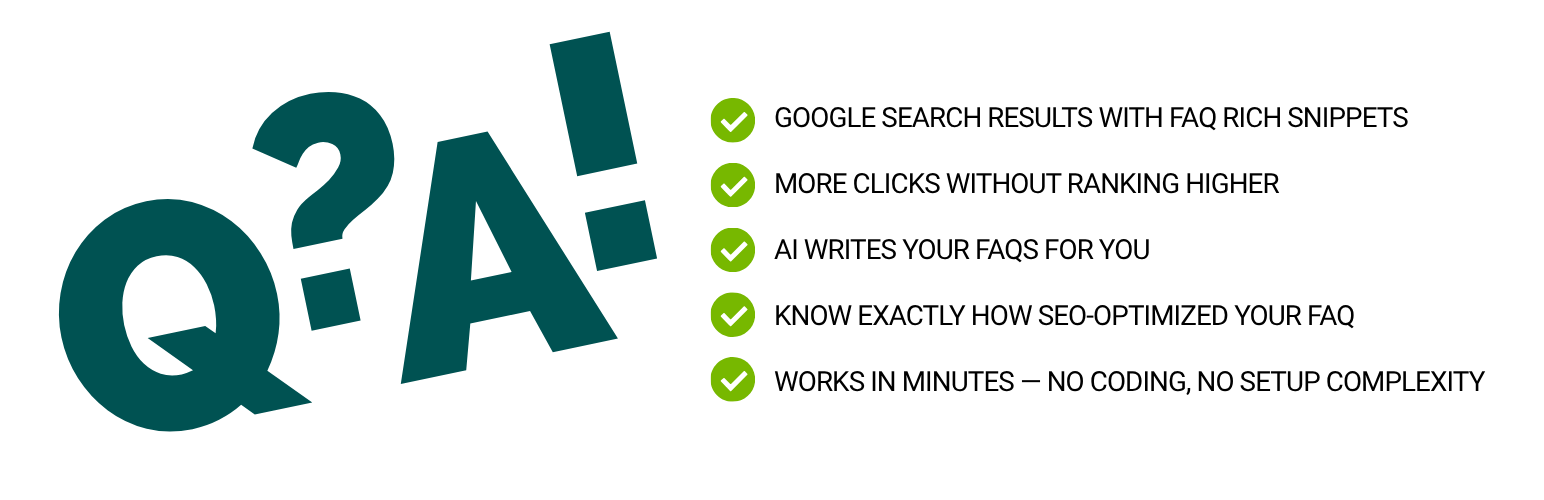
AI FAQ Schema by MKJB

AI FAQ Schema by MKJB

توسط

🎨 New in 1.5.0: Per-block Customize Style panel — set Question/Answer colors, backgrounds, font sizes, border, and accordion default state right in the block sidebar. Plus a critical fix: FAQ styling now loads inline so it always reaches the browser even when caching, translation, or page-builder plugins suppress the regular CSS enqueue.

Struggling to get your content noticed on Google — or cited by AI search? Most WordPress sites miss out on FAQ rich results simply because setting up structured data is too technical or too time-consuming. And almost nobody is optimizing for AI Overview, ChatGPT, or Perplexity citations.

AI FAQ Schema solves both in one click.

Write your post, add the block, hit “Generate FAQ” — and the plugin handles everything else. It reads your content, generates relevant FAQ pairs using OpenAI, and automatically injects valid FAQPage JSON-LD schema into your page’s <head>. No coding. No guesswork. No plugin conflicts. Then run the dual SEO + GEO analyzer to see exactly how AI-citation-ready your FAQs are before you publish.

Why FAQs Matter for SEO

Google’s FAQ rich results can double your click-through rate by showing Q&A snippets directly in search results. But to qualify, your page needs properly formatted structured data — the kind that typically requires a developer to set up manually.

This plugin makes that automatic.

What Makes This Plugin Different

Most FAQ plugins just display pretty accordions. This one goes further:

  • AI writes the FAQs for you — based on your actual post content, not generic templates
  • Real structured data — valid FAQPage JSON-LD, not just visual styling
  • Built-in SEO quality check — 12-point analyzer tells you exactly what to improve
  • GEO quality check — 8-point AI citation analyzer for AI Overview, ChatGPT, and Perplexity visibility
  • Works with any theme — no shortcodes, no theme dependency
  • Zero build tools — drop it in and activate. No npm, no React, no headaches

Key Features

3 Ways to Add FAQs

  • Auto Generate (AI) — Paste or write your content, click Generate, done. Powered by OpenAI.
  • Paste Existing FAQs — Already have FAQs? Paste them in almost any format (Q:/A:, Question:/Answer:, numbered lists, plain text, HTML, or markdown) and the smart parser auto-detects and structures them instantly.
  • Manual Input — Prefer full control? Type your questions and answers directly in the block editor.

FAQ Quality Analyzer (100-Point Score)

Before you publish, run the built-in analyzer. It checks 12 SEO criteria across 3 categories:

  • Basic checks — FAQ count, duplicate detection, question format
  • Direct answer quality — first-sentence scoring, search intent alignment
  • Keyword SEO — keyword presence in questions and answers, sentence length, uniqueness

You get a score out of 100 with specific recommendations. No guessing what to fix.

GEO Quality Analyzer (AI Citation Score)

Optimize your FAQs for AI search engines — Google AI Overview, ChatGPT, Perplexity, and Claude. The GEO analyzer checks 8 criteria across 4 categories:

  • Answer-First structure — no filler phrases, direct answers in the AI citation sweet spot (8-60 words)
  • Self-Contained — no relative references, no vague endings, each FAQ stands alone
  • Specificity and E-E-A-T — concrete data points, no promotional superlatives
  • Clarity — no ambiguous pronouns, structured multi-sentence answers

SEO and GEO scores display side by side. Click each to see the detailed breakdown.

Google-Ready JSON-LD Schema

The plugin automatically injects FAQPage structured data into your page’s <head> — exactly the format Google requires for rich results. You don’t touch any code.

Multiple OpenAI Models

Choose the model that fits your needs and budget:

  • gpt-4o-mini — Fastest, lowest cost. Great for most blogs.
  • gpt-4o — Multimodal flagship, balanced quality and cost.
  • gpt-4.1-mini — Upgraded mini with a larger context window.
  • gpt-4.1 — Flagship model. Best quality for competitive niches.
  • o3-mini — Reasoning model. Good for complex topics.
  • o3 — Most capable reasoning model.
  • o4-mini — Latest lightweight reasoning model.

7 Display Styles

  • Minimal — Clean text list with Q prefix
  • Card — Elevated cards with hover effects
  • Accordion — Click to expand, great for long answers
  • Boxed — Colored header with distinct sections
  • Timeline — Vertical timeline with numbered dots
  • Chat Bubble — Messenger-style question/answer bubbles
  • Numbered — Large index numbers for tutorial-style posts

Dark Mode

All display styles automatically adapt to your visitor’s OS preference — readers using dark mode see a matching dark-themed FAQ block with no extra configuration.

Custom AI Prompt

Not happy with the default output? Edit the prompt. Use {count} as a placeholder for the number of FAQs. The plugin always enforces JSON formatting automatically.

Target Keyword Optimization

Set a target keyword per block (or let AI detect it from your content). The quality analyzer then checks whether your FAQs are properly optimized around that keyword.

Who Is This For?

  • Bloggers who want more Google visibility without touching code
  • SEO professionals who need to scale FAQ structured data across many posts
  • Content marketers building topical authority in competitive niches
  • Agencies managing client sites and needing a reliable FAQ solution
  • Small business sites looking to stand out in Google search results with rich snippets

Security

Your OpenAI API key is stored server-side and never exposed to the browser. All AI calls happen through a protected REST endpoint with nonce verification. Rate limiting (10 requests/minute/user) prevents abuse.

External Services

This plugin connects to the OpenAI API (api.openai.com) to generate FAQ content and extract target keywords.

When you click “Generate FAQ” or “AI Detect,” your post content and custom prompt are sent to OpenAI’s servers for processing. This only happens on demand — never automatically in the background.

  1. Upload the mkjb-ai-seo-faq-schema folder to /wp-content/plugins/
  2. Activate the plugin through the Plugins menu in WordPress
  3. Go to Settings > AI FAQ Schema and enter your OpenAI API key
  4. Open any post or page in the block editor and search for “FAQ Schema” in the block inserter
  5. Add the block, choose your mode, and publish — schema is injected automatically

You don’t need an API key to use the Manual Input or Paste FAQ modes.

سوالات متداول

Do I need an OpenAI API key to use this plugin?

No — not for everything. The “I Have FAQ” (paste mode) and “Manual Input” modes work without any API key. You only need a key for the “Auto Generate” mode and the AI keyword detection feature. You can get an API key at platform.openai.com/api-keys.

Will this actually help my Google rankings?

It gives your pages the structured data they need to qualify for Google’s FAQ rich results — expanded Q&A snippets that appear directly in search. These can significantly increase click-through rates. That said, Google decides whether to show rich results based on their own criteria; the plugin ensures your schema is valid and properly formatted.

How much does it cost to use the OpenAI API?

Very little for typical use. With gpt-4o-mini, generating 5 FAQs from a blog post costs a fraction of a cent. Even a high-traffic content site generating hundreds of FAQs per month would spend just a few dollars. You only pay when you click “Generate” — never in the background.

Is the generated schema valid for Google’s Rich Results Test?

Yes. The plugin outputs standard schema.org FAQPage JSON-LD markup that passes Google’s Rich Results Test. You can verify any page at search.google.com/test/rich-results.

Can I edit the FAQs after generating them?

Absolutely. The generated FAQs are fully editable directly in the block editor. Change any question or answer, reorder them, or delete individual entries anytime.

Does this work with my theme?

Yes. The plugin uses a native Gutenberg block with server-side rendering, so it works with any WordPress theme. No shortcodes, no theme customizations required.

Does this work with Yoast SEO or RankMath?

Yes. This plugin is fully compatible with Yoast SEO, RankMath, and other SEO plugins. It injects its own FAQPage JSON-LD schema independently. Just make sure you’re not also generating FAQ schema from your SEO plugin for the same page — otherwise you may end up with duplicate structured data. If you’re only using Yoast or RankMath for general SEO (title tags, meta descriptions, sitemaps), there’s no conflict at all.

Does this work with the Classic Editor?

No — this plugin requires the WordPress Block Editor (Gutenberg). It is a native Gutenberg block and does not work with the Classic Editor plugin. If your site uses the Classic Editor, you would need to switch to the block editor to use this plugin.

What happens to my FAQs if I deactivate the plugin?

Your FAQ content is preserved in your posts — it won’t disappear. However, the schema injection and visual display will stop working until you reactivate. Your settings (API key, model, etc.) are also saved and restored on reactivation.

What if I delete the plugin?

Your FAQ content inside posts is preserved. Plugin settings (API key, model, prompt, style preferences) are removed from the database on deletion, as per WordPress best practices.

Can I use this on multiple sites?

Yes. The plugin is standard GPL software with no license key or site limit. Install it on as many WordPress sites as you want.

Does the AI always produce perfect FAQs?

Not always — AI output quality depends on your content and prompt. That’s why the built-in FAQ Quality Analyzer exists. Run it before you publish and follow the recommendations to improve your score. You can also edit any generated FAQ manually.

How is the 100-point quality score calculated?

The analyzer runs 12 checks across three categories:
* Basic (40 pts) — FAQ count, no duplicates, questions end with “?”, answer length (100–1,000 chars)
* Direct Answer / SEO (30 pts) — Direct first sentence, sentence under 150 chars, search-intent format (What/How/Why), no first-person language
* Keyword SEO (30 pts, only if keyword is set) — Keyword in questions, keyword in answers, sentence length under 20 words, no duplicate answers

Is my content sent to OpenAI every time I load the editor?

No. Content is only sent to OpenAI when you click “Generate FAQ” or “AI Detect.” Nothing is sent automatically in the background.

What is the difference between the SEO score and the GEO score?

The SEO score (out of 100) checks 12 traditional Google ranking factors: question format, answer length, direct first sentence, keyword placement, sentence length, duplicate detection, and so on. It tells you if your FAQ qualifies for Google’s FAQ rich results.

The GEO score (out of 100) checks 8 AI-citation factors that matter when ChatGPT, Perplexity, Google AI Overview, or Claude decides whether to quote you. These include: filler-word detection, citation-window length (8-60 words is the sweet spot AI assistants prefer), self-contained answers (no “as mentioned above”), specificity and E-E-A-T signals, pronoun ambiguity, and structured multi-sentence formatting. Both scores display side by side, and clicking either one shows a detailed per-FAQ breakdown.

Will this slow down my site?

No. Schema generation runs once per post when you save, then the JSON-LD is cached as post metadata. On every page view, the plugin reads the cache directly instead of re-parsing your block content. The frontend overhead is a single small <script type="application/ld+json"> tag in the page head, which is exactly what Google’s Rich Results Test expects. The CSS for display styles is also enqueued only on pages that actually contain a FAQ block.

Does this work with non-English content?

Yes. The schema markup is language-agnostic — Google reads FAQPage schema correctly in any language. The AI generation also works in any language OpenAI supports (60+ languages); if your post content is in Korean, Japanese, Spanish, French, German, etc., the generated FAQs will be in the same language. The “I Have FAQ” paste mode also accepts FAQs in any language.

×
نظری برای این آیتم موجود نیست.
0 0 رای ها
امتیازدهی
اشتراک در
اطلاع از
0 نظرات
قدیمی‌ترین
تازه‌ترین بیشترین رأی
بازخورد (Feedback) های اینلاین
مشاهده همه دیدگاه ها
نسخه حجم فایل SHA256 تغییرات دانلود
1.5.1 43 کیلوبایت -
دانلود
×
بدون امتیاز

قیمت:

رایگان

نگارش

1.5.1

آخرین انتشار

16 اردیبهشت 1405

آخرین بروزرسانی

1 ماه پیش

نصب های فعال

-

نگارش وردپرس

وردپرس 6.0+

تست شده از نسخه

وردپرس 6.9.4

نگارش PHP

PHP 8.0+

نسخه ها

1 نسخه



