
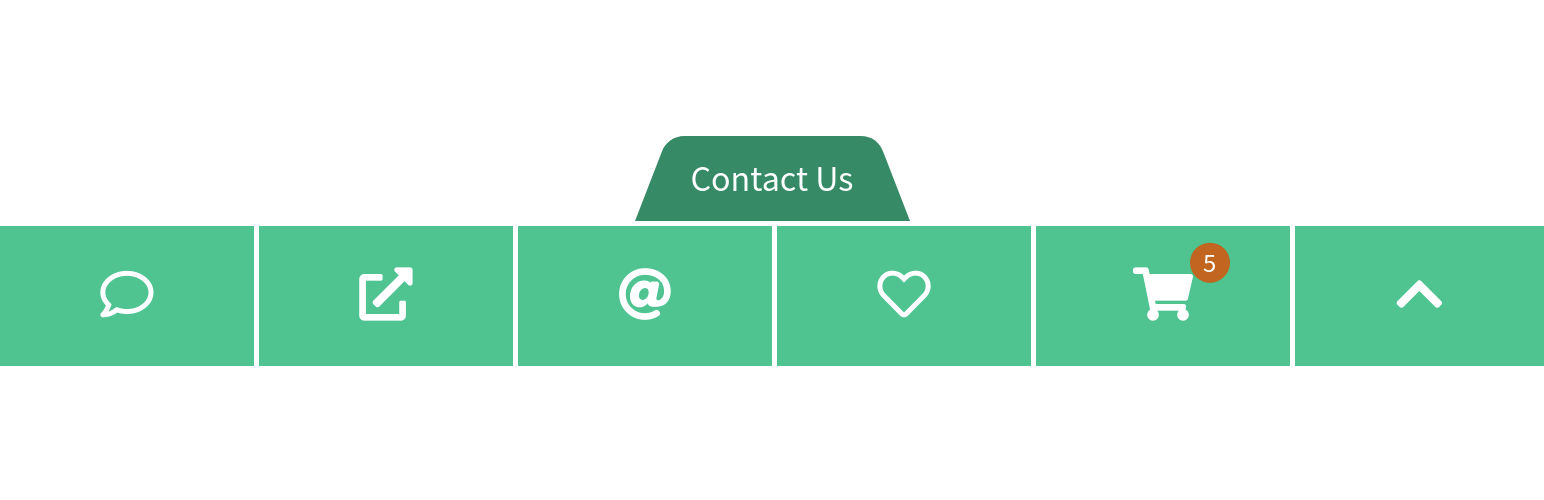
Mobile Contact Bar

Mobile Contact Bar

توسط

Mobile Contact Bar is a compact and highly customizable plugin, which allows your visitors to contact you directly via mobile phones, or access your site’s pages instantly.

The settings page is available under the Settings → Mobile Contact Bar menu in the WordPress dashboard.

Features

  • Icons for social media, call-to-actions, or any links to web pages
  • Simple and intuitive styling with the aid of the Real-time Model
  • Built-in icon picker with Font Awesome 6 integration
  • Customizable URLs using query string parameters
  • No data collection from your website’s visitors
  • Super easy to use, no coding required!

Special Actions

  • Scroll to Top of the page
  • WooCommerce Cart with Item Counter

Supported Protocols

  • http
  • https
  • mailto
  • skype
  • sms
  • tel
  • viber

Tested with

  • Twenty Twenty-Four
  • Twenty Twenty-Three
  • Twenty Twenty-Two
  • Twenty Twenty-One
  • Twenty Twenty
  • Twenty Nineteen
  • Twenty Seventeen
  • Twenty Sixteen
  • Twenty Fifteen
  • Twenty Fourteen
  • Twenty Thirteen
  • Twenty Twelve
  • Twenty Eleven
  • Twenty Ten

First time Mobile Contact Bar user

Thank you for choosing Mobile Contact Bar! In order to create your bar, simply activate the plugin and visit the plugin’s page by clicking on MCB Contact Bar in your left navigation menu.
Once the plugin page loads, open the Bar box, choose the Display on Devices option, select the device type to enable the bar and then press the Save Changes button at the top of the page.
Mobile Contact Bar will automatically create a default bar with a couple of buttons for you.

Adding buttons to your bar

To add more buttons to your bar, open the Button List box, find a particular list item, select the checkbox, customize the icon and fill in the URI field.
In order to add more buttons, click on the New Button or on one of the icons at the top of the list.

Positioning and styling your bar

To set options for bar (positions, colors, borders, width, height, space, placeholder, etc.), open the Bar box and check the changes on the Real-time Model.
Open the Icons, Badges, or Toggle box and set options for icons, badges, or toggle, respectively.

سوالات متداول

JavaScript disabled

The plugin works fine without JavaScript on the front-end of your site.
We use JavaScript on the front-end in two cases:
1. if the toggle is activated, then the plugin has an option for saving the toggle state in a cookie, and
2. Scroll to Top, Back in History, and Forward in History actions use inline JavaScript for their functionality.

Cookies

You have full control over the single cookie which is called mobile_contact_bar_toggle.

Cleaning the cache

If your site is cached via a caching plugin such as WP Fastest Cache or Cache Enabler, then it is important to clean those caches after the Contact Bar has been enabled.
Also, if you disable the Contact Bar then the caches need to be cleaned again.

Custom colors for each button

Currently there is no built-in support in the plugin itself for adding different colors. But it is possible to add custom CSS to your site via Theme Customization, as described in this thread: different-color-for-each-button

×
نظری برای این آیتم موجود نیست.
0 0 رای ها
امتیازدهی
اشتراک در
اطلاع از
0 نظرات
قدیمی‌ترین
تازه‌ترین بیشترین رأی
هیچ نسخه‌ای برای این آیتم موجود نیست.
★★★★★
★★★★★
4.6 /5 (30 نظر)

قیمت:

رایگان

نگارش

آخرین انتشار

11 اردیبهشت 1405

آخرین بروزرسانی

4 ماه پیش

نصب های فعال

10,000+

نگارش وردپرس

وردپرس 4.6+

تست شده از نسخه

وردپرس 6.8.5

نگارش PHP

PHP 5.3+

نسخه ها

0 نسخه




