
MP Customizer Backups

MP Customizer Backups

توسط

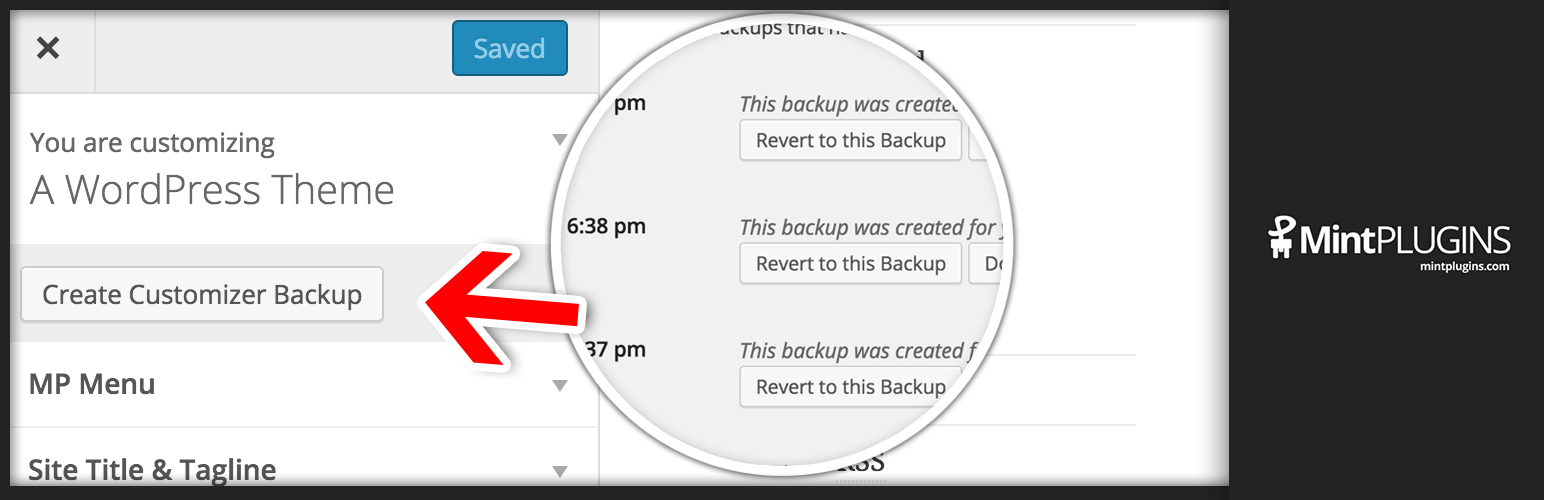
Feel free to play with your Theme Mods under “Appearance” > “Customizer” without worrying about losing your settings! When you are happy with your settings, just click the “Create Backup” button and you’ll always be able to revert to those exact settings in the future. You can even download the backups to make sure you save multiple copies in a safe place.

Or, if you want to develop your customizer locally and then automatically set up those options to match on your live site, simply download a Customizer Backup and Upload it to your live site. You could even send your Customizer settings to your friends or customers.

For Theme/Plugin Developers: This is also a way to create a “Theme within a Theme” – by allowing a single theme to have many different pre-set styles. For example, you could use an activation hook in a plugin to use a backup (in JSON format) and make plugins re-style a Theme. If your plugin does change the Customizer styles, you could also trigger an auto backup of the user’s current settings so that you don’t permanently erase any of the user’s settings.


This section describes how to install the plugin and get it working.

  1. Upload the mp-customizer-backups folder to the /wp-content/plugins/ directory
  2. Activate the plugin through the ‘Plugins’ menu in WordPress
  3. Once activated, you’ll see a notice at the top of your dashboard to “Install All Items”. Click that – which will install our MP Core plugin – which helps keep our plugins small and fast.
  4. Click on “Appearance” > “Customizer Backups” to manage your Customizer Backups.

سوالات متداول

How do I create a backup?

To generate a backup, go to “Appearance” > “Customizer Backups” and click “Generate Backup”.

How do I create a backup programmatically?

To programmatically generate a backup of the current Customizer Settings (AKA: Theme Mods), use this code:

mp_backup_customizer( ‘This backup was created because of XYZ’ );

×
نظری برای این آیتم موجود نیست.
0 0 رای ها
امتیازدهی
اشتراک در
اطلاع از
0 نظرات
قدیمی‌ترین
تازه‌ترین بیشترین رأی
هیچ نسخه‌ای برای این آیتم موجود نیست.
★★★★★
★★★★★
5.0 /5 (1 نظر)

قیمت:

رایگان

نگارش

آخرین انتشار

21 اردیبهشت 1405

آخرین بروزرسانی

3 ماه پیش

نصب های فعال

200+

نگارش وردپرس

وردپرس 3.0.1+

تست شده از نسخه

وردپرس 4.9.29

نگارش PHP

-

نسخه ها

0 نسخه



