
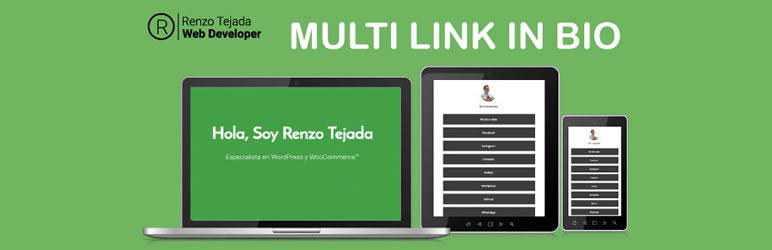
Multi Link in Bio

Multi Link in Bio

توسط

This plugin links can be added that redirect the user to a company’s external communication channels, which can be other social networks or websites.
Add the Multi link in Bio to the WordPress.

✅ More information about the plugin in Multi link in Bio for WordPress

View more plugins

For additional functionality, check out our companion plugin, such as:

View more plugins PREMIUM

Visit our plugins overview page for more information.

Automatic installation
1. Plugin admin panel and add new option.
2. Search in the common multi link in bio box.
3. Placed in the description of this plugin and select install.
4. Activate the plugin from the WordPress administration panel.

ZIP files Installation manual
1. Download the ZIP file from this screen.
2. Select the add plugin option from the admin panel.
3. Select the heavy load option and select the downloaded file.
4. Confirm Installation and activation plugin from the administration panel.

Manual FTP installation
1. Download the ZIP file from this screen and unzip.
2. Go to your FTP folder on your web server.
3. Copy the directory multi link in bio into the following address wp-content/plugins/
4. Activate the plugin from the WordPress administration panel.

سوالات متداول

How to add links in Multi link in Bio?
  1. Go to Multi Link in Bio > Link in bio
  2. Add Title, subtitle and choosen template color of the link
  3. Hit “Save”
×
نظری برای این آیتم موجود نیست.
0 0 رای ها
امتیازدهی
اشتراک در
اطلاع از
0 نظرات
قدیمی‌ترین
تازه‌ترین بیشترین رأی
نسخه حجم فایل SHA256 تغییرات دانلود
0.6 24 کیلوبایت -
دانلود
×
★★★★★
★★★★★
5.0 /5 (1 نظر)

قیمت:

رایگان

نگارش

0.6

آخرین انتشار

19 اردیبهشت 1405

آخرین بروزرسانی

3 ماه پیش

نصب های فعال

-

نگارش وردپرس

وردپرس 6.2+

تست شده از نسخه

وردپرس 6.7.5

نگارش PHP

PHP 7.4+

نسخه ها

1 نسخه




