
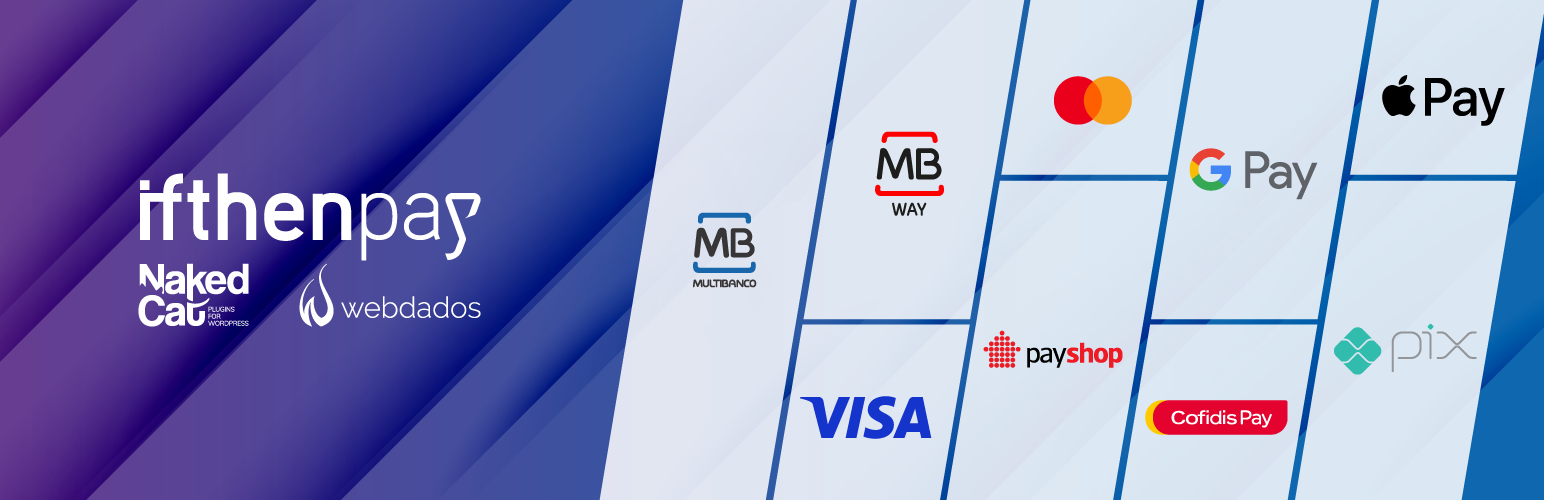
Multibanco, MB WAY, Credit card, Apple Pay, Google Pay, Payshop, Cofidis Pay, and PIX (ifthenpay) for WooCommerce

Multibanco, MB WAY, Credit card, Apple Pay, Google Pay, Payshop, Cofidis Pay, and PIX (ifthenpay) for WooCommerce

“Pagamento de Serviços” (payment of services) on Multibanco (Portuguese ATM network), and MB WAY (using the customer’s mobile phone number), are the most popular ways to pay for services and (online) purchases in Portugal.
Portuguese consumers trust the “Multibanco” and “MB WAY” payment methods more than any other.

This plugin generates a “Multibanco” Payment Reference that customers can use to pay for their WooCommerce orders at an ATM or via home banking, or an “MB WAY” payment request which will send a push notification to the customer’s mobile phone for payment approval.

Credit or debit cards, including Apple Pay and Google Pay, CTT Payshop, and Cofidis Pay payment methods are also available.

Holders of a Brazilian bank account can conveniently pay for WooCommerce orders in Euros, with automatic currency conversion to Brazilian Real, using PIX.

This is the official ifthenpay plugin, and a contract with this company is required. Technical support is provided by Naked Cat Plugins (by Webdados) on the WordPress.org support forums.

Fully compatible with the new High-Performance Order Storage (HPOS) and the WooCommerce block-based checkout.

Features:

  • Generates a Multibanco Reference for simple payment on the Portuguese ATM network or home banking service;
  • Allows the customer to pay using MB WAY using their mobile phone;
  • Allows the customer to pay using their Credit or debit card, including Apple Pay and Google Pay;
  • Generates a Payshop Reference for simple payment on the Payshop agents network, CTT stores or post offices available all over Portugal;
  • Allows the customer to pay in up to 12 interest-free installments via Cofidis Pay;
  • Customers with Brazilian bank accounts can use PIX;
  • Multibanco references with expiration date if the “MB Key” configuration method is used;
  • Automatically changes the order status to “Processing” (or “Completed” if the order only contains virtual downloadable products) and notifies both the customer and the store owner if the automatic “Callback” upon payment is activated;
  • Automatic “Callback” can be activated upon request to ifthenpay, via the plugin settings screen for each payment method;
  • Refunds for MB WAY and Credit or debit card – read this;
  • Shop owner can set minimum and maximum order totals for each payment gateway to be available;
  • Ability to reduce stock when the order is created or paid;
  • Allows searching orders (in the admin area) by Multibanco or Payshop reference;
  • High-Performance Order Storage (HPOS) compatible;
  • Block-Based Checkout compatible;
  • WPML compatible (for multilingual shops);
  • Polylang tested;
  • WooCommerce Subscriptions integration (only Multibanco);
  • WooCommerce Deposits by webtomizer integration (except Cofidis Pay);
  • Integration for 3rd party SMS notification plugins (only Multibanco and Payshop):

PRO add-on

Get the PRO add-on and unlock extra features:

  • Recover unpaid MB WAY orders by converting them to Multibanco and notifying the customer via email;
  • Automatic cancellation of orders when Multibanco, Payshop, or MB WAY references expire;
  • Countdown timer on the “Thank you” page for MB WAY payments;
  • Save the MB WAY mobile number to the user profile for future purchases;
  • Trigger Multibanco and MB WAY payments when creating orders via the REST API;
  • Store and show the ifthenpay fee on each order;
  • Codifis payment information banner, with the price to pay monthly, on the product page (simple and variable products);
  • Set a payment entity for Multibanco, MB WAY, Credit card, Payshop, and Cofidis Pay at the product category level, so that you can receive payment in different accounts based on the order products (replaces previously available specific extension);
    • Simplified marketplace;
    • Lock the cart so you can only have products from a single account in the same order;
  • Remove “ifthenpay Gateway” from the payment method title on the frontend for Apple Pay, Google Pay, and PIX
  • Remove payment instructions from specific emails, for example, “order completed”, to avoid customer confusion when they are no longer necessary;
  • Autofill the VAT number on the Cofidis Pay gateway from several VAT number plugins (more can be added on request);
  • Change the default timeout for calls to the ifthenpay APIs if your website is experiencing communication difficulties;
  • Hide notices of new available payment methods;
  • Hide notices of pending callback activation requests;
  • Hide sidebar in payment method settings screen;
  • More features coming soon;
  • By purchasing the PRO add-on, you get the following:
    • All the features described above;
    • Premium technical support (conditions apply);
    • Contribution to the continued development of the solution;
    • Automatic updates;
    • Good karma;

The PRO add-on is a product of Naked Cat Plugins (by Webdados), and is not provided by ifthenpay.

Other (premium) plugins

Already know our other WooCommerce (premium) plugins?

  • Make sure you already have a contract with ifthenpay
  • Use the included automatic install feature on your WordPress admin panel and search for “ifthenpay”.
  • Multibanco: Go to WooCommerce > Settings > Checkout > Pagamento de Serviços no Multibanco and fill in the data provided by ifthenpay: MB Key (or legacy Entity and Subentity).
  • MB WAY: Go to WooCommerce > Settings > Checkout > Pagamento MB WAY no telemóvel and fill in the data provided by ifthenpay: MB WAY Key.
  • Credit or debit card: Go to WooCommerce > Settings > Checkout > Credit or debit card and fill in the data provided by ifthenpay: Credit card Key.
  • Payshop: Go to WooCommerce > Settings > Checkout > Pagamento na rede de agentes Payshop and fill in the data provided by ifthenpay: Payshop Key.
  • Cofidis Pay: Go to WooCommerce > Settings > Checkout > Cofidis Pay and fill in the data provided by ifthenpay: Cofidis Pay Key.
  • Apple Pay, Google Pay, and PIX: Go to WooCommerce > Settings > Checkout > ifthenpay Gateway and fill in the data provided by ifthenpay: Backoffice Key, then choose the Gateway Key (request a new “Static gateway” if you don’t have one already), and finally, the Payment methods you want to activate.
  • Make sure you ask ifthenpay to activate the “Callback” on their side with the URL and Anti-phishing key provided in the settings screen. There is a feature on each payment method screen that allows you to make this request via an API, except for payment methods via the “ifthenpay Gateway” (Apple Pay, Google Pay, and PIX), where the callback activation is automatically set.
  • Start receiving payments 🙂

سوالات متداول

Can I start receiving payments right away? Show me the money!

You have to sign a contract with ifthenpay to activate this service. Go to ifthenpay.com for more information and to sign up.

I’m an individual and not a registered business. Can I use this plugin?

ifthenpay only provides this service to registered businesses and equivalents (such as tax-registered freelancers).
You should contact ifthenpay if you need additional details on this matter.

The generated Multibanco reference does not contain the order number. How do I know which order was paid?

ifthenpay will send you an email each time a reference is paid, but the reference does not contain the order number. By design, our plugin does not include the order number in the reference because of the way WooCommerce/WordPress sets orders/posts IDs.
Anyway, you do not need the order number in the reference, because our plugin uses a callback mechanism. ifthenpay automatically notifies WooCommerce when a specific Multibanco reference is used for payment. The order is linked to the reference in the database and will also be automatically set as paid.
If you still need to know which order a reference is linked to, use the search box on the WooCommerce Orders administration screen.

How do I test the callback call to simulate a payment and foresee what happens when a real payment is made by a customer?

Edit your wp-config.php file and set WP_DEBUG to true.
Then, place a test order in the frontend using any of the plugin’s payment methods.
Go to the order edit screen and click the “Simulate callback payment” button.
Don’t forget to set WP_DEBUG to false again, as it should not be active on a production website.

How to issue an MB WAY or Credit or debit card refund within WooCommerce?

Just like in any other WooCommerce payment gateway that supports refunds.
Check out the instructions carefully here (Automatic refunds, step 4) and here (WooCommerce specific instructions).

Can I use this plugin and the ifthenpay service on more than one website?

Yes, but not with the same payment method keys.
Ask ifthenpay for different credentials for each website, and payment method, you need the service to be available.
There are no extra costs, and you can even route payments to separate bank accounts.

Can I change the look and feel of the payment instructions on the “Thank you” page and/or the new order email, as well as the SMS message format?

Yes, you can, but you should know your way around WordPress filters.
There are filters for this, and you can find examples in hooks-examples.php.

Can I change the payment gateway icon on the checkout page?

There are also filters for this. See hooks-examples.php.

I want to charge an additional fee for these payment methods. How should I do it?

You shouldn’t! To our knowledge, it’s illegal under Portuguese law and a European directive to charge an extra fee based on the payment method chosen by the customer.
If you don’t care about legislation, plugins are available that allow you to set extra fees per payment method. Please, don’t ask us for support on this.

How much time does the customer have to pay with MB WAY?

The MB WAY payment requests expire after 4 minutes.

Why doesn’t the customer receive an email when paying with MB WAY, Credit card, Apple Pay, Google Pay, or PIX?

These payments need to be approved immediately after checking out.
WooCommerce only sends payment instruction emails for payment methods that require later payment, not immediate payment, like Multibanco, Payshop, and Bank transfer, for example.
The customer will still receive an email upon payment if properly configured in WooCommerce (just not before).

Do Apple Pay and Google Pay support Express Checkout?

Not at this time. Apple Pay and Google Pay are processed via the ifthenpay Gateway. Everything related to payment happens there, and the customer is redirected back to the website afterward.
This means the checkout addresses are the ones the user entered on the website checkout page, not the ones provided by Apple or Google, which also means any custom field will be collected, which doesn’t happen on Express Checkout.

[WPML] My website is multilingual. Will I be able to use this plugin?

Yes. This plugin is officially WPML compatible.
You will need the WPML and WPML String Translation Plugins (alongside WooCommerce Multilingual, which is mandatory for any WooCommerce + WPML install).

[WPML] How can I translate the payment method title and description the customer sees on the checkout page to secondary languages?

Go to WPML > String Translation > Search and translate all the strings in the woocommerce and multibanco_ifthen_for_woocommerce domains containing ifthen_for_woocommerce in their name.

[SMS] How to include the Multibanco and/or Payshop payment instructions in the SMS sent by “WooCommerce – APG SMS Notifications”?

Go to WooCommerce > SMS Notifications and add the %multibanco_ifthen% and/or %payshop_ifthen% variables to “Order on-hold custom message”.

[SMS] How to include the Multibanco and/or Payshop payment instructions in the SMS sent by “Twilio SMS Notifications”?

Go to WooCommerce > Settings > SMS and add the %multibanco_ifthen% and/or %payshop_ifthen% variables to “Customer Notifications“ > “On Hold SMS Message”.

[SMS] How to include the Multibanco and/or Payshop payment instructions in the SMS sent by “YITH WooCommerce SMS Notification”?

Go to YITH Plugins > SMS Notifications > SMS Settings and add the {multibanco_ifthen} and/or {payshop_ifthen} variables to “On hold”.

[Advanced] Can I use a specific Multibanco Entity/Subentity or Key, MB WAY, Credit card, or Payshop Key based on order details?

Yes, you should use the multibanco_ifthen_base_ent_subent or multibanco_ifthen_base_mbkey, multibanco_ifthen_base_mbwaykey, multibanco_ifthen_base_creditcardkey or multibanco_ifthen_base_payshopkey filters. See hooks-examples.php.

[Advanced] The order is set to “On Hold” for Multibanco and Payshop, can I make it “Pending” by default?

You shouldn’t but… yes, you can. Just return false to the multibanco_ifthen_set_on_hold and/or payshop_ifthen_set_on_hold filter.
Be advised that no “new order” email, with payment instructions, will be sent to the customer unless you use some plugin or custom code to force it.

[Advanced] I’ve set up WooCommerce to cancel unpaid orders after x minutes, why are my Multibanco and/or Payshop orders not being canceled?

WooCommerce only automatically cancels “Pending” orders, not “On Hold”, because these orders are set to be paid by offline methods (like Multibanco or Payshop), and payment can occur at any time, even after the order is canceled. Still, if you want to take that risk, just return true to the multibanco_ifthen_cancel_unpaid_orders and/or payshop_ifthen_cancel_unpaid_orders filter.
You can also restore that order’s product stock by returning true to the multibanco_ifthen_cancel_unpaid_orders_restore_stock and/or payshop_ifthen_cancel_unpaid_orders_restore_stock filter, although the WooCommerce team doesn’t recommend it.
Be advised the Multibanco or Payshop reference will still be active and can be paid later on.

[Advanced] Can I prevent the plugin from adding the payment instructions and/or the payment received message to emails?

You can use the multibanco_ifthen_email_instructions_pending_send and/or mbway_ifthen_email_instructions_pending_send filter: return false and the payment instructions won’t be included in the “new order” email – we do not recommend you to do it, though.
You can use the multibanco_ifthen_email_instructions_payment_received_send and/or mbway_ifthen_email_instructions_payment_received_send filter: return false and the payment received message won’t be included in the “Processing” or “Completed” email.

ifthenpay says my callback URL is returning a 404 error. Is there a solution?

You probably have weird permalink settings (or permalinks not set at all) in your WordPress install.

If your permalinks are set as “Plain”, tell them to change the callback URL from https://yourwebsite/wc-api/WC_Multibanco_IfThen_Webdados/?chave=[CHAVE_ANTI_PHISHING]... to https://yourwebsite/?wc-api=WC_Multibanco_IfThen_Webdados&chave=[CHAVE_ANTI_PHISHING]....
If your permalinks are set as “Custom structure”: /index.php/%postname%/ tell them to set the callback to https://yourwebsite/index.php/wc-api/WC_Multibanco_IfThen_Webdados/?chave=[CHAVE_ANTI_PHISHING]...

Is this plugin compliant with the European Union General Data Protection Regulation (GDPR)?

This plugin does not collect or send any private data of the website where it’s installed, its customers, or the orders, to Webdados (the plugin author) or ifthenpay (the payment processor).
In the MB WAY module, the mobile phone number is collected to request payment authorization and it can be legitimately processed based on Article 6 (1) (b) of the GDPR.
ifthenpay’s privacy policy can be found at https://ifthenpay.com/termosCondicoes

Is this plugin compatible with the new WooCommerce High-Performance Order Storage?

Yes. This plugin is fully compatible with HPOS since December 2022.

Is this plugin compatible with the WooCommerce Cart and Checkout Blocks?

Yes. This plugin is compatible with the Block-Based Checkout since August 2020.

I need technical support. Who should I contact, ifthenpay or Webdados?

Although this is the official ifthenpay WooCommerce plugin, development and support is provided by Webdados.
For free/standard support you should use the support forums here at WordPress.org
For premium, urgent and experimental integrations support or custom developments you should contact Webdados. Charges will apply.

Any support related to failed payments or credit card authorizations should be directed to ifthenpay.

Where do I report security vulnerabilities found in this plugin?

You can report any security bugs found in the source code of this plugin through the Patchstack Vulnerability Disclosure Program. The Patchstack team will assist you with verification, CVE assignment and take care of notifying the developers of this plugin.

Can I contribute with a translation?

Sure. Go to GlotPress and help us out.

تصویری برای این آیتم موجود نیست.
نظری برای این آیتم موجود نیست.
0 0 رای ها
امتیازدهی
اشتراک در
اطلاع از
0 نظرات
قدیمی‌ترین
تازه‌ترین بیشترین رأی
نسخه حجم فایل SHA256 تغییرات دانلود
11.5.3 468 کیلوبایت -
دانلود
×
★★★★★
★★★★★
5.0 /5 (21 نظر)

قیمت:

رایگان

نگارش

11.5.3

آخرین انتشار

11 اردیبهشت 1405

آخرین بروزرسانی

4 ماه پیش

نصب های فعال

8,000+

نگارش وردپرس

وردپرس 5.8+

تست شده از نسخه

وردپرس 7.0

نگارش PHP

PHP 7.2+

نسخه ها

1 نسخه




