
Multiple Sale Prices Scheduler

Multiple Sale Prices Scheduler

توسط

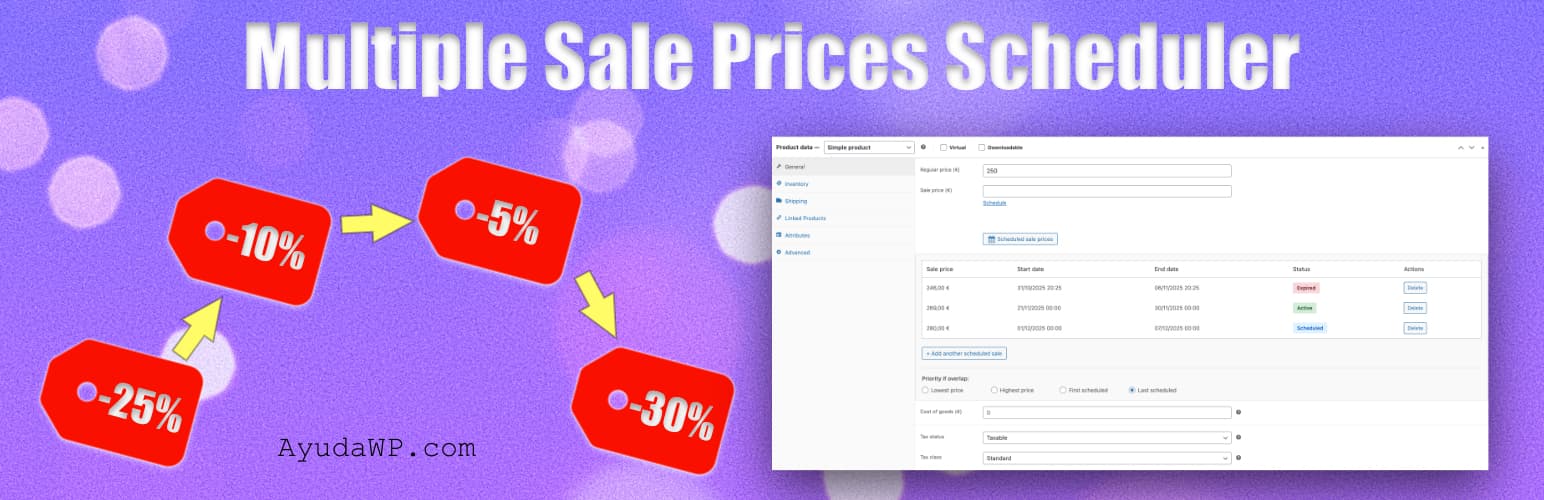
Multiple Sale Prices Scheduler extends WooCommerce’s native sale scheduling functionality by allowing you to schedule multiple sale prices for each product, each with its own start and end dates.

Perfect for planning seasonal sales, flash sales, promotional campaigns, and dynamic pricing strategies in advance.

Key Features

  • Schedule multiple sale prices per product
  • Dynamic pricing: Schedule both discounts and price increases
  • Each sale has its own start and end date
  • Works with simple and variable products
  • Configurable priority when sales overlap
  • Import and export scheduled sales via CSV
  • Activity log with configurable retention period
  • Automatic deletion of expired sales
  • Admin notifications when sales activate or end
  • Alert notifications before sales expire
  • Dashboard widget with sales overview
  • Compatible with HPOS (High-Performance Order Storage)
  • Automatic sale activation and deactivation via cron
  • Import existing WooCommerce sales
  • Clean orphaned scheduled sales from deleted products
  • Command Palette integration (Cmd+K / Ctrl+K) for quick access to export and overview

Use Cases

  • Plan multiple seasonal sales in advance
  • Schedule different prices for different promotional periods
  • Implement dynamic pricing for high-demand periods (hotels, events, tickets)
  • Seasonal price adjustments (peak season vs. off-season)
  • Manage flash sales and special offers
  • Coordinate pricing across multiple products
  • Track pricing history with activity log
  • Receive alerts when sales are about to end
  • Automatically clean expired sales

How It Works

  1. Edit any product in WooCommerce
  2. Find the “Scheduled sale prices” section
  3. Add multiple sale prices with start and end dates
  4. Set any price you want – lower for discounts, higher for peak demand pricing
  5. Configure overlap priority if needed
  6. Save the product

The plugin automatically activates and deactivates sales based on the scheduled dates using WordPress cron every hour.

Note: Unlike WooCommerce’s native sale scheduler, this plugin allows you to set prices higher than the regular price, enabling dynamic pricing strategies for seasonal demand, special events, or peak periods.

Settings Options

  • Default overlap priority (lowest, highest, first, last)
  • Enable/disable activity log
  • Log retention period (30-365 days)
  • Automatic deletion of expired sales (never, 30-365 days)
  • Sale activation notifications
  • Notifications before sale ends (1-30 days)
  • Overlap warnings when creating schedules

Requirements

  • WordPress 5.8 or higher
  • WooCommerce 6.0 or higher (tested up to 10.7)
  • PHP 7.4 or higher

Support

Need help or have suggestions?

Love the plugin? Please leave us a 5-star review and help spread the word!

About AyudaWP.com

We are specialists in WordPress security, SEO, AI and performance optimization plugins. We create tools that solve real problems for WordPress site owners while maintaining the highest coding standards and accessibility requirements.

  1. Upload the plugin files to /wp-content/plugins/multiple-sale-prices-scheduler/
  2. Activate the plugin through the ‘Plugins’ menu in WordPress
  3. Go to Marketing > Sales Scheduler to see the overview and configure settings
  4. Edit any product and find the “Scheduled sale prices” section

سوالات متداول

Does this work with variable products?

Yes, the plugin fully supports both simple and variable products. Each variation can have its own scheduled sales and priority settings.

What happens if two sales overlap?

You can configure the priority (lowest price, highest price, first scheduled, or last scheduled) both globally in settings and per product/variation. The plugin will automatically apply the sale price according to your priority setting.

Can I import existing WooCommerce sales?

Yes, the plugin includes an “Import current sale” button that converts existing WooCommerce sales into scheduled sales, allowing you to add more sales to the same product.

Can I bulk import sales?

Yes, use the CSV import feature in the settings page to bulk import scheduled sales for multiple products. You can also download a CSV template to see the required format.

Is this compatible with HPOS?

Yes, the plugin is fully compatible with WooCommerce’s High-Performance Order Storage (HPOS).

How often does the plugin check for sales to activate?

The plugin uses WordPress cron to check every hour. Sales are activated or deactivated automatically based on their start and end dates.

Can I automatically delete old expired sales?

Yes, you can configure automatic deletion of expired sales after a specified period (30, 60, 90, 180, or 365 days) in the General settings tab. This helps keep your database clean.

How long are activity logs kept?

You can configure log retention from 30 to 365 days in the General settings. Logs older than the retention period are automatically deleted.

What happens to scheduled sales when I delete a product?

You can use the “Clean orphaned schedules” button in the Overview tab to remove all scheduled sales from deleted or invalid products.

Can I get notified before a sale ends?

Yes, you can enable notifications to alert you a specified number of days (1-30) before a sale expires, giving you time to plan your next promotion.

Can I schedule price increases, not just sales?

Yes! While the plugin is designed primarily for scheduling sale prices (discounts), you have complete flexibility to set any price – including prices higher than the regular price. This allows you to handle seasonal pricing adjustments, high-demand periods, or other dynamic pricing strategies.

Note: If you schedule a price higher than the regular price, the product will simply show the scheduled price without displaying a “sale” badge or strikethrough pricing.

Does this plugin work with the WordPress Command Palette?

Yes! Since version 1.2.0, the plugin registers two commands in the WordPress Command Palette (Cmd+K on Mac, Ctrl+K on Windows): “Export scheduled offers to CSV” for quick CSV downloads, and “Show scheduled offers” to jump directly to the overview page. These commands work from any admin screen (requires WordPress 6.3 or higher).

×
نظری برای این آیتم موجود نیست.
0 0 رای ها
امتیازدهی
اشتراک در
اطلاع از
0 نظرات
قدیمی‌ترین
تازه‌ترین بیشترین رأی
هیچ نسخه‌ای برای این آیتم موجود نیست.
★★★★★
★★★★★
5.0 /5 (7 نظر)

قیمت:

رایگان

نگارش

آخرین انتشار

18 اردیبهشت 1405

آخرین بروزرسانی

3 ماه پیش

نصب های فعال

20+

نگارش وردپرس

وردپرس 5.8+

تست شده از نسخه

وردپرس 7.0

نگارش PHP

PHP 7.4+

نسخه ها

0 نسخه




