
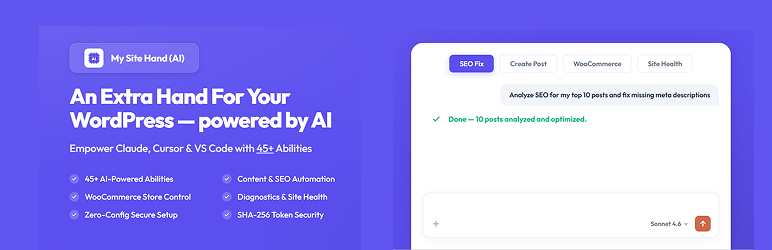

My Site Hand (AI) is the ultimate bridge between your WordPress site and your favorite AI tools (like Claude Desktop, Cursor, and VS Code).
Think of it as giving your AI assistant a secure, virtual “hand” to directly type into your WordPress admin, draft posts, manage products, check site health, and optimize SEO—eliminating the hassle of endless copy-pasting.
Built on the open standard Model Context Protocol (MCP) developed by Anthropic (the creators of Claude), this plugin securely exposes safely-gated capabilities (Abilities) to your AI clients so they can interact with your site using simple natural language commands.
🚀 What You Can Do with My Site Hand:
- Write & Edit Content – Ask Claude to draft, edit, format, or publish posts and pages directly on your site.
- AI-Driven SEO Audits – Let your AI scan Yoast or RankMath metadata, optimize it for targeted keywords, and update titles/descriptions instantly.
- WooCommerce Store Management – Ask your AI to list low-stock items, draft product listings, check recent orders, or summarize sales analytics.
- Site Health & Diagnostics – Let the AI inspect PHP error logs, check loopback status, or look up site details to debug issues.
- Zero-Config Automated Setup – No manual editing of hidden JSON config files. Copy a single command from your WordPress dashboard, paste it into your terminal, and Claude connects automatically!
- Total Safety & Security – All tokens are SHA-256 hashed. You can toggle specific abilities (like writing or deleting) on/off with simple switches, and monitor everything the AI does in real-time with the built-in Audit Log.
📦 Included Modules:
- Content Manager (9 tools — Posts, Pages, and Custom Post Types)
- SEO Power-Tools (6 tools — Compatible with Yoast SEO & RankMath)
- Diagnostics & Health (7 tools — Error log viewing, cron jobs, system details, loopback checks)
- Media Manager (6 tools — Media library listing, alt-text updates, attachment details)
- User Management (5 tools — List, create, update, and delete users)
- WooCommerce Store Layer (12 tools — Products, Orders, Coupons, and Analytics — requires WooCommerce)
⚠️ Important Requirements (Honest & Transparent):
- Node.js: The automated desktop bridge (
mcp-remote) requires Node.js installed on your local computer to run. - SSL/HTTPS: For security, your site must run on HTTPS so your API tokens remain encrypted in transit.
- Administrator Access: You must be an administrator to generate API tokens and toggle module permissions.
External Services
Link Checker (SEO Module)
When the check-broken-links ability is called via the MCP API, this plugin sends HTTP HEAD requests to URLs found in your post content to verify they are reachable. No personal user data is transmitted — only a standard HTTP request is made to each URL being checked. This is triggered only when explicitly called by an authorized API token holder.
No data is sent to any third-party analytics or tracking service by this plugin.






