
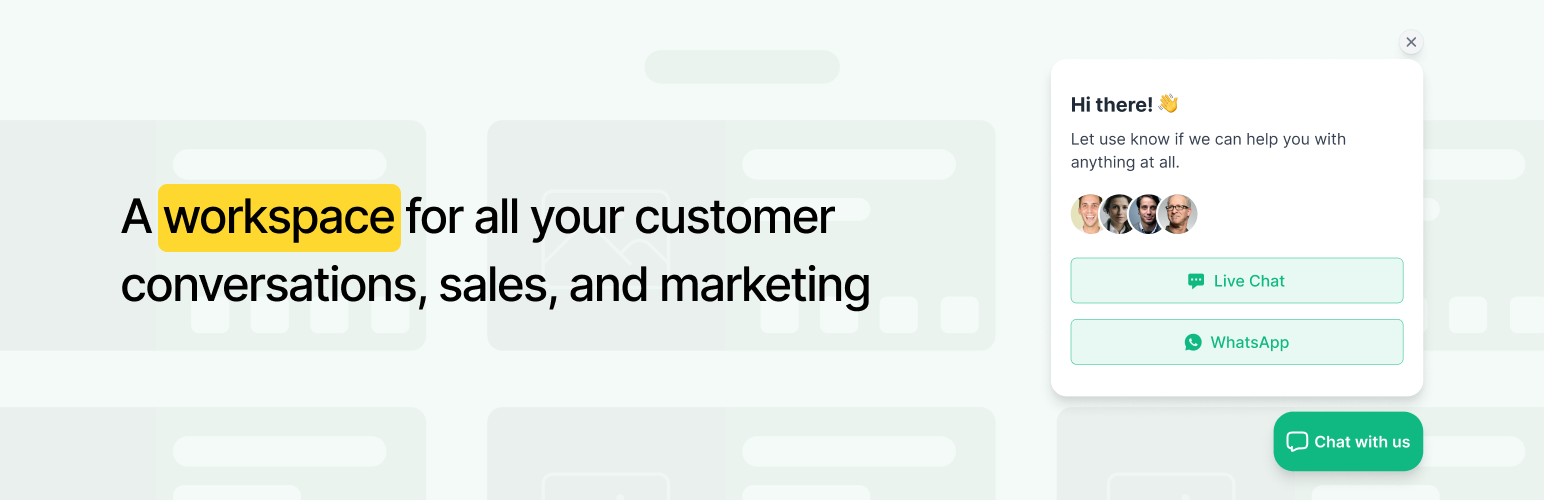

LIVE CHAT + SOCIALS TOGETHER
The old way of using communication tools like Live Chat, WhatsApp, WhatsApp, Telegram, Line, Viber, Instagram, Facebook Messenger plus eCommerce was disjointed and siloed. MyAlice puts an end to silos and delivers a new way of turning you and your team into revenue champions.
Integrate your WooCommerce store with MyAlice to build personalized customer experiences that boost your sales. Engage your customers with targeted WhatsApp campaigns and drive more revenue with our powerful automation features designed for eCommerce.
MULTIPLE AGENTS IN 1 INBOX
Your customers are on WhatsApp and other social channels. All the time. So when they’re looking to buy, and they message you, they’re at their moment of highest intent. Engaging with these visitors through a team collaboration inbox.
CHAT WIDGET
Add a chat widget in a few simple steps to your online store. Add your own logo, text, and colors, and set up in a matter of minutes.
CENTRALIZED INTERACTIONS AND SUPPORT ON THE GO
No more switching tabs to respond to WhatsApp, Live Chat, Facebook Messenger, Instagram, Line, Telegram, and Viber. Centralize all your customer interactions under one dashboard. Use our iOS or Android mobile app that allows support from anywhere.
CHATBOT FOR ALL SOCIAL CHANNELS
Using MyAlice’s automation, create AI-powered chatbot that will automatically respond to your customers 24×7. For all social channels including WhatsApp.
SCHEDULE OUTBOUND CAMPAIGNS
Reach out to customers where their friends are for higher CTRs and engagement. Create WhatsApp audience and easily schedule campaigns. Watch new orders roll in!
AUTOMATE YOUR CUSTOMERS’ BUYING EXPERIENCE
Automatically send WhatsApp messages based on customer actions. Follow up on new purchases, abandoned shopping carts, and more WooCommerce triggers by creating business templates.
CONVERT CUSTOMERS ON SOCIALS
MyAlice integrates with your website and automatically pulls your entire catalog into WhatsApp. Bring your store to WhatsApp to make sales easier!
TAKE AND UPDATE ORDERS
When customers come to your store intending to buy something, you need to help them as much as possible. Which includes placing the order for him. With MyAlice’s deep WooCommerce integration, you can now do it with a single click while chatting with your customer.
TRACK REVENUE AND ROI
Analyze the revenue of your WhatsApp messages, campaigns, and store automation. Access reports on all incoming messages, agent response times, agent performance, conversation status, etc. Use these in-depth analytics to improve agent performance.
GET VERIFIED GREEN TICK MARK
Stop sending your order confirmations from some other companies’ WhatsApp numbers. Let customers see your brand and number in all store notifications. MyAlice helps you get verified without any charges, get access to the Official WhatsApp API.
This is way more than your traditional live chat plugin. MyAlice expands on your social communication, boosts sales with automated campaigns, and engages customers at every stage of their journey. It helps you bring in immediate sales, generate leads with purchase intent, delight customers, and make them buy again and again and again!
Easily migrate from Tidio, HubSpot, Tawk, Crisp, Reve Chat, Live Chat, Jivo Chat, Olark, Chatra, Wati, Zendesk, Freshdesk, Reamaze, Drift, Intercom, Helpscout, Zoho, and eDesk. We’ll assist you with migration.
When you succeed, we succeed. Our team of experts will go above and beyond to understand your business and implement a solution that shows immediate impact. Get a demo or Sign-up to see it in action.






