
Notification – Custom Notifications and Alerts for WordPress

Notification – Custom Notifications and Alerts for WordPress

توسط

WordPress sends emails you can’t customize. You can’t change who receives them, what they say, or how they look. And if you need to notify your team about content changes, user activity, or security events — WordPress simply doesn’t do that.

Notification fixes this. It gives you complete control over what WordPress sends, to whom, and through which channel. Replace rigid default emails with fully customizable messages, or create entirely new notifications triggered by any WordPress event. No coding required — set up your first notification in under 5 minutes.

WHAT YOU CAN DO WITH THE FREE VERSION

  • Replace default WordPress emails — Disable any built-in email (new user, password reset, comments, etc.) and replace it with your own version using the built-in Wizard
  • Create custom notifications — Get notified when posts are published, users register, comments arrive, plugins update, and 50+ other WordPress events
  • Use dynamic content — Insert Merge Tags like {post_title}, {user_email}, or {comment_content} to personalize every message
  • Send to anyone — Route notifications to specific email addresses, users, or entire roles
  • Send via email or webhook — Email is built-in; webhooks let you connect to any external service or automation tool
  • Control with precision — Enable or disable individual triggers, configure carriers, and set up multiple notifications per event

REPLACE DEFAULT WORDPRESS EMAILS

The built-in Wizard walks you through disabling WordPress default emails and replacing them with your own. You keep full control over the content, recipients, and formatting — no more generic messages you can’t edit.

BUILT-IN TRIGGERS

Over 50 triggers are ready to use out of the box. Enable or disable them in Settings.

  • Posts & Custom Post Types — published, drafted, updated, pending review, approved, trashed (works with any CPT)
  • Taxonomy terms — created, updated, deleted (works with any taxonomy)
  • Comments, Pingbacks & Trackbacks — new, replied, approved, unapproved, spam, trashed
  • Users — registered, profile updated, logged in, failed login, logged out, password reset/changed, deleted
  • Media — added, updated, deleted
  • Plugins — activated, deactivated, installed, removed, updated
  • Themes — installed, switched, updated
  • WordPress — available updates (on a schedule you define)
  • Privacy — personal data erased, erase request, exported, export request

Each trigger comes with its own set of Merge Tags, plus you can use Global Merge Tags ({site_title}, {admin_email}, {home_url}, etc.) anywhere.

EXTENSIONS

Extend the plugin with additional carriers, triggers, and features:

  • Webhooks – send and receive Webhooks
  • Conditionals – send Notifications only when specific conditions are met
  • Custom Fields – use any meta value in your Notifications
  • Slack – post messages to Slack channel
  • Push – send push notifications via browser’s native system
  • Discord – post messages to Discord channel
  • Twilio – send bulk SMS messages from your Twilio registered phone number
  • Scheduled Triggers – schedule your notifications based on events time
  • Review Queue – catch your Notifications into a queue for manual review
  • WooCommerce – triggers specific to WooCommerce
  • Pushbullet – send Push and SMS Notifications via your phone
  • Pushover – send Push messages to devices registered in Pushover
  • SendGrid – send emails using SendGrid service
  • Mailgun – send emails using Mailgun service
  • File Log – save Notifications as file logs on the server
  • bbPress – bbPress triggers
  • BuddyPress – BuddyPress triggers and integration with their notification system
  • Signature – add a signature to all your emails automatically
  • Email Attachments – attach files to your notification

DEVELOPER-FRIENDLY

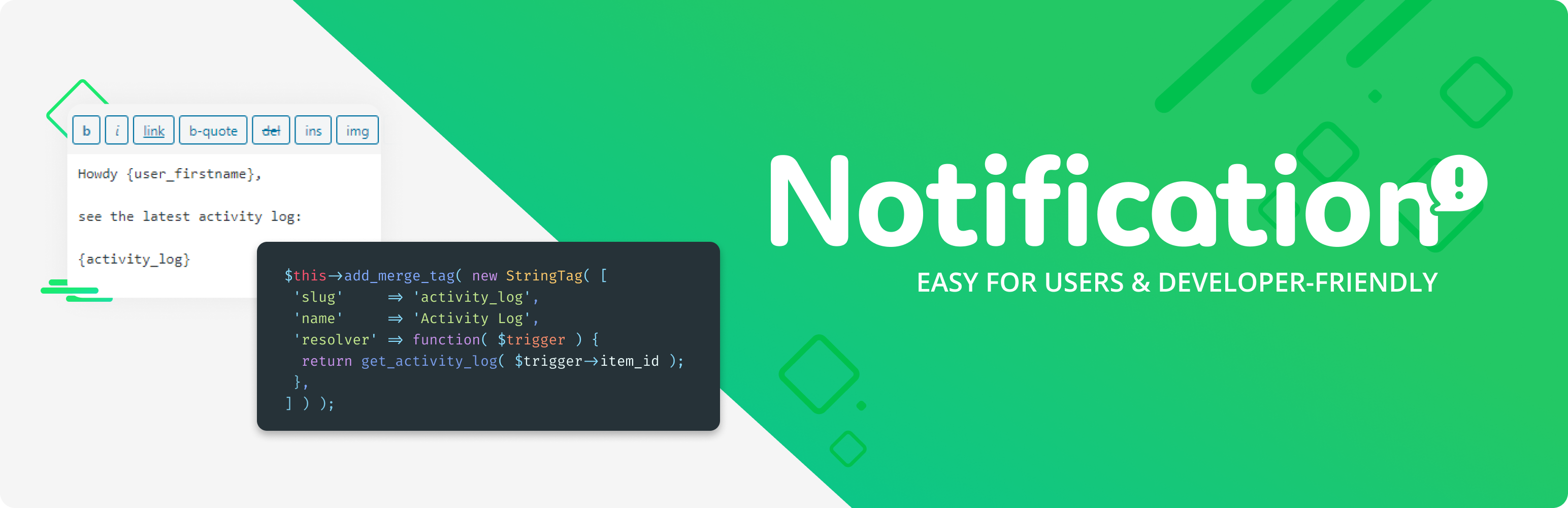
Notification is designed to be extended. Create custom Triggers from any do_action() call, add Merge Tags in a single line of code, or build entirely new Carriers. The plugin can be bundled with your theme or plugin and white-labeled with one function call.

USE CASES

  • Editorial workflows — Notify editors when a post is submitted for review, and authors when it’s approved or scheduled
  • Security monitoring — Get alerts on failed login attempts, user role changes, or plugin activations
  • Client sites — Replace confusing default WordPress emails with branded, clear messages for your clients
  • Team coordination — Send Slack or webhook notifications when content is updated, users register, or comments need moderation
  • WooCommerce stores — Trigger custom alerts for orders, stock changes, and customer activity (with the WooCommerce extension)

Here are some of the most popular specific setups. See the FAQ section for step-by-step details on each.

  • Notify authors when their post is published
  • Email editors when a post is submitted for review
  • Replace the default new user welcome email with a branded version
  • Alert admins on failed login attempts with IP address details
  • Get notified when someone edits a published post
  • Send Slack/webhook alerts when plugins are activated or updated
  • Notify users when their role changes
  • Disable default WordPress emails and replace them with custom ones
  • Monitor user registrations, password resets, and account deletions
  • Set up comment moderation notifications for post authors

USEFUL LINKS

CUSTOM DEVELOPMENT

BracketSpace – the company behind this plugin provides custom WordPress plugin development services. We can create any custom plugin for you.

Requirements

This plugin requires at least PHP 7.4.

Plugin install

Download and install this plugin from Plugins -> Add New admin screen.

Distributing in a plugin or theme

Notification can be loaded also as a part of any plugin or theme. To do it just include plugins’s load.php file. It will figure out if it’s loaded from theme or from plugin.

See the detailed guide

سوالات متداول

How can I test my notifications?

No 3rd-party plugins needed. The Notification plugin comes with a built-in logger — activate it in Settings > Debugging and you’ll see all notification parameters in a log visible only to you.

Why am I not receiving any emails?

First, check if WordPress sends any emails at all — try resetting your password. If that email doesn’t arrive, the issue is your server configuration, not this plugin. Use any SMTP plugin to fix that.

You can also activate the debug log in plugin settings to confirm whether the notification is being triggered.

Is this plugin for regular users?

Absolutely. The plugin has an intuitive visual interface in the WordPress Admin — no coding skills required. Developers get a powerful API on top of that, but it’s entirely optional.

How do I notify authors when their post is published?

Create a new notification and select the Post Published trigger. Add an Email carrier and set the recipient type to Email/Merge Tag with the value {post_author_user_email}. Use merge tags like {post_title} in the subject and {post_permalink}, {post_publication_datetime} in the body.

How do I get email notifications for posts pending review?

WordPress doesn’t send these by default — it’s one of the most requested missing features. Create a notification with the Post Pending Review trigger. Set the recipient to the Role type and choose Editor (or Administrator). Use {post_title}, {post_author_user_display_name}, and {post_permalink} to build a useful message.

How do I replace the default WordPress new user email?

First, disable the default WordPress new user email in Notifications > Settings > Integrations. Then create a notification with the User Registered trigger. Set the recipient to Email/Merge Tag {user_email}. Use {user_login}, {user_password_setup_link}, and {site_title} in the body to create your branded welcome message.

How do I get notified about failed login attempts?

Create a notification with the User Login Failed trigger. Set the recipient to the Administrator role. Include {user_login}, {user_IP}, and {user_login_failed_datetime} in the body to see who tried to log in, from where, and when.

How do I know when someone edits a published post?

Use the Post Updated trigger. Set the recipient to the Administrator role (or any role/email you prefer). Include {post_title}, {post_permalink}, {post_updating_user_display_name}, and {post_revision_link} in the body to see what changed and who changed it.

How do I get notified when plugins are activated or updated?

Create two notifications — one with the Plugin Activated trigger and one with the Plugin Updated trigger. Use {plugin_name}, {plugin_version}, and {plugin_activation_date_time} in the message body. Similar triggers are also available for themes.

How do I notify a user when their role changes?

Create a notification with the User Role Changed trigger. Set the recipient to Email/Merge Tag {user_email} so the affected user gets the notification. Use {user_display_name}, {old_role}, and {new_role} in the body.

How do I set up comment notifications for post authors?

Create a notification with the Comment Published trigger. Set the recipient to Email/Merge Tag {post_author_user_email} so the post author is notified. Use {comment_author_user_display_name}, {comment_content}, {post_title}, and {post_permalink} in the body.

How is this plugin different from Better Notifications for WP (BNFW)?

Both plugins let you customize WordPress email notifications, but they take different approaches:

  • Merge Tags vs shortcodes — Notification uses a visual Merge Tag picker with a click-to-insert interface. BNFW uses shortcodes typed into a WYSIWYG editor.
  • Multiple carriers — Notification has a carrier architecture that supports email, webhooks, and (via extensions) Slack, Discord, Push, SMS, and more. BNFW focuses on email only.
  • Developer API — Notification lets you create custom triggers from any WordPress action, add merge tags, build new carriers, and bundle/white-label the plugin. BNFW doesn’t offer this level of extensibility.
  • Extension ecosystem — 20+ extensions for additional carriers (Slack, Twilio, Pushover), conditional logic, scheduled triggers, WooCommerce, and more.

BNFW is a solid choice if you only need to customize email content. Notification is for users who want full control over what gets sent, where, and how.

How does Notification compare to OneSignal?

They solve completely different problems. OneSignal sends browser push notifications to re-engage visitors after they leave your site. Notification sends event-driven alerts (email, webhook, Slack, etc.) when something happens inside WordPress — a post is published, a user registers, a comment needs moderation.

They complement each other rather than compete. Use OneSignal for marketing push notifications to your audience, and Notification for internal workflow alerts for your team.

How does Notification compare to Manage Notification E-mails?

Manage Notification E-mails gives you on/off toggles for default WordPress emails — you can mute them, but that’s it. Notification can also disable default emails, but then lets you replace them with fully customized versions — custom content, custom recipients, merge tags, and multiple carrier options. It’s the difference between muting emails and owning them.

How to register my own triggers?

With register_trigger() function. See the detailed guide

How to include a custom field in the notification?

You can write a merge tag yourself or use the Custom Fields extension for a no-code solution.

How to target only specific post / category / user etc?

Use the Conditionals extension to control exactly when a notification is sent.

Can I send to a custom recipient list based on my own plugin or theme logic?

Yes, just include filter-id:some-value in the Recipient value (using the Email/Merge tag type with the Email carrier), then return your recipient list from the notification/recipient/email/some-value filter.

Can I bundle the plugin with my plugin or theme?

Yes. See the detailed guide

Is this plugin capable of sending high volume emails?

The plugin can handle it, but your server probably can’t. For thousands of emails at once, use the SendGrid or Mailgun extensions, which are designed for high volume via a single API call. SMTP typically times out after a dozen emails.

Can you create a plugin for me?

Yes! We offer custom plugin development services. Feel free to contact us.

×
نظری برای این آیتم موجود نیست.
0 0 رای ها
امتیازدهی
اشتراک در
اطلاع از
0 نظرات
قدیمی‌ترین
تازه‌ترین بیشترین رأی
نسخه حجم فایل SHA256 تغییرات دانلود
9.0.10 567 کیلوبایت -
دانلود
×
★★★★★
★★★★★
4.6 /5 (124 نظر)

قیمت:

رایگان

نگارش

9.0.10

آخرین انتشار

11 اردیبهشت 1405

آخرین بروزرسانی

4 ماه پیش

نصب های فعال

10,000+

نگارش وردپرس

وردپرس 5.8+

تست شده از نسخه

وردپرس 6.9.4

نگارش PHP

PHP 7.4+

نسخه ها

1 نسخه




