
AI Open Graph Image Generator – OpenGraph.xyz

AI Open Graph Image Generator – OpenGraph.xyz

توسط

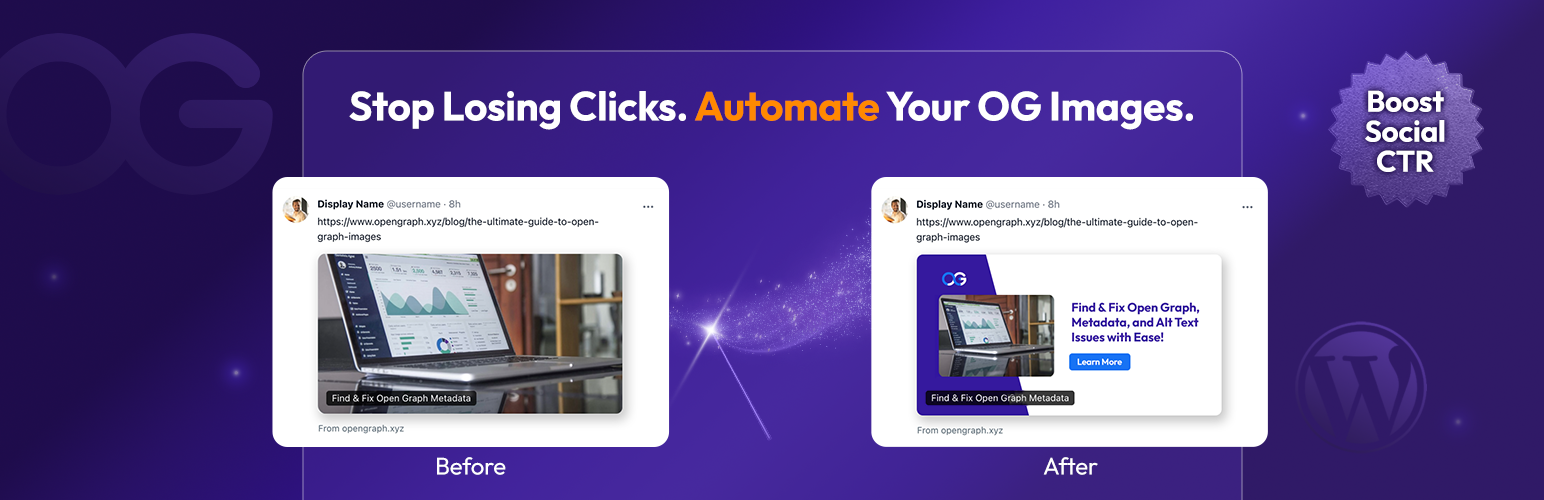
Stop losing clicks to boring social previews. Boost your Click-Through Rate (CTR) by up to 70% with AI-powered, dynamic Open Graph images.

Most websites suffer from “broken” or generic social media previews. If you have a resource-rich site—like a news portal, real estate listing site, e-commerce store, or a large blog—manually designing and uploading Open Graph (OG) images for every page is impossible.

OpenGraph.xyz solves this by automating your entire social metadata workflow.

Why OpenGraph.xyz?

Our plugin bridges the gap between your WordPress site and the OpenGraph.xyz SaaS platform. We’ve seen specialized links jump by 70% in CTR when switching from static, unoptimized images to our dynamic, branded previews.

Key Features

  • AI OG Image Template Creator: Simply enter your URL, and our AI analyzes your brand theme, colors, and content to generate a beautiful, custom OG image template in seconds.
  • Dynamic Image Automation: Once set up, every new post or listing automatically generates a unique social image. No design skills or manual uploads required.
  • Metadata Site Audit: Scan your entire website to identify missing tags, broken links, or unoptimized metadata before it affects your traffic.
  • AI Alt Text Generator: Improve accessibility and SEO automatically with AI-generated descriptions for your website images.
  • AI Meta Title & Description Generation: Let AI craft high-converting titles and descriptions for every page on your site.
  • Custom Sharing Links: Create beautiful, branded sharing links that allow you to A/B test your OG images and boost CTR.
  • Global CDN Hosting: All images are served through our lightning-fast global CDN, ensuring your previews load instantly.

Note: This plugin requires an OpenGraph.xyz account. We offer a 7-day Free Trial with full access to all available features during the trial period (credit card required). Cancel anytime.

External Services

ogcdn.net

This is our open graph image generation service to create your og image. The URLs of your generated og:image tags point to this service with data about your page to dynamically create the images.
Terms of Service | Privacy Policy

api.opengraph.xyz

This is our service for the og image templates. This service will be accessed when you view and choose image templates for your pages.
Terms of Service | Privacy Policy

  1. Upload opengraph-xyz.zip to the /wp-content/plugins/ directory.
  2. Activate the plugin through the ‘Plugins’ menu in WordPress.

سوالات متداول

Do I need an OpenGraph.xyz account to use this plugin?

Yes, an account is required to connect your WordPress site to our automation engine. You can start with our 7-day Free Trial, which gives you full access to our Lite plan, which includes our AI Template Creator, Site Audits, and the full design suite. You can cancel at any time during the trial.

Who is this plugin for?

This plugin is designed for blogs, resource centers, listing sites, media publishers, e-commerce stores, and UGC websites that need automated Open Graph images at scale.

Is this plugin suitable for beginners?

Absolutely. For beginners, our AI Template Creator does all the heavy lifting—it creates a branded design for you based on your website’s URL. For users who need more control, we offer a manual editor to customize every pixel of your dynamic templates.

How do I design and set up my Open Graph templates?

After installing the plugin, you can
– Use the AI Template Creator to generate a branded design automatically.
– Select from our wide variety of pre-designed templates.
– Use the Manual Editor to build a template from scratch.
For detailed setup steps, check out our installation guide here.

How do I link template variables to WordPress variables?

Once you’ve selected a template, the next step is to map the template’s dynamic variables to corresponding WordPress variables. For example, you can link a ‘title’ variable in your template to the ‘Post Title’ in WordPress. This ensures that the dynamic content from your site, like post titles or featured images, is automatically incorporated into your Open Graph images. You’ll find these settings in the template editing interface, where you can easily assign WordPress variables to your template’s dynamic elements.

Can I use different templates for different types of content?

Yes, the plugin allows you to assign different templates to different post types or individual posts. This ensures that each piece of content on your website can have a unique and relevant Open Graph image.

How to contact OpenGraph.xyz?

If you have any questions or need assistance, you can reach out to the OpenGraph.xyz team directly. Visit our website at opengraph.xyz and use the chat feature to get in touch with us. Our team is always ready to help you with any queries or support you may need regarding our service or the WordPress plugin.

×
نظری برای این آیتم موجود نیست.
0 0 رای ها
امتیازدهی
اشتراک در
اطلاع از
0 نظرات
قدیمی‌ترین
تازه‌ترین بیشترین رأی
نسخه حجم فایل SHA256 تغییرات دانلود
1.5.4 61 کیلوبایت -
دانلود
×
★★★★★
★★★★★
5.0 /5 (2 نظر)

قیمت:

رایگان

نگارش

1.5.4

آخرین انتشار

17 اردیبهشت 1405

آخرین بروزرسانی

3 ماه پیش

نصب های فعال

100+

نگارش وردپرس

وردپرس 5.0+

تست شده از نسخه

وردپرس 6.8.5

نگارش PHP

PHP 5.6+

نسخه ها

1 نسخه




