
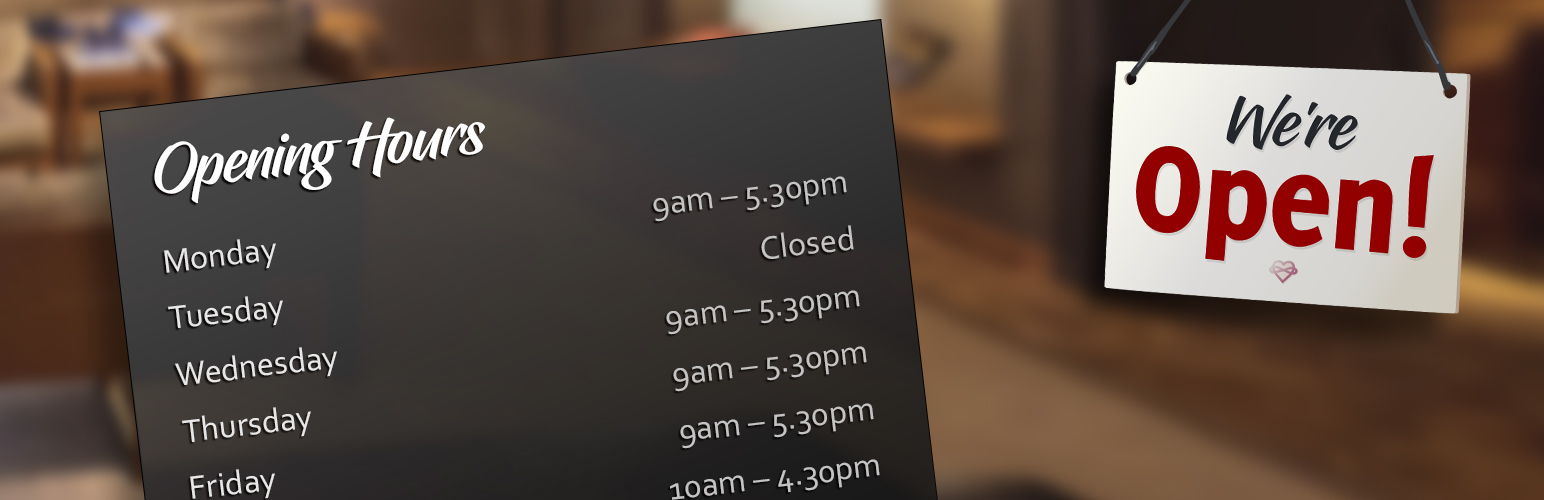
We’re Open!

We’re Open!

توسط

Control all aspects of your business’ opening hours with this very easy management tool with multiple display options and conditional text while open or closed with renewed content upon status changes. This plugin offers a high degree of customization and can be placed almost anywhere using a shortcode or widget.

Features:

  • Shortcode and Widget to display your opening hours in a wide variety of formats
  • Responsive interface to quickly set regular opening hours separate from special opening hours for public holidays
  • Set up to 3 groups of opening times per day
  • Set 24 hour opening times
  • Set a date range for a temporary closure of your business
  • Consolidation of hours with options for:
    • Just weekdays,
    • Just the weekend,
    • Separate weekdays and the weekend,
    • Full consolidation
  • Very high level of customization such as:
    • Separator characters,
    • Extensive day and time formatting,
    • Prefix and suffix for each group of times,
    • Local language day names with option to overwrite,
    • Consolidation words,
    • Hiding of closed days,
    • Start the week to any day including the current day,
    • Regular or special opening hours only,
    • Separate day/date formatting for regular and special opening hours,
    • Date labeling and notes for special opening hours,
    • Date ranges, and much more…
  • Option to refresh opening hours or reload the page at the start of each day
  • HTML classes to give high-level of design customization (e.g. past, today, tomorrow, future, special)
  • Right To Left (RTL) language support
  • Conditional shortcode to show content only when open, closed or special opening hours
    • Automatic data refreshing or page reload occurring with a change of open or closed status
    • Conditionally show HTML containing special opening hours – only when this is available
  • Conditional text with variables (e.g. show text or HTML relevant to current open status)
  • Structured Data (Schema.org) support to give accurate information about opening hours to search engines and services such as Google My Business and it assists with SEO
  • Populate and synchronize opening hours from Google My Business (Google API Key, Place ID, Google Billing Account are required)
  • A comprehensive and free plugin with no upgrades for additional functionality

Demo:

We have a comprehensive showcase of the shortcode’s design and functionality on our Demonstration Website.

Recommendations:

This is just my second public plugin and all comments are very welcome. It is a sister plugin to Reviews and Rating – Google My Business.

Getting started with Google Places API

In order to retrieve your opening hours from Google My Business, you will need a Google API Key, locate your Place ID and set your billing information. With the Billing details, you’ll receive a substantial free allocation, ample enough to use this feature for free.

  1. Upload the plugin files to the /wp-content/plugins/opening-hours directory, or install the plugin through the WordPress plugins screen directly.
  2. Activate the plugin through the ‘Plugins’ screen in WordPress
  3. Use the SettingsWe’re Open! screen to configure the plugin
  4. Insert a shortcode into any page, post or use the widget to place throughout your website

سوالات متداول

Nothing is showing up, what is wrong?

You’ll need to go to SettingsWe’re Open! to set some required settings before you can start using this plugin on the front end.

The current open or closed status is sometimes wrong. How do I fix this?

This can happen when the time zone in WordPress is not set correctly. It is very important that your time zone is accurate. Go to SettingsGeneral; set your time zone to the nearest city that shares your time zone (rather than GMT +/– hours). Check the current time using the conditional text shortcode: [open_text]%now%[/open_text].

I use a caching service. How can I ensure my opening hours are current?

You can refresh content using the shortcode parameter: update=”immediate” to force an immediate update to the displayed information.

The time is out by an hour. What should I try to fix?

A common mistake is to set the time zone in WordPress using hours from GMT when it’s more reliable to use your geographic location (e.g. Europe/Paris). Using the geographic location option considers daylight saving time.

How can I keep the opening hours with Google My Business current?

Enable Structured Data. It works very well to inform Google My Business of your complete opening hours, including special opening hours and temporary closures.

Alternatively, you may wish to update your opening hours from Google My Business using the Places API (New). This method requires a Google API Key and Place ID (single location) and doesn’t consider special opening hours or temporary closures.

Can I use my own words for “closed”, “today”, “tomorrow”, “midday”, “midnight” or label the actual holidays?

Yes, you can set most of these words in the settings or all of these using a shortcode parameter. Labels to replace the day names or dates in special opening hours are available in the Dashboard.

Can I have my holiday opening hours appear only when relevant?

Yes, this is possible by using the [open_special] shortcode. Enclose your special opening times, and any HTML such as a heading, to have this appear only when it’s needed.

Is this plugin fully GDPR compliant?

Yes.

How do I get a Google API Key if I want to populate or synchronize from my Google My Business listing?

All the details for collecting your Google API Key can be found using our visual guide.

Once your Project is set, you will need a new API Key with access to Place API (New). As a restriction, set your host’s IP Address (not your website’s URL). A more detailed guide is available in the Additional tab of SettingsWe’re Open!.

The Google API Key is required for this plugin to load the data from the Google Places API (New).

How do I find my Place ID?

You can locate your unique Place ID using Google’s: Place ID Finder. Only specific locations are supported; not coverage areas.

Can I have multiple sets of opening hours?

Sorry, this is not supported by this plugin with only one set of opening hours available. Requests to extend this functionality are welcome, but there is no time-line for this development.

×
نظری برای این آیتم موجود نیست.
0 0 رای ها
امتیازدهی
اشتراک در
اطلاع از
0 نظرات
قدیمی‌ترین
تازه‌ترین بیشترین رأی
نسخه حجم فایل SHA256 تغییرات دانلود
2.6 159 کیلوبایت -
دانلود
×
★★★★★
★★★★★
5.0 /5 (44 نظر)

قیمت:

رایگان

نگارش

2.6

آخرین انتشار

11 اردیبهشت 1405

آخرین بروزرسانی

4 ماه پیش

نصب های فعال

5,000+

نگارش وردپرس

وردپرس 5.3+

تست شده از نسخه

وردپرس 6.9.4

نگارش PHP

PHP 5.2.4+

نسخه ها

1 نسخه




