
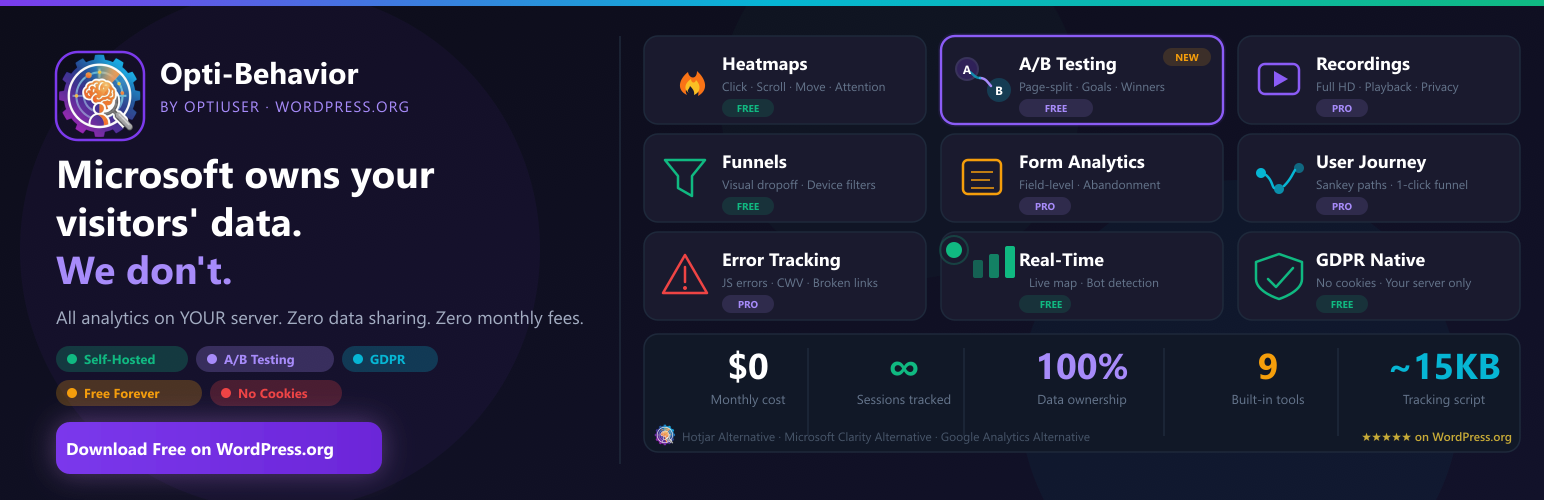

Opti-Behavior is a self-hosted behavior analytics and conversion optimization plugin for WordPress.
See where visitors click, scroll, hesitate, abandon funnels, submit forms, hit errors, and move through your website — directly from your WordPress dashboard.
Unlike external analytics clouds, Opti-Behavior stores visitor behavior data on your own WordPress server. Use it to run heatmaps, funnels, A/B tests, click tracking, visitor journeys, form analytics, error tracking, and session recordings with privacy-first controls.
Core Features (Free)
- Click & scroll heatmaps with color-coded intensity (Mobile & Desktop)
- Real-time analytics dashboard — visitors, sessions, pageviews, bounce rate, scroll depth
- Interactive world map with visitor locations, Top Pages, and Traffic Sources
- Conversion funnels with multi-step dropout analysis and device filtering
- A/B testing with page-split experiments, visual variant previews, winner application, and conversion goal tracking
- Session & visitor tracking (duration, pages visited, referrers, outbound links)
- Bot detection & filtering (Google, Bing, Yahoo, etc.)
- Scheduled email reports (Daily, Weekly, Monthly)
- IP anonymization, no cookies required, no third-party data sharing
- Multilingual admin: English, French, German, Spanish, Portuguese, Italian
Pro Features (Upgrade)
- Session Recordings — full playback with privacy controls
- Error Tracking — JS errors, network errors, Core Web Vitals
- Friction Detection — rage clicks and dead clicks
- Form Analytics — field-level interaction and abandonment tracking
- User Journey Analytics — Sankey diagram visitor path visualization
- Advanced Heatmap Filtering — country, browser, device, and date
- Priority Support
Try Pro FREE for 6 months — no credit card required!
Learn more about Opti-Behavior Pro
External Services
This plugin may connect to external services in limited circumstances:
IP Geolocation (ip-api.com)
Purpose: Provides geographic location data (country, city, timezone) for visitor analytics and map visualization.
When Used: Only when a visitor’s location cannot be determined from CloudFlare headers. If CloudFlare is active, no external calls are made.
Data Sent: Only the visitor’s IP address. No personally identifiable information is transmitted.
Caching: Results are cached for 1 hour to minimize API requests.
Privacy:
* Service: https://ip-api.com/
* Terms & Privacy: https://ip-api.com/docs/legal
* Note: ip-api.com may log IP addresses. Review their privacy policy for details.
IP Geolocation Fallback (ipwho.is)
Purpose: Secondary geolocation fallback when ip-api.com is rate-limited or unavailable. Provides geographic location data (country, city, region, timezone) for visitor analytics.
When Used: Only when both CloudFlare headers and ip-api.com fail to resolve a visitor’s location. ip-api.com’s free tier has a 45 requests/minute rate limit, so on high-traffic sites ipwho.is ensures visitors are still geolocated accurately.
Data Sent: Only the visitor’s IP address. No personally identifiable information is transmitted.
Caching: Results are cached for 1 hour to minimize API requests.
Privacy:
* Service: https://ipwho.is/
* Terms & Privacy: https://ipwho.is/
* Note: ipwho.is may log IP addresses. Review their privacy policy for details.
OpenStreetMap Tiles
Purpose: Displays the interactive visitor location map in your WordPress admin dashboard.
When Used: Only when YOU (the admin) view the real-time visitor map. Not used on the frontend.
Data Sent: Your browser makes direct requests to OpenStreetMap tile servers (standard HTTP headers only).
Privacy:
* Service: https://www.openstreetmap.org/
* Tile Policy: https://operations.osmfoundation.org/policies/tiles/
* Privacy Policy: https://wiki.osmfoundation.org/wiki/Privacy_Policy
OptiUser API (api.optiuser.com)
Purpose: Handles anonymous install tracking, plugin deactivation notifications, Pro trial license generation, license validation, update checks, and download access code generation for the Pro plugin.
When Used:
* Install tracker: Sends an anonymous heartbeat once every 24 hours after activation, containing only: site URL, WordPress version, PHP version, plugin version, and plugin type (free/pro). No visitor data or personal information is sent.
* Deactivation: Notifies the API when the plugin is deactivated so installation records stay up to date.
* Pro upgrade pages: When an admin views a Pro feature upgrade page (Session Recordings, Error Tracking, User Journeys, Form Analytics), the plugin requests a one-time download access code from the API. This code is used to securely access the Pro download page on optiuser.com.
Data Sent: Site URL, WordPress admin username, admin email address (only when requesting a Pro download access code). No visitor analytics data is ever sent to the API.
Privacy:
* Service: https://api.optiuser.com/
* Website: https://optiuser.com/
* Privacy Policy: https://optiuser.com/privacy-policy/
* The API stores installation metadata (site URL, plugin version) for license management. No visitor data is collected or stored by the API.
OptiUser Website (optiuser.com)
Purpose: Hosts the Opti-Behavior Pro download page and sales/feature pages. When an admin clicks “Download Pro — Free for 6 Months” on a Pro upgrade page, they are redirected to optiuser.com to register and download the Pro plugin.
When Used: Only when an admin chooses to download Opti-Behavior Pro from a Pro upgrade page within the WordPress admin. This is an optional, user-initiated action.
Data Sent: Site URL, username, and email address are passed as URL parameters to pre-fill the registration form. No visitor analytics data is sent.
Privacy:
* Service: https://optiuser.com/
* Privacy Policy: https://optiuser.com/privacy-policy/
Important Note: All analytics data is stored locally on your WordPress server. The external services listed above are used only for optional geographic features (ip-api.com, ipwho.is, OpenStreetMap), anonymous install tracking, and Pro license management (api.optiuser.com). No visitor analytics data ever leaves your server.
Privacy Policy
Opti-Behavior collects user interaction data to provide analytics insights. This data includes:
- Page URLs and titles
- Click coordinates and target elements
- Mouse movement patterns
- Scroll depth
- Session timestamps
- Referrer URLs
- Browser and device information
- IP addresses (can be anonymized)
- Approximate location based on browser timezone (client-side only, no external services)
Data Storage: All analytics data is stored locally in your WordPress database or file system. No data is sent to external analytics servers.
External Services: This plugin may make API calls to ip-api.com and ipwho.is for IP geolocation when CloudFlare headers are not available. ipwho.is is used as a secondary fallback when ip-api.com is rate-limited or unavailable. Only the visitor’s IP address is sent to these services. See the “External Services” section above for complete details.
Usage Tracking: With your explicit consent (granted via the first-run welcome screen), this plugin sends anonymous usage statistics to api.optiuser.com once every 24 hours. The data includes: site URL, plugin version, WordPress version, PHP version, and the site administrator email address. This data is used solely to understand plugin adoption and improve the product. Tracking only begins after you click “Accept & Continue” on the welcome page shown at first activation. You may review our full data practices at https://optiuser.com/privacy-policy/
No Third-Party Data Sharing: Unlike cloud-based analytics tools, Opti-Behavior does not share, sell, or transfer your visitors’ data to any third party. You are the sole data controller.
User Rights: You have full control over data retention and deletion. Users can request data deletion at any time.
When using this plugin, ensure your site’s privacy policy discloses:
* What data is being collected
* How long it is retained
* Who has access to it
* How users can request deletion
* That data is stored locally and not shared with third parties
Third-Party Libraries
This plugin bundles the following open-source libraries:
Chart.js
- Version: 4.4.0
- License: MIT License
- Homepage: https://www.chartjs.org/
- Used for: Rendering analytics charts and graphs
Leaflet
- Version: 1.9.4
- License: BSD 2-Clause License
- Homepage: https://leafletjs.com/
- Used for: Real-time visitor map visualization
heatmap.js
- Version: 2.0.5
- License: MIT License
- Homepage: https://www.patrick-wied.at/static/heatmapjs/
- Used for: Generating visual heatmaps of user interactions
Lucide
- Version: 0.554.0
- License: ISC License
- Homepage: https://lucide.dev/
- Used for: Icon library for the admin interface
All bundled libraries use GPL-compatible licenses (MIT, BSD 2-Clause, and ISC) and are included locally within the plugin. See THIRD-PARTY-LICENSES.txt in the plugin directory for full license texts.
Credits
Developed by OptiUser






