
Page Links To

Page Links To

توسط

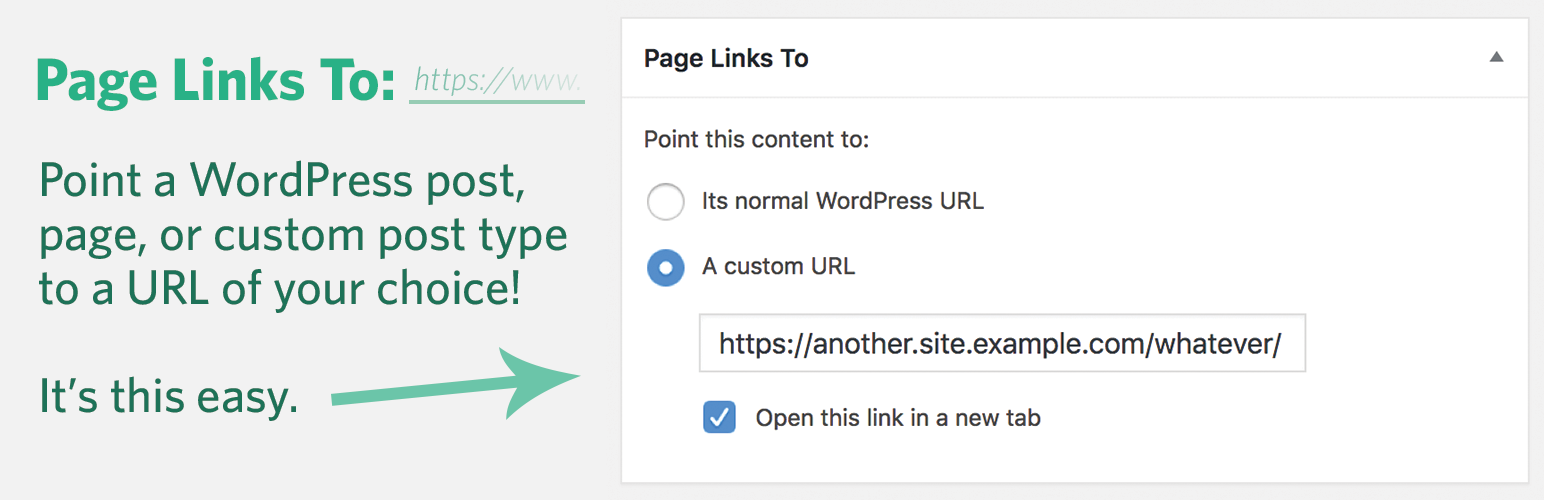
This plugin allows you to make a WordPress page (or post or custom post type) link to a URL of your choosing, instead of its WordPress URL. It also will redirect people who go to the old (or “normal”) URL to the new one you’ve chosen.

Common uses:

  • Set up navigational links to non-WordPress sections of your site or to off-site resources.
  • Publish content on other blogs (or other services, like Medium) but have them show up in your WordPress posts stream. All you have to supply is a title and a URL. The post title will link to the content on the other site.
  • For store operators, you can link to products on other retailer’s sites (maybe with an affiliate code) but have them show up like they’re products in your store.
  • Create a “pretty URL” for something complicated. Say you have https://example.com/crazy-store-url.cgi?search=productId&sourceJunk=cruft … just create a WordPress page called “My Store” and use Page Links To to point it to the ugly URL. Give people the new URL: https://example.com/my-store/ and it will redirect them!

Contribute

You can contribute (or report bugs) on Github.

  1. Upload the page-links-to folder to your /wp-content/plugins/ directory.

  2. Activate the “Page Links To” plugin.

Existing Content Usage:

  1. Edit a page (or post or custom post type).

  2. Below, find the Page Links To widget, select “A custom URL”, and add a URL of your choosing.

  3. Optionally check the box to enable link opening in a new browser tab.

  4. Save the page (or post or custom post type).

  5. Done! Now that content will point to the URL that you chose. Also, if anyone had the old WordPress URL for that content, they will be redirected to the custom URL if they visit.

Creating New Page Links:

  1. Click Pages > Add New Page Link.

  2. Provide a title and a destination URL.

  3. Optionally provide a custom slug, which will be used in creating a local redirect URL.

  4. Click Publish.

سوالات متداول

How do I make it so that a page doesn’t link to anything? I’d like to use it as a dummy container.

Just use “#” as the link. That won’t go anywhere.

Can this be used to repoint categories to an arbitrary URL?

Not currently. Please contact me if you’re interested in that functionality.

Can I link to relative URLs for URLs on the same domain?

Yes. Linking to /my-photos.php is a good idea, as it’ll still work if you move your site to a different domain.

×
نظری برای این آیتم موجود نیست.
0 0 رای ها
امتیازدهی
اشتراک در
اطلاع از
0 نظرات
قدیمی‌ترین
تازه‌ترین بیشترین رأی
بازخورد (Feedback) های اینلاین
مشاهده همه دیدگاه ها
هیچ نسخه‌ای برای این آیتم موجود نیست.
★★★★★
★★★★★
4.9 /5 (157 نظر)

قیمت:

رایگان

نگارش

آخرین انتشار

9 اردیبهشت 1405

آخرین بروزرسانی

2 ماه پیش

نصب های فعال

100,000+

نگارش وردپرس

وردپرس 6.8+

تست شده از نسخه

وردپرس 6.9.4

نگارش PHP

PHP 7.4+

نسخه ها

0 نسخه




