
Payment Status Doctor for WooCommerce

Payment Status Doctor for WooCommerce

توسط

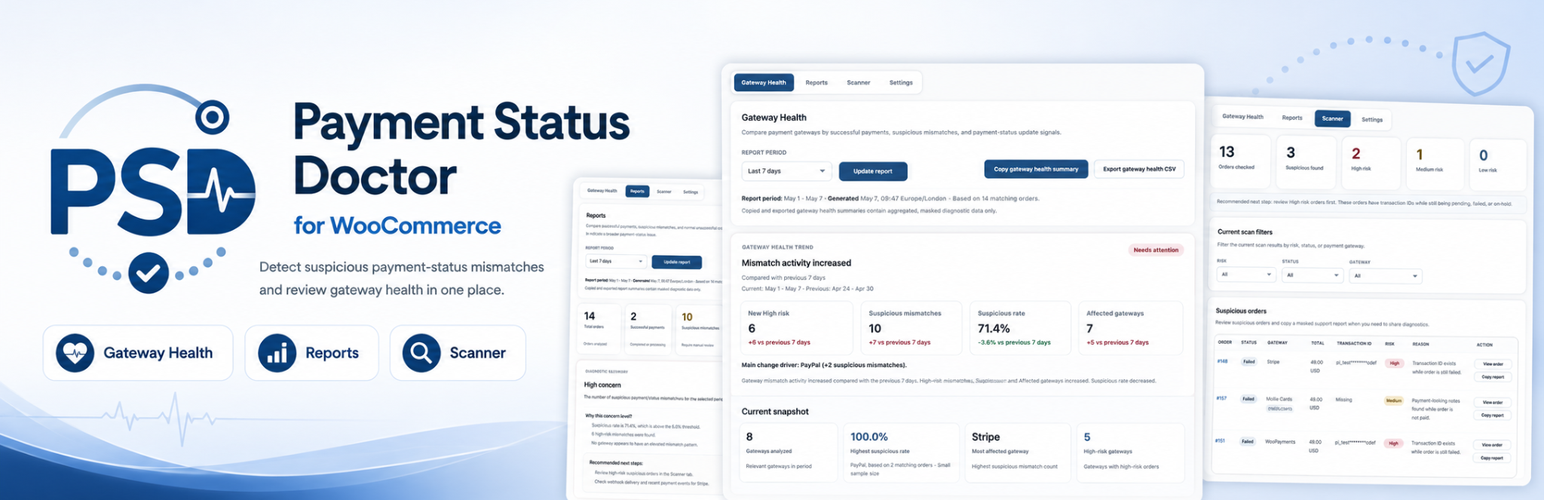
Payment Status Doctor for WooCommerce helps store owners, developers, and support teams review WooCommerce orders where payment signals and order status may not match.

The plugin focuses on manual, local diagnostics. It scans WooCommerce orders, highlights suspicious payment/status mismatches, builds safe support reports, and compares gateway-level health signals.

Payment Status Doctor for WooCommerce does not change order statuses, capture payments, refund payments, retry payments, replay webhooks, or call Stripe, PayPal, or other external payment APIs.

The plugin is intended for WooCommerce administrators and is available from WooCommerce Payment Status.

Scanner

The Scanner tab reviews pending, failed, and on-hold WooCommerce orders for paid-looking signals such as transaction IDs, payment-looking order notes, and gateway payment signals.

Suspicious orders are shown with a risk level, reason, masked transaction ID, order edit link, and copyable support report.

Reports

The Reports tab compares successful payments, suspicious payment/status mismatches, and normal unsuccessful or incomplete orders for a selected period.

Reports are generated from WooCommerce order data and are not stored permanently.

Gateway Health

Gateway Health groups diagnostic results by payment gateway so store owners can see whether suspicious mismatches appear isolated to one gateway or spread across multiple gateways.

Settings

Settings control Scanner pagination, payment signal keywords, report display options, risk thresholds, and privacy/safety defaults.

Privacy and Masking

Sensitive data masking is always enabled. Tables, copied reports, copied summaries, and CSV exports avoid exposing customer personal data, full transaction IDs, raw order notes, billing addresses, shipping addresses, phone numbers, customer IP addresses, and raw gateway payloads.

All analysis runs locally inside WordPress.

  1. Upload the plugin files to the /wp-content/plugins/payment-status-doctor-for-woocommerce directory, or install the plugin from WordPress.org.
  2. Activate the plugin through the Plugins screen in WordPress.
  3. Make sure WooCommerce is installed and active.
  4. Go to WooCommerce → Payment Status.
  5. Open the Scanner, Reports, Gateway Health, or Settings tabs.

سوالات متداول

Does this plugin change order statuses?

No. Payment Status Doctor for WooCommerce is diagnostic-only.

Does this plugin capture or refund payments?

No. The plugin does not capture payments, refund payments, void payments, or retry payments.

Does this plugin call Stripe or PayPal APIs?

No. The plugin does not call Stripe, PayPal, or any external payment gateway API.

Does it work if WooCommerce is inactive?

The plugin can remain active, but its WooCommerce admin page is shown only when WooCommerce is active. If WooCommerce is inactive, an admin notice is shown.

Does it expose customer data?

The plugin is designed to avoid exposing customer private data in diagnostic tables, copied reports, copied summaries, and CSV exports. Sensitive values such as full transaction IDs, customer emails, addresses, phone numbers, customer IP addresses, raw order notes, and raw gateway payloads are not included in reports or are masked where needed.

Does it support HPOS?

The plugin uses WooCommerce order APIs such as wc_get_orders() and WooCommerce order methods where possible. It is designed to work with WooCommerce High-Performance Order Storage where those APIs are available.

Does the plugin store scan history?

No. Scan and report results are generated on demand and are not stored permanently.

×
نظری برای این آیتم موجود نیست.
0 0 رای ها
امتیازدهی
اشتراک در
اطلاع از
0 نظرات
قدیمی‌ترین
تازه‌ترین بیشترین رأی
نسخه حجم فایل SHA256 تغییرات دانلود
1.0.2 76 کیلوبایت -
دانلود
×
بدون امتیاز

قیمت:

رایگان

نگارش

1.0.2

آخرین انتشار

1 خرداد 1405

آخرین بروزرسانی

3 ماه پیش

نصب های فعال

-

نگارش وردپرس

وردپرس 6.0+

تست شده از نسخه

وردپرس 6.9.4

نگارش PHP

PHP 7.4+

نسخه ها

1 نسخه




