
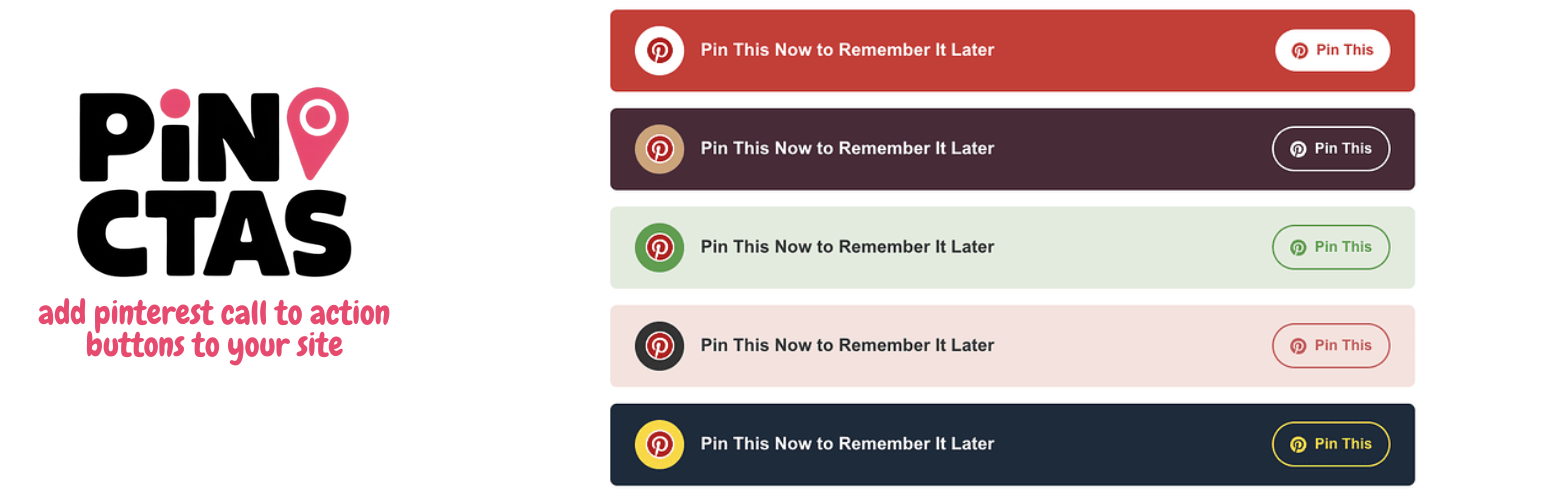

Pin CTA is a powerful WordPress plugin that helps you encourage Pinterest sharing with stylish, customizable call-to-action buttons. Available as both a Gutenberg block and shortcode, it’s perfect for food bloggers, DIY websites, and any content creator wanting to boost their Pinterest engagement.
The plugin includes ten professionally designed styles, ranging from classic Pinterest red to elegant color combinations that will match any website theme.
Join our Traffic Alchemy community to discover proven strategies for growing and monetizing your websites and social media profiles. Get insider tips on driving traffic, maximizing ad revenue, and mastering affiliate marketing straight to your inbox!
Key Features
- 10 beautiful pre-designed styles
- Available as both Gutenberg block and shortcode
- Inline or block layout options
- Custom text support
- Automatic image detection (uses featured image, first content image, or custom selection)
- Responsive design for all devices
- No tracking or external dependencies
- SEO-friendly implementation
Usage
Gutenberg Block
- Add the “Pin CTA” block to your post
- Customize the style, layout, and text in the block settings
- Optionally select a custom Pinterest image
Shortcode
Use the following shortcode format:
[pin_cta_button style=”style1″ inline=”false” custom_text=”Pin This Recipe”]
Available Styles
- Classic Red & White:
style="default" - Burgundy & Gold:
style="style1" - Fresh Green & White:
style="style2" - Soft Pink & Rose:
style="style3" - Navy & Gold:
style="style4" - Sage & Cream:
style="style5" - Royal Purple & Lavender:
style="style6" - Ocean Teal & Coral:
style="style7" - Midnight Blue & Silver:
style="style8" - Autumn Orange & Cream:
style="style9" - Forest & Mint:
style="style10"
Shortcode Parameters
style: Choose from style1 through style10 (default: “default”)inline: Set to “true” for inline layout (default: false)custom_text: Your custom call-to-action textmedia_id: Specify a custom image ID for Pinterest sharing
Screenshots ==s
- How it looks on site
- Options page
- Color options
License
This plugin is licensed under the GPL v2 or later.
Credits
- Pinterest logo used with permission under Pinterest’s brand guidelines
- Icons: Dashicons (WordPress native)






