
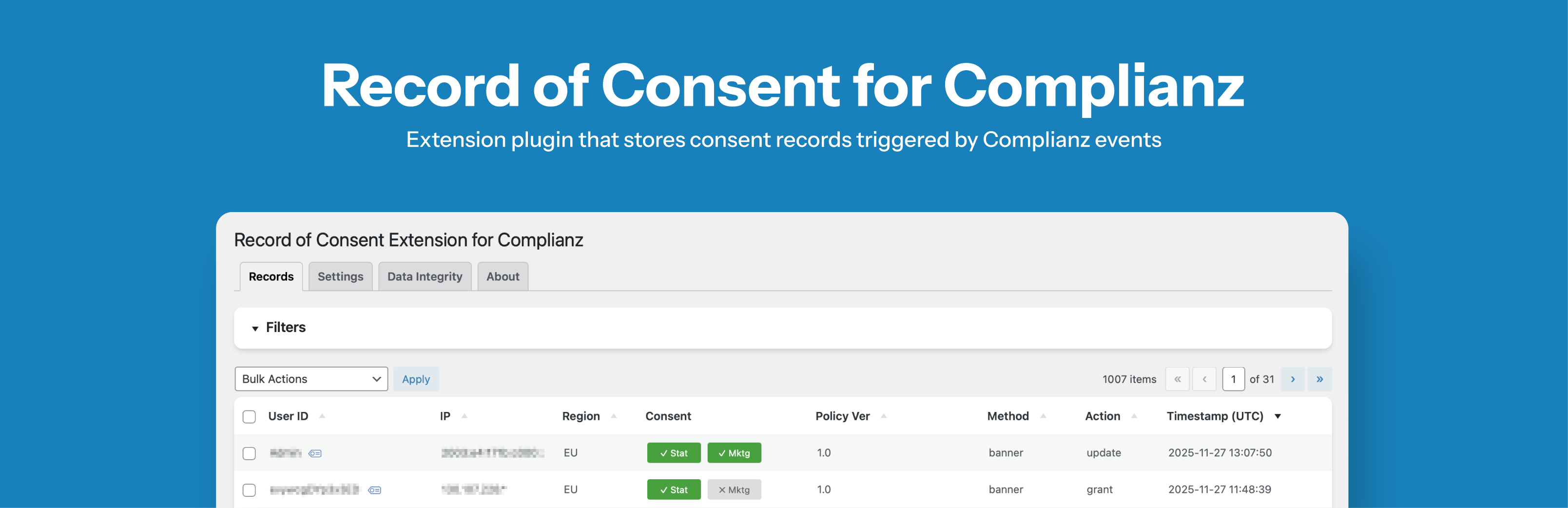
Record of Consent Extension for Complianz

Record of Consent Extension for Complianz

توسط

This plugin works alongside the free Complianz plugin to helps you keep a clear, reliable record of your visitors’ consents so you can stay on top of privacy rules and audits. It is designed specifically to save and manage consent records, making it ideal if you don’t need all the bells and whistles of Complianz Pro.

I built this plugin with care to give you a solid, easy-to-use tool that should meet GDPR requirements. However, it doesn’t guarantee full legal compliance, and none of its settings or descriptions should be considered legal advice.

That said, here’s why you’ll like this plugin:

  • Keeps user IDs anonymous so your visitors’ privacy is respected while staying compliant with data laws.
  • 5-step wizard to get you started quickly.
  • Uses SHA-256 hashing to help ensure consent records cannot be changed or tampered with without being detected.
  • Lets you customize how you view consent records. You can show or hide details, pick custom dates, and see the full history of consents if you want.
  • Gives you advanced filters to find exactly the records you need.
  • Allows you to export all consent data, so you can keep a backup or review it offline.
  • Manages data with options to automatically clean up old records.
  • Thorough uninstall deletes all plugin data.

Legal Notice & Disclaimer

This plugin is provided “as is,” and the author makes no warranties, express or implied, regarding its accuracy, reliability, or legal compliance. By using this plugin, you acknowledge and agree that:

  • You are solely responsible for your compliance with GDPR, CCPA, and other applicable data protection laws.
  • You must update your website’s Privacy Policy to disclose the collection and processing of consent data.
  • You should regularly back up your data and keep your site well-maintained.
  • None of the settings or descriptions in this plugin should be taken as legal advice.
  • The author expressly disclaims any liability for damages, data loss, or other issues arising from the use, misuse, or reliance on this plugin.
  • You use this plugin at your own risk, and the author assumes no liability for any resulting consequences.
  • Donations are welcome to support ongoing development but do not imply any warranty or official support.
  1. Install and activate the free Complianz plugin.
  2. Upload and activate this plugin.
  3. Go to Settings > Record of Consent and run the 5-step wizard.
  4. Configure filters, labels, and retention options as needed.
  5. Consent records will be stored automatically when Complianz triggers consent events.

سوالات متداول

Does this plugin replace Complianz Pro?

No. This plugin is made to work alongside the free Complianz plugin by adding just the consent recording part. If you want all the extra features, you would use Complianz Pro instead.

Do I need Complianz installed for this plugin to work?

Yes. This plugin relies on the free Complianz plugin to be active. Think of it as an add-on that extends Complianz’s consent features.

Can I use this plugin with other consent plugins?

No. This plugin is specifically designed to work with Complianz.

Is this plugin compatible with W3 Total Cache?

Yes.

Is this plugin compatible with Autoptimize?

Yes.

How do I verify consent records integrity?

Each consent record is protected with a SHA-256 hash that uses a secret salt. If someone changes a record directly in the database, the integrity check will detect the mismatch.

Can I also add the country or city of origin of a visitor in each record?

A GDPR consent record requires only strictly necessary information to demonstrate compliance. Detailed geographic data, like country or city of origin, generally exceeds data minimization principles.

I don’t have any marketing cookies on my website, but I still see records showing “marketing allowed.” Why is that?

If your website doesn’t use marketing cookies, Complianz hides that category in the banner but still keeps it in the background data. That’s why you might see “marketing allowed” in your Record of Consent — it’s just a placeholder in the system. No marketing cookies are actually loaded or tracked, and you can safely ignore it.

Why are IP addresses not matching external analytics tools?

This usually happens because some hosting providers use reverse proxies or load balancers that don’t forward the original visitor IP to PHP. In those cases, server-side tools (like this plugin) may record the proxy’s IP, while browser-based analytics tools (which are usually client-side JS) capture the correct visitor IP.

This is a hosting infrastructure issue, not a plugin limitation. The plugin correctly stores consent records, but unreliable IP forwarding can make it harder to match records to specific users, which may affect compliance with data subject access or deletion requests.

The plugin includes a PHP multi-header fallback system to detect the real visitor IP when possible, by checking headers such as X-Forwarded-For or HTTP_CF_CONNECTING_IP. However, this cannot guarantee accuracy in all environments.

To improve detection:

  • Ask your hosting provider to enable X-Forwarded-For or X-Real-IP
  • Use a hosting service that fully supports IP forwarding
  • Use multiple identifiers (IP + User Agent + timestamp + UID)
  • Document this limitation in your privacy policy
×
نظری برای این آیتم موجود نیست.
0 0 رای ها
امتیازدهی
اشتراک در
اطلاع از
0 نظرات
قدیمی‌ترین
تازه‌ترین بیشترین رأی
نسخه حجم فایل SHA256 تغییرات دانلود
1.5.1 143 کیلوبایت -
دانلود
×
★★★★★
★★★★★
5.0 /5 (2 نظر)

قیمت:

رایگان

نگارش

1.5.1

آخرین انتشار

17 اردیبهشت 1405

آخرین بروزرسانی

3 ماه پیش

نصب های فعال

200+

نگارش وردپرس

وردپرس 5.0+

تست شده از نسخه

وردپرس 6.7.5

نگارش PHP

PHP 7.4+

نسخه ها

1 نسخه




