
Christmas Countdown Widget

Christmas Countdown Widget

توسط

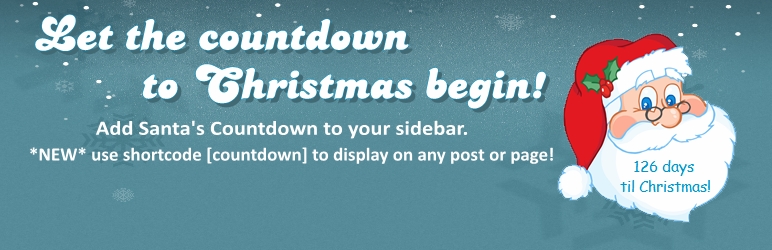
The Christmas Countdown Widget displays a cute Santa Claus counting down to Christmas in your sidebar. On Christmas day Santa displays a “Merry Christmas” greeting to your visitors. Since the countdown automatically updates each year and starts the countdown over again on the day after Christmas, you can leave it in your sidebar all year round if you want!

The Christmas countdown will appear in your sidebar on a transparent background so it looks good with any theme.

NEW! You can use the shortcode [countdown] to add the countdown to any post or page. You can also use ‘[countdown-right]’ to float the widget to the right, or ‘[countdown-center]’ to center the widget on your page.

For more information about Santa’s countdown, visit ChristmasWebmaster.

  1. Upload the ‘santas-christmas-countdown’ folder to your /wp-content/plugins/ directory, or install via the plugins admin panel.
  2. Activate the plugin through the ‘Plugins’ menu in WordPress
  3. Go to your widgets screen, and drag the Christmas Countdown widget to your sidebar.
  4. Let the countdown to Christmas begin!
  5. NEW since version 2+: Use the shortcode [countdown] to display the countdown in any post or page.

سوالات متداول

Can I change the background color?

It is transparent, but you are free to edit the plugin to your needs.

How do I display the countdown on posts and pages?

Use the shortcode [countdown] to display the countdown to the left of your text, or use [countdown-right] to align the countdown to the right of your text, or use [countdown-center] to display the countdown centered on a page or post.

×
نظری برای این آیتم موجود نیست.
0 0 رای ها
امتیازدهی
اشتراک در
اطلاع از
0 نظرات
قدیمی‌ترین
تازه‌ترین بیشترین رأی
هیچ نسخه‌ای برای این آیتم موجود نیست.
★★★★★
★★★★★
5.0 /5 (10 نظر)

قیمت:

رایگان

نگارش

آخرین انتشار

21 اردیبهشت 1405

آخرین بروزرسانی

3 ماه پیش

نصب های فعال

300+

نگارش وردپرس

وردپرس 3.0+

تست شده از نسخه

وردپرس 6.8.5

نگارش PHP

-

نسخه ها

0 نسخه




