
SheetFusion – Sync Google Sheets Into Tables. No Row Limits, No API Keys.

SheetFusion – Sync Google Sheets Into Tables. No Row Limits, No API Keys.

توسط

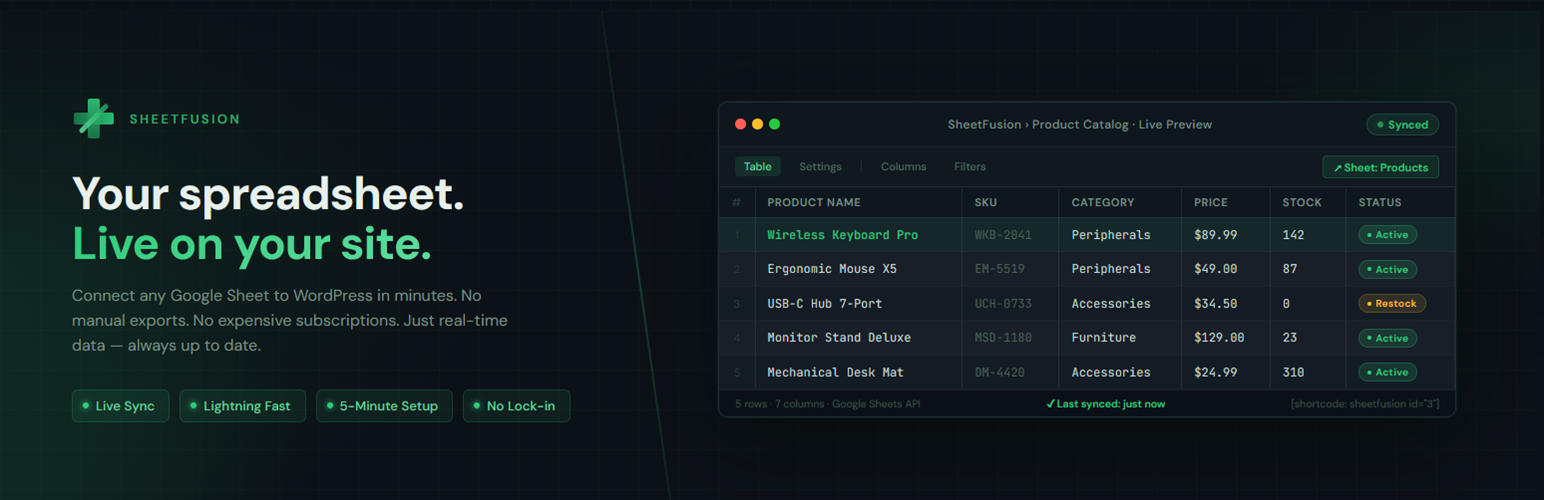
SheetFusion turns any publicly published Google Sheet into a fully interactive table on your WordPress site in seconds — no API key, no OAuth, no complicated setup. Publish your sheet, paste the shortcode or drop in the block, done.

No personal visitor data is ever transmitted to external servers.

Features

  • Gutenberg block — native block editor support with a full settings sidebar; live server-side preview in the editor canvas
  • Shortcode[sheetfusion] continues to work exactly as before; the block and shortcode share the same rendering engine
  • Client-side search — full-text search across all columns
  • Sortable columns — click any header to sort
  • Pagination — configurable rows per page
  • Export buttons — CSV, Excel, PDF, and Print
  • Column visibility toggle — let readers show/hide columns
  • Server-side filtering — pre-filter rows by any column value
  • Auto-link columns — automatically turn bare URLs into clickable links in any column you choose
  • Row cap — configurable maximum rows per table prevents memory issues on large sheets
  • Four visual themes — Default, Stripe, Minimal, and Dark
  • Transient caching — reduces Google requests; configurable duration
  • Conditional asset loading — DataTables scripts load only on pages that contain a SheetFusion block or shortcode; zero overhead everywhere else
  • Admin dashboard — save and manage all your sheets with one-click shortcode copying
  • Accessible — semantic HTML, ARIA attributes, keyboard-navigable tables

How it works

SheetFusion fetches your sheet in CSV format via Google’s public export endpoint. No authentication is required as long as the sheet is published to the web.

External Services & Third-Party Libraries

This plugin connects to the following external service:

  • Google Sheets (docs.google.com) — your WordPress server fetches the sheet data directly using the Sheet ID you provide. No personal visitor data is sent; only the Sheet ID and tab name are included in the request. Please review Google’s Privacy Policy and Terms of Service.

The following third-party JavaScript and CSS libraries are bundled locally within the plugin (no external CDN requests are made to your visitors’ browsers):

Support

Have a question or found a bug? Post in the Support tab above and we’ll get back to you.

Via the WordPress plugin installer (recommended)

  1. In your WordPress dashboard go to Plugins Add New.
  2. Search for SheetFusion and click Install Now, then Activate.
  3. Go to SheetFusion My Sheets in the admin menu and add your first sheet.

Manual installation via FTP

  1. Download the plugin zip and extract it.
  2. Upload the sheetfusion folder to /wp-content/plugins/.
  3. Activate SheetFusion via Plugins Installed Plugins.
  4. Go to SheetFusion My Sheets in the admin menu and add your first sheet.

Publish your Google Sheet first

In Google Sheets: File Share Publish to the web select your sheet tab Publish.

سوالات متداول

Where do I find my Sheet ID?

It’s the long string in your Google Sheets URL between /d/ and /edit:
https://docs.google.com/spreadsheets/d/{SHEET_ID}/edit

How do I add a SheetFusion table in the block editor?

Click the + button to add a new block, search for SheetFusion Table, and insert it. Enter your Sheet ID and Sheet Name in the settings panel on the right. The table will render a live preview directly in the editor.

My sheet is not loading — what should I check?

Make sure the sheet is published to the web (File Share Publish to the web). The plugin cannot access private sheets.

Can I display multiple sheets on the same page?

Yes. Each block or shortcode renders a completely independent table with a unique ID.

How do I filter rows to only show certain data?

Use the filter_column and filter_value attributes. For example, to show only rows where column 2 contains “London”:

[sheetfusion id="..." sheet="Sheet1" filter_column="2" filter_value="London" filter_mode="contains"]

In the block editor, these options are available in the Server-Side Filter panel in the block settings sidebar.

Can I disable the export buttons?

Yes — set export="" to hide all buttons, or pass a specific list: export="csv,print". In the block editor, use the Export & Buttons panel.

How do I change the theme?

Add theme="dark" (or stripe / minimal) to your shortcode. In the block editor, select a theme from the Display panel. You can also set a site-wide default in SheetFusion Settings.

How do I make URLs in my sheet clickable?

Use the link_columns attribute with a comma-separated list of 1-based column numbers. For example, to auto-link URLs in columns 1 and 3:

[sheetfusion id="..." sheet="Sheet1" link_columns="1,3"]

In the block editor, this option is available in the Advanced panel.

My sheet has tens of thousands of rows — will it work?

SheetFusion renders tables in the browser, so very large sheets can affect page performance. A configurable row cap (default 5,000) is applied to prevent memory issues. Increase or decrease it in SheetFusion Settings.

Can I force a cache refresh?

Yes, but only administrators can do this. Add refresh="1" to your shortcode. This bypasses the cache for that render only. (The block always renders from cache in the editor preview — force-refresh only applies to the shortcode.)

Does this plugin collect or transmit visitor data?

No. SheetFusion does not collect, store, or transmit any personal data about your site’s visitors. The only external request it makes is from your server to Google to fetch the sheet content — no visitor IP addresses or identifiers are included.

تصویری برای این آیتم موجود نیست.
نظری برای این آیتم موجود نیست.
0 0 رای ها
امتیازدهی
اشتراک در
اطلاع از
0 نظرات
قدیمی‌ترین
تازه‌ترین بیشترین رأی
نسخه حجم فایل SHA256 تغییرات دانلود
2.1.2 63 کیلوبایت -
دانلود
×
★★★★★
★★★★★
5.0 /5 (2 نظر)

قیمت:

رایگان

نگارش

2.1.2

آخرین انتشار

16 اردیبهشت 1405

آخرین بروزرسانی

3 ماه پیش

نصب های فعال

-

نگارش وردپرس

وردپرس 5.8+

تست شده از نسخه

وردپرس 6.9.4

نگارش PHP

PHP 7.4+

نسخه ها

1 نسخه



