
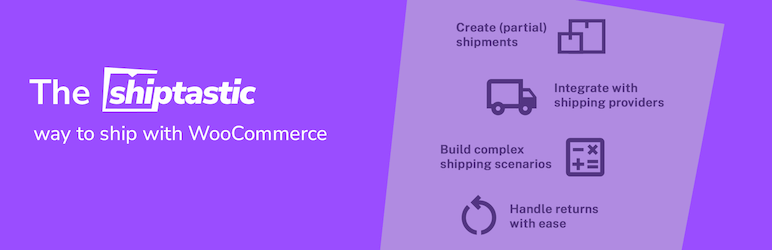

Shiptastic for WooCommerce is your all-in-one shipping and fulfillment solution for WooCommerce covering (partial) shipments, return management & much more.
- Shipments – Create (partial) shipments for orders – either automatically or by hand.
- Returns – Allow your customers to submit return requests for orders. Review and process requests from within your admin panel.
- Packaging – Store your packaging options to allow Shiptastic to pack your customer’s cart/order based on your available options.
- Shipping Rules – Create complex shipping scenarios and calculate shipping costs based on your packaging options.
- Shipping Service Providers – Either use one of our available provider integrations or manually add you shipping service provider.
Order Fulfillment
With Shiptastic for WooCommerce you may fulfill your orders right from your WooCommerce backend instead of relying on expensive third-party services.
Create shipments, either automatically or manually, which sync all necessary data (e.g. packaging, weight, dimensions) based on your products and
choose different shipping service providers to create labels. Send notifications to your customers with tracking links and descriptions as soon as a shipment is marked as shipped.
Handle returns with ease
Shiptastic for WooCommerce makes accepting returns easier for you and your customers. Allow your customers (guest and registered customers) to create return requests for applicable orders which you may either automatically accept or manually approve.
Notify your customers about return shipments and send return instructions, including return labels, to your customers. Optionally charge a fee for a return which will be automatically deducted from the refund created to the return shipment.
UPS® integration
Shiptastic comes with a ready-made integration for UPS. Navigate to WooCommerce > Settings > Shiptastic > Shipping Service Providers and install UPS to create labels for Shipments & Returns right from your dashboard and provide your customers with an easy way to select UPS Access Point™ delivery from within your checkout.
DHL & Deutsche Post integration
Business customers from Germany benefit from our integration for DHL & Deutsche Post. Navigate to WooCommerce > Settings > Shiptastic > Shipping Service Providers and install DHL to create labels for Shipments & Returns right from your dashboard and provide your customers with an easy way to select Packstation/Postfiliale/Paketshop delivery from within your checkout.






