
Shortcode in Menus

Shortcode in Menus

توسط

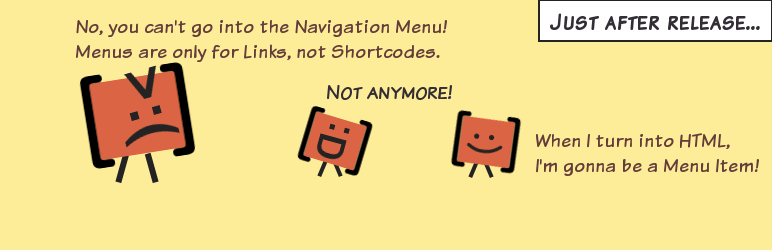
Allows you to add shortcodes in WordPress Navigation Menus so that you can generate links dynamically. Also allows you to add full fledged HTML sections to navigation menus.

Usage

See the screenshots.

Also, see a great tutorial by Aurovrata Venet

Special Thanks To

  1. Add the plugin’s folder in the WordPress’ plugin directory.
  2. Activate the plugin.
  3. You can now add ShortCodes in the custom links of the menus.
  4. To test this, you can add a custom link with a ShortCode [gs_test_shortcode] as link, if it points to https://wordpress.org, plugin is working
  5. If you want to use a ShortCode that outputs not just the url, but complete HTML sections, please make use of the title ‘FULL HTML OUTPUT’ for that link and it will output the complete HTML without breaking your site.

سوالات متداول

How to enter shortcode

You can add enter shortcodes in the “Custom Link” menu item, or you can use “Shortcode” menu shortcodes in menus.

Screencast for using WordPress’ default “Custom Links” menu item:

Screencast for using “Shortcode” menu item:

How to view/edit “Shortcode” menu item

You will need to enable displaying of “Description” in order to view/edit “Shortcode” menu item.

Here’s a screencast for the same:

×
نظری برای این آیتم موجود نیست.
0 0 رای ها
امتیازدهی
اشتراک در
اطلاع از
0 نظرات
قدیمی‌ترین
تازه‌ترین بیشترین رأی
هیچ نسخه‌ای برای این آیتم موجود نیست.
★★★★★
★★★★★
4.7 /5 (82 نظر)

قیمت:

رایگان

نگارش

آخرین انتشار

10 اردیبهشت 1405

آخرین بروزرسانی

4 ماه پیش

نصب های فعال

50,000+

نگارش وردپرس

وردپرس 3.6+

تست شده از نسخه

وردپرس 6.9.4

نگارش PHP

PHP 5.6+

نسخه ها

0 نسخه




