
Side Menu Lite – Sticky Floating Side Menu

Side Menu Lite – Sticky Floating Side Menu

توسط

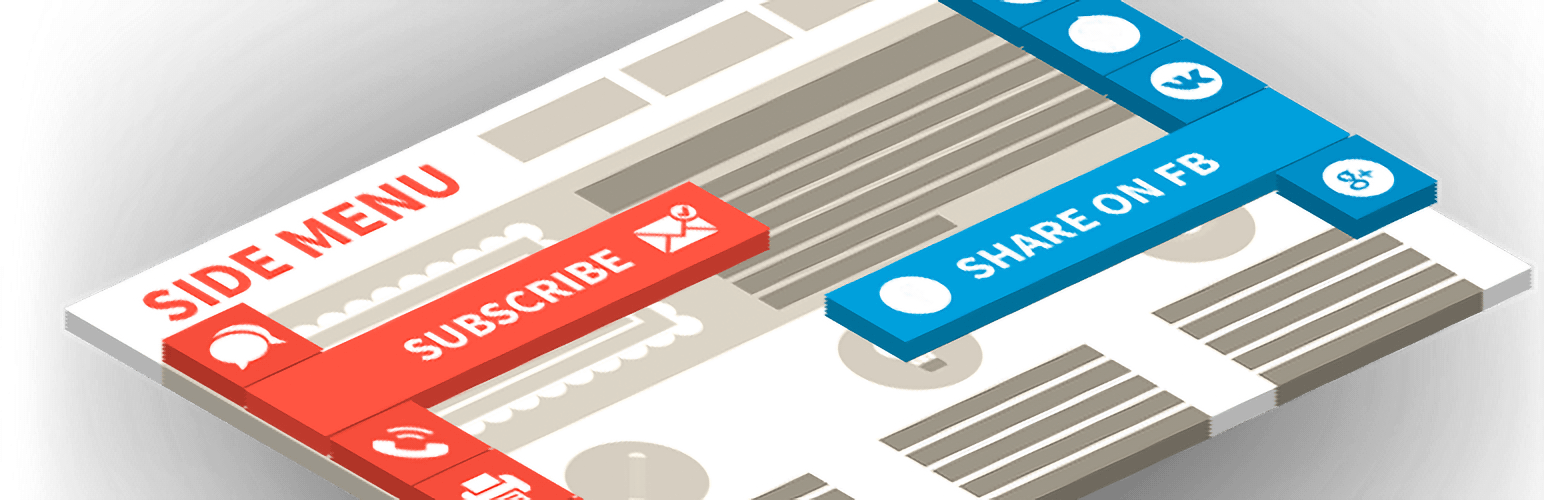
Side Menu Lite is a free and lightweight WordPress plugin that lets you add customizable sticky side menus to the left or right edge of your site. These floating buttons serve as shortcuts, improving site navigation and user engagement.

Perfect for:
– Quick access menus
– Feedback or contact links
– Promotion of offers or calculators
– Integration with popups, modals, and more

Increase engagement with intuitive and accessible navigation.

🌟 Features

  • Create unlimited side menus
  • Left or right side placement
  • Insert custom links
  • Open links in a new tab
  • Customize icon size and font size
  • Add animated icons
  • Display menus on specific devices
  • Use custom IDs and classes
  • Includes 2000+ Font Awesome 6 icons

🔥 Benefits

  • Highlight essential actions, links, or pages
  • Combine with popups or calculators for more conversions
  • Boost user experience and retention
  • Great for both desktop and mobile

🚀 Upgrade to Pro

Unlock powerful features with Side Menu Pro:

  • Submenus for better organization
  • Extended Labels & Hold Label Open
  • Translate link
  • Share link (30+ social platforms)
  • Next/Previous post navigation
  • Smooth scroll / Scroll to top or bottom
  • ScrollSpy
  • Print page
  • Built-in search
  • One-click call / Email / Bookmark
  • Login / Register / Logout / Recover password
  • Visibility by scroll position
  • Visibility by timer delay
  • Activate by URL
  • Activate by Referrer URL
  • Multilingual Support
  • Add emoji or letter icons
  • Upload custom icons
  • Full visibility control (page types, categories, shortcodes)
  • Show menu by device, language, user role
  • Schedule menu appearance (by date, time, day)
  • Browser compatibility rules

🎥 Demo Pro

🔗 Complementary Plugins

Maximize functionality by combining with these free tools:

🧭 Related Menu Plugins

📩 Support

Need help? Visit our Support Forum for quick answers and assistance.

📌 Option 1: Install via WordPress Admin

  1. Go to your WordPress dashboard Plugins Add New.
  2. Search for Side Menu Lite.
  3. Click Install Now, then click Activate.
  4. Navigate to the new Side Menu Lite section in your dashboard menu.
  5. Click Add New to create your first menu.
  6. Customize your menu settings and click Save.

📌 Option 2: Manual Upload

  1. Download the plugin ZIP file from wordpress.org.
  2. Go to Plugins Add New Upload Plugin.
  3. Upload the ZIP file and click Install Now.
  4. Click Activate once the installation is complete.
  5. Create and manage side menus from the Side Menu Lite section in the dashboard.

📌 Option 3: Install via FTP

  1. Download and unzip the plugin ZIP file.
  2. Upload the extracted side-menu-lite folder to /wp-content/plugins/ via FTP.
  3. Go to Plugins in your dashboard and click Activate next to Side Menu Lite.

سوالات متداول

The menu doesn’t appear on my website. What should I do?

This is usually caused by caching. Try the following steps:

  1. Clear your browser cache – Press Ctrl + Shift + R (Windows) or Cmd + Shift + R (Mac).
  2. Purge your WordPress cache – Use your caching plugin (e.g., WP Rocket, W3 Total Cache, LiteSpeed Cache) to clear the cache.
  3. Clear server/hosting cache – Clear cache from your hosting panel (Cloudflare, SiteGround, etc.).
  4. Temporarily disable caching plugins – If the menu still doesn’t show, disable caching plugins to confirm the issue.
The menu is visible only to admins. How can I make it visible to everyone?

Check if Test Mode is enabled. When active, the menu is only visible to administrators. Disable Test Mode to show it to all visitors.

Can I control where the menu appears?

Yes! In the Lite version, you can:
– Display the menu sitewide on all pages.
– Use the shortcode [Side-Menu id="1"] to manually insert the menu on specific pages or posts.

The Pro version allows you to display menus by post types, taxonomies, user roles, languages, and more.

Can I change the side where the menu appears?

Yes. You can position the menu on the left or right side of the screen from the settings panel.

Can I create multiple menus?

Absolutely. You can create multiple side menus and display them independently using shortcodes or display rules.

Can I use Side Menu Lite on WordPress Multisite?

Yes, but don’t network-activate the plugin. Instead, activate Side Menu Lite on each site where you want to use it.

Does Side Menu Lite slow down my site?

No. The plugin is lightweight and optimized for speed, ensuring it won’t affect your site’s performance.

×
نظری برای این آیتم موجود نیست.
0 0 رای ها
امتیازدهی
اشتراک در
اطلاع از
0 نظرات
قدیمی‌ترین
تازه‌ترین بیشترین رأی
بازخورد (Feedback) های اینلاین
مشاهده همه دیدگاه ها
نسخه حجم فایل SHA256 تغییرات دانلود
5.5.2 1 مگابایت -
دانلود
×
★★★★★
★★★★★
3.9 /5 (11 نظر)

قیمت:

رایگان

نگارش

5.5.2

آخرین انتشار

11 اردیبهشت 1405

آخرین بروزرسانی

1 ماه پیش

نصب های فعال

7,000+

نگارش وردپرس

وردپرس 4.3+

تست شده از نسخه

وردپرس 6.9.4

نگارش PHP

PHP 7.4+

نسخه ها

1 نسخه




