
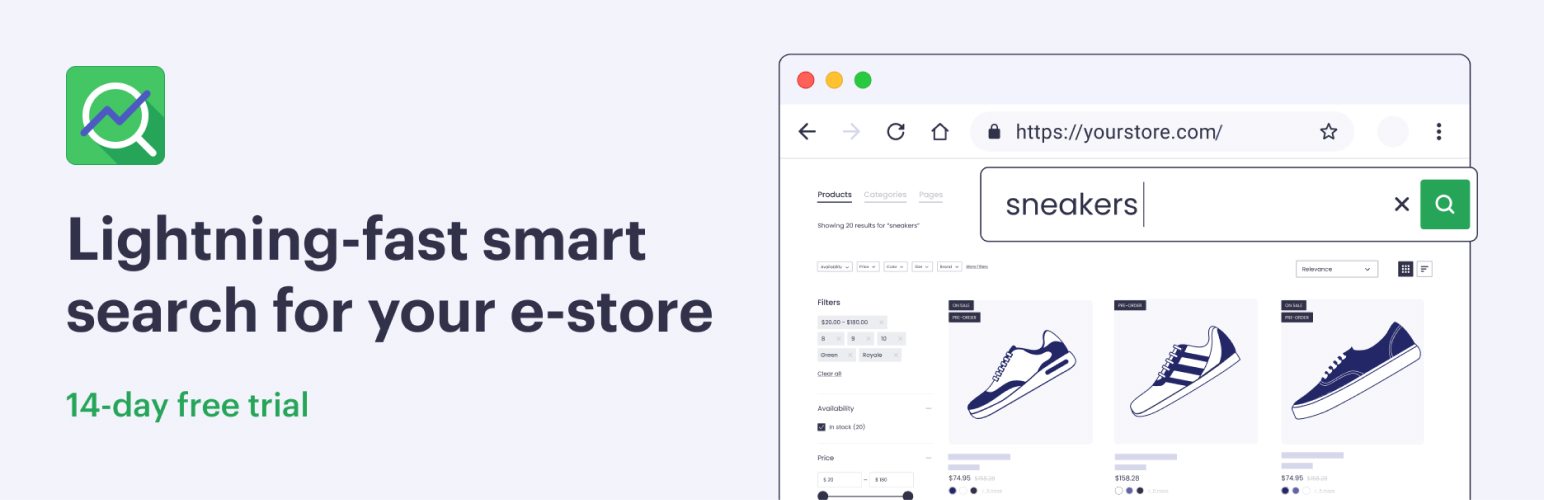
Smart Search & Product Filter for WooCommerce – Searchanise

Smart Search & Product Filter for WooCommerce – Searchanise

توسط

Smart Search and Product Filter from Searchanise is the all-in-one live search solution to improve your store’s conversion rate. Our clients report at least a 20% rise in conversion, with some reaching as much as 60% in just several months.

Our feature-packed product search and filter plugin for WooCommerce, trusted by over 14,000 brands (including CBS, Durex, Lonely Planet, Fossil, Media Markt, Decathlon, Himalaya Wellness, and Ergo Baby), aims to enhance your customers’ experience as it guides them through your website. Starting with:

Typing a search query

Your potential future customers have probably come to your site with at least a rough idea of what they want. Their first point of contact will thus be the search bar – and our advanced search engine has everything you might possibly need, such as:

  • Predictive search with typo autocorrection and synonyms
  • “Did you mean” suggestions
  • Site search both across products & site content
  • Personalized instant search results
  • In-search product previews

Navigating the search results page

After your visitors get to the search results page, they will likely need a way to narrow down the results. With our powerful filtering system, they can do that. We offer:

  • Both basic and product attribute filters. The former includes all the usual suspects (price, categories, manufacturer, etc.), while the latter can be set up to match specific product attributes.
  • Multiple smart filter selections.
  • Top and/or side advanced filters. Choose where you want your filters to be.
  • Customizable look and feel. Display your search filters as open or closed, and tinker with settings to deploy different looks

You will also be able to add View Details or Add to Cart button to your search results page’s products – and provide a snappy route to checkout.

Exploring products

We can further fuel your visitors’ interest in your goods via recommendations blocks. Our Upsell and Cross-sell widgets will help you out here.

Some of them are ready out of the box (like Customers Who Bought This Also Bought), while you can easily configure others. Just select a common denominator for the products you’d like to promote, name the resulting recommendation block, and choose a page where to insert it.

It gets even better

The list of our navigation features doesn’t end here. Our product filter & search widgets are fully customizable to blend in with your store’s theme; we help promote goods in-search and beyond via product merchandising rules, while our in-depth analytics will explain your customers’ behavior.

We are also integrated with other WordPress plugins, such as Weglot and Yotpo, and are a mobile-friendly bunch: our smart search and filters look just as good on smartphones as they do on laptops.

You can install the app in just one click – no coding skills required. Give it a whirl – the first 14 days are on us.

Pricing

Our plans start at just $99 per year (a little over $8 a month, if an annual plan is chosen!) and we offer a 14-day trial period if you want to give the app a test run.

For more information on our paid plans, head over here. If you have any questions, feel free to contact us via email or live chat.

Live demo

Still not sure whether we are the right fit for you? Check how our app works in our demo store.

Feedback and support

Our support team is here for you round the clock, and you can easily chat to us on our website or via email at feedback@searchanise.com. We guarantee we’ll get back to you within 360 minutes – but do check our extensive Documentation too: the odds are we’ll have a ready answer there.

We are social

Follow us on Twitter and Facebook and never miss an important update again.

NOTE: Before the installation, please check the version of your WooCommerce plugin. You can find it in your WordPress admin panel in Plugins > Installed plugins. If it’s 3.0.0 or higher, you’re good to go.

You can install Smart WooCommerce Search by Searchanise in 3 ways – two simple ways and the advanced one.

Through WordPress plugin search
It’s the easiest way. All you need to do is:
1. Log in to WordPress admin panel.
2. Go to Plugins > Add new and enter “Searchanise” into the search bar on the right.
3. Click Install now and wait a couple of seconds for the plugin to install.
4. Click Activate and the indexation of your store will start.
5. Searchanise is installed and you can go play with its settings. The control panel can be found at Products > Searchanise.

Through WordPress admin plugin upload
This one is pretty simple too. Just do the following:
1. Download the plugin zip archive by clicking the blue Download button above.
2. Log in to your WordPress admin panel.
3. Go to Plugins > Add new and click Upload plugin at the top.
4. Browse and select the “smart-search-for-woocommerce.zip” archive you have downloaded earlier.
5. Click Install now and wait a second.
6. Click Activate plugin as the installation is done. Indexation of your store has started.
7. Now you can go to Products > Searchanise to start setting up the plugin you installed so easily.

Manually through FTP/SFTP
This method is a bit harder than the previous two. You may need it in case your provider has file restrictions that could prevent you from installing a plugin from the admin area. This is what you should do:
1. Download the plugin zip archive by clicking the blue Download button above.
2. Extract the archive to your computer. You’ll get a folder named “smart-search-for-woocommerce” with a bunch of files in it.
3. Open the FTP client on your computer and access your website with FTP/SFTP credentials. If you don’t have any, contact your hosting provider to obtain them.
4. Go to the /wp-content/plugins/ directory of your website and upload the folder you extracted at step 3 there.
5. Log in to your WordPress admin panel.
6. Go to Plugins > Installed plugins and find Smart WooCommerce Search by Searchanise. It’s already there!
7. Activate the plugin and the indexation starts.
8. Now go to Products > Searchanise and start setting your new plugin up.

سوالات متداول

Is there a free trial?

Sure! You’re welcome to try all the Searchanise Pro features for 14 days. No credit card needed.

Does Searchanise collect my private data?

Absolutely not. Searchanise collects only public data: product and category descriptions, prices, and page content. The only private thing we know about you is your email. Credit card payments are processed by PayPal or BlueSnap, secure payment gateways, so we never even see your credit card number.

How do I subscribe?

You can pay with a credit card or PayPal. Follow these simple instructions from our Documentation.

Can I pay for a full year ahead or make a one-time payment?

Yes, you can subscribe for Searchanise PRO yearly with 20% discount! Important note: yearly subscriptions can’t be refunded.

I have a problem! Where can I get help?

We’ve collected solutions for some common issues in our Documentation. If the answer’s not there, use the Feedback form in your Smart Search by Searchanise control panel to reach our support team.

In urgent situations, mention @searchanise on Twitter to speed up the investigation.

Can you add this one really useful feature?

We’ll be happy to! Please share your ideas with our support team via feedback@searchanise.com.

Store products are not submitted to Searchanise for a long period of time, the search engine shows the status ‘No data imported’.

Check the cron settings of your store. You either do not have periodic cron jobs running at all, or cron schedule is too sparse.

There is something wrong with timestamps: the Last sync timestamp shown in the admin panel widget does not correspond to the real sync time.

Make sure you have the correct timezone set in WordPress. Otherwise, Searchanise falls back to the default timezone which is UTC.

Is the search supposed to replace the whole search module?

Searchanise replaces the built-in search and processes all search queries remotely. If, for some reason, Searchanise is not ready to process search requests (e.g. indexing in progress,) the default search is temporarily used. If Searchanise Smart Search does not work in your store, please contact us, we will investigate the case.

×
نظری برای این آیتم موجود نیست.
0 0 رای ها
امتیازدهی
اشتراک در
اطلاع از
0 نظرات
قدیمی‌ترین
تازه‌ترین بیشترین رأی
هیچ نسخه‌ای برای این آیتم موجود نیست.
★★★★★
★★★★★
4.4 /5 (43 نظر)

قیمت:

رایگان

نگارش

آخرین انتشار

14 اردیبهشت 1405

آخرین بروزرسانی

3 ماه پیش

نصب های فعال

1,000+

نگارش وردپرس

وردپرس 4.0+

تست شده از نسخه

وردپرس 6.9.0

نگارش PHP

PHP 5.6+

نسخه ها

0 نسخه




