
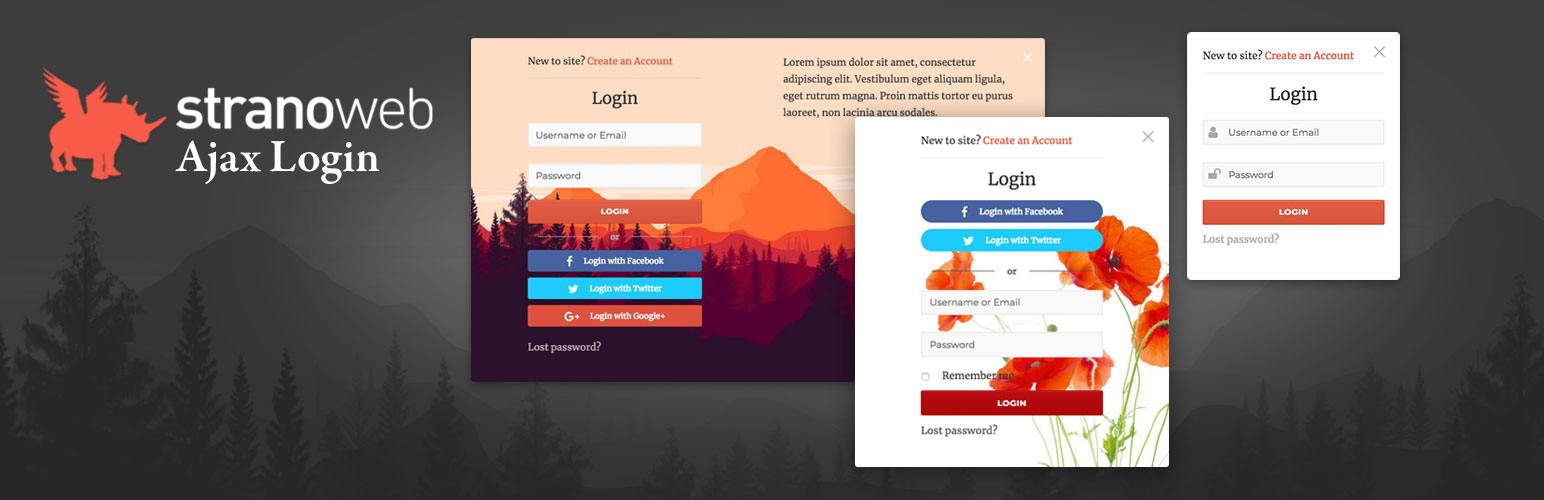
StranoWeb Ajax Login

StranoWeb Ajax Login

توسط

Stranoweb Ajax Login replaces default WordPress login, register and lost password forms with a beautiful ajax modal popup and comes with a lot of amazing features.
It’s fully customizable and responsive, includes several social logins and allows you to disable new user registration and restrict wordpress admin dashboard to certain user roles.

Features

  • Ajax login, register and lost password modal popup (same functions are working even on non-popup mode);
  • Fully customizable login, register, lost password and logout popups and pages;
  • Drag and Drop Registration Form builder (Premium version);
  • User verification by administrator approval and email verification (Premium version);
  • Different popup layouts with image and text over image option (2 on free version, 8 on Premium);
  • Custom Logo on the forms (Premium version);
  • Custom css setting;
  • Social logins (Facebook, Twitter, Google, Linkedin, Amazon) with several icon styles and position displacement (Only twitter on free version);
  • Logged in Menu item: Once logged in the plugin adds a menu item to the selected menu with optional user thumbnail and additional submenu Thumbnail style, menu item text and submenu are fully customizable;
  • Customizable redirects and permalinks;
  • Option to redirect not logged-in users to login page (Premium version);
  • WordPress admin dashboard access restriction to users with specific roles (Premium version);
  • Password length, you can choose the minimum length required;
  • Optional reCAPTCHA v2 and reCAPTCHA v3 for new user registration form;
  • Shortcode Support;
  • Emails Customizer;
  • Shortcodes to add StranoWeb Ajax Login forms to any page or post;
  • Hooks to help developers to integrate additional functions;

Minimum Requirements

  • PHP version 5.2.4 or greater (PHP 5.6 or greater is recommended)
  • MySQL version 5.0 or greater (MySQL 5.6 or greater is recommended)
  • WordPress 4.4+

Automatic installation

Automatic installation is the easiest option as WordPress handles the file transfers itself and you don’t need to leave your web browser. To do an automatic install of StranoWeb Ajax Login, log in to your WordPress dashboard, navigate to the Plugins menu and click Add New.

In the search field type “StranoWeb Ajax Login” and click Search Plugins. Once you’ve found our Ajax Login plugin you can view details about it such as the point release, rating and description. Most importantly of course, you can install it by simply clicking “Install Now”.

Manual installation

The manual installation method involves downloading our plugin and uploading it to your webserver via your favourite FTP application. The WordPress codex contains instructions on how to do this here.

Updating

Automatic updates should work like a charm; as always though, ensure you backup your site just in case.

سوالات متداول

Will StranoWeb Ajax Login work with my theme?

Yes, StranoWeb Ajax Login works with any theme, however it may require some styling to make it match nicely. Note: the plugin is responsive but it may not work as expected on some themes when they are in mobile view, we are working on it to make it as much compatible with any theme as possible.

Where can I report bugs or contribute to the project?

Bugs can be reported on the StranoWeb GitHub repository.

×
نظری برای این آیتم موجود نیست.
0 0 رای ها
امتیازدهی
اشتراک در
اطلاع از
0 نظرات
قدیمی‌ترین
تازه‌ترین بیشترین رأی
هیچ نسخه‌ای برای این آیتم موجود نیست.
★★★★★
★★★★★
4.7 /5 (25 نظر)

قیمت:

رایگان

نگارش

آخرین انتشار

19 اردیبهشت 1405

آخرین بروزرسانی

3 ماه پیش

نصب های فعال

100+

نگارش وردپرس

وردپرس 4.4+

تست شده از نسخه

وردپرس 6.4.8

نگارش PHP

PHP 5.2.4+

نسخه ها

0 نسخه




