
SVG Flags – Beautiful Scalable Flags For All Countries!

SVG Flags – Beautiful Scalable Flags For All Countries!

توسط

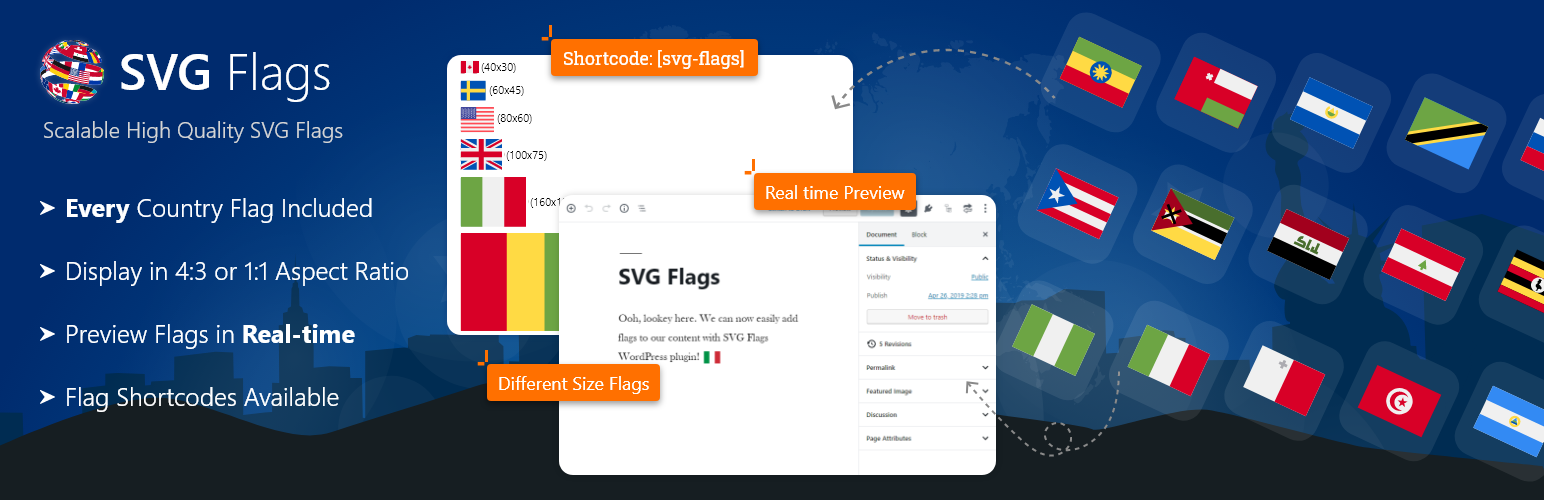
SVG Flags of the world allows you to add high quality beautiful flags to your WordPress site in seconds. Display one or more flags at any scale without loss of quality and with a fixed aspect ratio so they always look great! Supported aspect ratios are 4:3 (default) and 1:1 (square).

Create SVG flags visually, directly inside the Gutenberg block editor and preview them in realtime without having to leave the editor window. No more having to remember shortcode names and long lists of shortcode attributes.

The plugin also includes shortcodes if you prefer to use these instead. If your site is using the classic WordPress editor then you have no choice but to use shortcodes. To add SVG flags to your content it’s as simple as inserting the [svg-flags] shortcode into a post or page. See the main plugin settings page for full information on all the attributes available.

We hope you find this plugin useful. If you have a moment please consider rating it to show your support. It’s very much appreciated and helps spread the word.

Also, why not take a look at our other plugins. We’re continually developing great solutions for WordPress.

  1. Via the WordPress admin go to Plugins => Add New.
  2. Enter ‘SVG Flags’ (without quotes) in the text box and click the ‘Search Plugins’ button.
  3. In the list of relevant Plugins click the ‘Install’ link for SVG Flags on the right hand side of the page.
  4. Click the ‘Install Now’ button on the popup page.
  5. Click ‘Activate Plugin’ to finish installation.
  6. You’ll be redirected to the plugin welcome page upon activation which gives basic usage instructions and other information to get you started.

سوالات متداول

Where can I see all the available SVG flag blocks, shortcodes, and attributes?

Visit the plugin documentation page to see available SVG flags blocks, shortcodes and attributes, plus related options.

Is there a live demo available for the plugin?

Yes! You can see live examples of SVG flags available here.

Is there a way to remember all shortcode attributes?

If you use the SVG flag editor blocks then you won’t need to remember any shortcodes at all as you can add flags to your page content 100% visually. No need to remember which shortcodes are available. You will also be able to see a live preview of the flag in the editor when using a block, which you can’t do with shortcodes.

Where can I get the country code for each flag?

The plugin uses the Alpha-2 code system to identify individual countries. You can look up the the code for any specific country here.

×
نظری برای این آیتم موجود نیست.
0 0 رای ها
امتیازدهی
اشتراک در
اطلاع از
0 نظرات
قدیمی‌ترین
تازه‌ترین بیشترین رأی
نسخه حجم فایل SHA256 تغییرات دانلود
0.9.6 3 مگابایت -
دانلود
×
★★★★★
★★★★★
4.3 /5 (6 نظر)

قیمت:

رایگان

نگارش

0.9.6

آخرین انتشار

12 اردیبهشت 1405

آخرین بروزرسانی

4 ماه پیش

نصب های فعال

2,000+

نگارش وردپرس

وردپرس 5.0+

تست شده از نسخه

وردپرس 5.9.13

نگارش PHP

PHP 7.0+

نسخه ها

1 نسخه




