

You installed WordPress. Then you installed a page builder. Then a popup plugin. Then a mega menu plugin. Then a gallery plugin, a form plugin, a team members plugin, a countdown timer plugin — and suddenly you’re managing 12 plugins, dreading every update, and wondering why your site is slow.
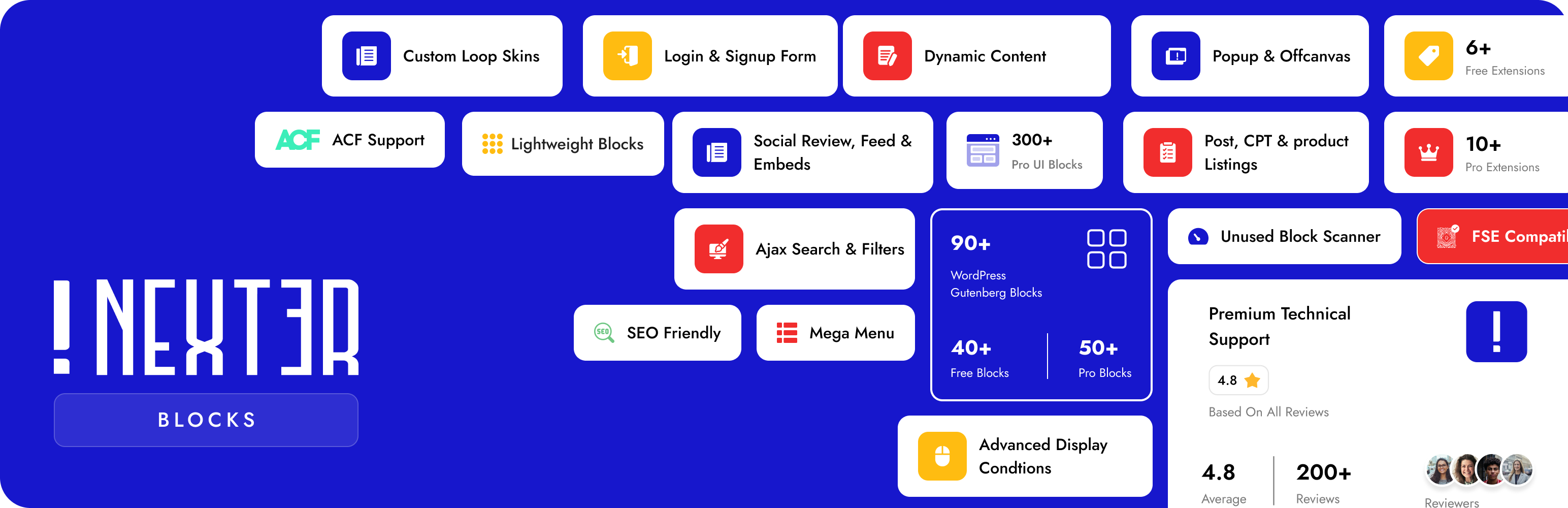
Nexter Blocks is the answer to all of it. It’s a complete wordpress website builder and wordpress page builder that lives natively inside Gutenberg — 90+ blocks, built-in AI powered by ChatGPT and Gemini, popup builder, mega menu, form builder, header builder, and full theme building — all in one plugin with one dashboard, one update, and zero jQuery. Our users call it “the plugin that replaced 20 others.” That’s what we built it to be.
Works with Nexter Theme, Astra, Kadence, Blocksy, GeneratePress, OceanWP, Neve, Hello Elementor, and all major block themes.
Website | All Blocks Demo | Free vs Pro | Pricing | Docs | Roadmap | Community | Free Support | Premium Support | AI Chat | Video Tutorials
🤖 AI Website Builder Natively Inside Gutenberg
No other Gutenberg blocks plugin has AI this deep. While other tools make you leave the editor to use AI, Nexter Blocks connects directly to ChatGPT (OpenAI) and Gemini — choose your preferred model in the AI settings dashboard — and runs generation inside the block editor itself. AI credits are included with Pro.
This is what a real ai website builder wordpress experience looks like in 2026:
- AI Content Generator — Write, expand, rewrite or translate any block content with a prompt. Supports all Gutenberg text blocks. The fastest AI content workflow for Gutenberg builders.
- AI Image Generator — Generate original images from a text prompt and drop them directly into any block. No Midjourney tab. No copy-pasting.
- AI Repeater Auto-Fill — Populate entire repeating sections in one prompt. Fill a 6-card testimonial grid, a 4-step process, or a full FAQ accordion from a single instruction.
- AI Toolbar Editing — Select any text in the editor. The AI toolbar appears. Improve, shorten, translate, or rewrite without leaving the block.
- 1000+ AI-Ready Website Templates — Import a full site template, let AI fill every content section with your brand voice, and go live in hours — not days.
🏗️ Full Gutenberg Page Builder — Popups, Mega Menus, Headers & More
Most people are surprised to discover that Nexter Blocks is a complete gutenberg page builder — not just a block collection. Every major site-building capability is built in, without any additional plugin or third-party dependency.
Popup Builder
The built-in wordpress popup builder covers 6 popup types (modal, slide-in, bar, full screen, inline, and widget), 10+ trigger conditions (scroll, exit intent, click, time delay, inactivity, URL, device, cookie, login status), and 16+ display rules. Build any popup directly in the Gutenberg editor. Design it like a page. No separate popup plugin needed.
Mega Menu Builder
The wordpress mega menu builder lets you design horizontal and vertical mega menus with full Gutenberg block content inside every dropdown panel — images, icons, columns, CTAs. No code. No third-party mega menu plugin required.
Header Builder
Design sticky, transparent, and scroll-triggered headers that are completely independent of your theme. Combine with the Sticky Header Scrolling Effect, color-change-on-scroll, nested sticky effects, and transparent header variants for effects that used to require a premium theme.
Form Builder
A full wordpress form builder block in Gutenberg — contact forms, newsletter signups, lead forms. Mailchimp integration built in. No WPForms or Contact Form 7 required for basic form needs.
Blog Builder, Ajax Search & Navigation
Blog Builder for fully custom blog archive layouts, Ajax Search Bar for real-time live search across posts and WooCommerce, Navigation Menu, and Mobile Menu with slide-in, toggle, and dropdown variants.
Dynamic Post Grid Builder
A drag-and-drop skin builder for any post type, CPT, or WooCommerce product — build fully custom grid, carousel, masonry, and metro layouts without touching code. Learn more.
👑 Why Serious WordPress Builders Choose Nexter Blocks
Performance: Zero jQuery, Pure Vanilla JS
Every block is a separate module. Disable it, and it loads zero CSS and zero JavaScript on the front end. Enable only what you need. One CSS file and one JS file load per page regardless of how many blocks are active. Vanilla JS throughout — no jQuery dependency means no jQuery debt. This is why our users score Core Web Vitals in the green while other block plugins struggle.
Global Block Styles — Site-Wide Design Control
Change one setting, update every instance of that block across your entire site. Global Block Styles is the feature that turns 90 blocks into a consistent design system — not 90 separate styling decisions to maintain.
Display Conditions — Show the Right Content to the Right Person
Show or hide any block based on user role, login status, device type, ACF field value, URL parameter, post category, WooCommerce cart status, and 20+ more conditions. Build personalized pages without a membership plugin.
Cross-Domain Live Copy-Paste — Unique to Nexter Blocks
Copy any styled section from one WordPress site and paste it — live, with all styles — into a completely different site. No plugin on the market does this. It is the single most requested feature by agency users managing multiple client sites.
ACF, WooCommerce, WPML & Multisite Ready
Dynamic Content (Pro) pulls live data from ACF, Toolset, Pods, and native WordPress custom fields into any block. Full WooCommerce integration. WPML, RTL, and Multisite supported. Security audited by Patchstack.
1000+ Gutenberg Block Templates
Full starter site kits, section templates, and per-block presets — importable in one click. Built by professional designers. Compatible with AI Auto-Fill so you can use a starter template as a structure and let AI write the content.
⭐ What Our Users Say
★★★★★ “Superb collection of Gutenberg blocks… support is amongst the best I’ve ever experienced.” — @captainretro
★★★★★ “Massive collection of Blocks. One of the best gutenberg addons in WordPress. Used on more than 10 client websites.” — @vincentbao
Read All Reviews on WordPress.org
🆓 45+ Free Gutenberg Blocks
Layout & Structure
- Flexbox Container — full flexbox layout control, the foundation of every page
- Section Background — video, gradient, image, and parallax section backgrounds
- Spacer
Typography & Heading Blocks
- Advanced Heading — gradient text, animated typing, split, highlight, and stroke effects on any heading
- Heading | Pro Paragraph | Block Quote | Message Box | Source Code Syntax Highlighter
Accordion, Tabs & Interactive UI
- Accordion Toggle — the wordpress accordion plugin experience built into Gutenberg, with FAQ schema markup for SEO
- Tab Content — horizontal and vertical tabs with full Gutenberg blocks inside each panel
- Infobox & Iconbox — service cards and feature boxes with icon, image, and hover animation support
- Flipbox — animated front-back flip cards for services, team, and portfolio
- Hover Card Animations | Dark Mode Switcher | Interactive Circle Infographic
Conversion & Sales Blocks
These are the blocks that turn pages into revenue. Every one is optimized for performance and built with SEO and conversion in mind.
- Pricing Table — the wordpress pricing table plugin experience as a native Gutenberg block. Toggle highlights, badges, feature lists, and CTA buttons — no shortcodes.
- Countdown Timer — wordpress countdown timer plugin block with evergreen, fixed-date, and recurring modes. Adds urgency to offers and launch pages without a separate plugin.
- Data Table — responsive data tables with search, sort, filter, and pagination — zero jQuery dependency
- Number Counter — animate social proof numbers on scroll: clients, projects, years of experience
- Progress Bar | Pie Chart | Stylish Icon List | Pricing List | Button | Advanced Button
Post, Blog & Testimonials
- Testimonial Reviews — the wordpress testimonials plugin experience as a Gutenberg block — star ratings, author photos, structured layouts
- Post Grid — fully customizable blog post grid with category filters and AJAX load more
- Post Listing | Post Carousel | Post Masonry | Post Metro | Testimonial Masonry
Media & Icons
Social Feeds & Embeds
- Facebook Feed | Social Feed | Facebook Reviews | Social Reviews | Social Embed | YouTube Embed | Vimeo Embed | Facebook Embed | Instagram Embed | Google Map Embed | Contact Form Styler
Theme Builder Blocks
Build complete post and page templates with these Gutenberg theme builder blocks:
- Site Logo | Post Image | Post Title | Post Content | Post Navigation | Post Meta Info | Post Comments Form | Post Author Box
SEO, Scroll & Site-Wide Productivity
- Breadcrumb Bar — SEO breadcrumb navigation with schema markup built in
- On Scroll Content Animations — entrance animations for any block, triggered on scroll
- Reading Scroll Progress Bar | Smooth Scroll | Global Block Styles | Global Options | Copy Paste Style | Cross-Domain Live Copy-Paste
🔒 45+ Pro Gutenberg Blocks
Animation & Visual Effects
- Parallax Background — wordpress parallax plugin effect on any section or container
- Lottiefiles Animations — wordpress lottie animation plugin as a native Gutenberg block
- Heading Animation — typewriter, wave, character-by-character, and word-by-word heading animations
- Image Scroll Sequence | Canvas Background | Gallery Background | Floating Effect | Page Preloader & Transitions | Spline 3D Embed | Animated Service Boxes | Magic Scroll Effect | Mouse Hover Animation
Advanced UI & Content Blocks
- Table of Contents — auto-generated sticky wordpress table of contents plugin for long posts and documentation
- Before After Image Comparison — interactive drag-slider for portfolios, transformations, and product demos
- Hotspot Pinpoint Image — clickable image hotspots with tooltip and popup support
- Advanced Carousel Sliders — wordpress carousel plugin that works with any block content — not just images
- Content Switcher | One Page Scroll Navigation | Process Steps | Timeline | Circle Menu | Device Mockup Previewer | Advanced Typography | CTA Banners | Read More Unfold | Copy Coupon Code | Custom Cursors | Pro Button | Audio Music Player | Advanced Charts & Graph | Global Tooltip | Advanced Border Radius | Same Equal Height
Dynamic Content & Data
- Dynamic Content — the complete wordpress dynamic content plugin experience: pull ACF, Toolset, Pods, and WordPress custom fields into any block
- Dynamic Repeater | Smart Ajax Content | Remote Sync | Display Conditional Rules
Analytics & Admin
- GA4 Event Conversion Tracker | Facebook Pixel Event Tracker | White Label Nexter Plugin | Design Grid Tool | Sticky Column Effect
Google Reviews, Social Feeds & Galleries
- Google Reviews — embed live wordpress google reviews plugin on any page — auto-updated from your Google listing
- Image Gallery — wordpress image gallery plugin with grid, masonry, metro, and carousel layouts with lightbox
- Video Gallery — wordpress video gallery plugin with category filters and an inline lightbox player
- Google Reviews Badge | Google & Facebook Reviews Wall | Facebook Reviews Badge | Instagram Feed | YouTube Feed | Vimeo Feed | Multi Social Feed | Social Sharing Icons | Image Carousel | Image Masonry | Image Metro | Image Grid | Video Grid Gallery | Video Masonry Gallery | Video Carousel | Video Metro
WooCommerce Blocks
- WooCommerce Product Grid — fully styled wordpress woocommerce blocks with custom layouts beyond the default WooCommerce templates
- Product Carousel | Product Masonry | Product Metro | Product Listing | Taxonomy Category & Tags Listing
Team Members
- Team Member — wordpress team members plugin block — photos, bio, role, and social profile links
- Team Members Grid | Team Members Carousel
Header, Mega Menu & Navigation (Pro)
- Horizontal Mega Menu | Vertical Toggle Mega Menu | Vertical Mega Menu | Sticky Header Scrolling Effect | Nested Sticky Header | Sticky Color Change on Scroll | Sticky Fixed Header | Change Header Height on Scroll | Transparent Sticky Header | Header Menu Logo on Hover | Shape Dividers
Login, Registration & Membership Forms
- Login Form — a fully styled wordpress login form plugin experience as a Gutenberg block — brand-consistent, no shortcodes
- Registration Form | Password Reset Form | Mailchimp Form | Blog Builder | Custom Dynamic Post Listing
🔍 Our Other Products
- Nexter Extension — 50+ site tools: Security, SMTP, Image Optimizer (WebP/AVIF), Theme Builder, Code Snippets, Performance
- The Plus Addons for Elementor — 120+ All-in-One widgets for Elementor
- NexterWP Theme — Ultra-light, FSE-ready starter theme. Zero jQuery
- UiChemy — Figma to Gutenberg Converter — Convert Figma designs to editable Gutenberg blocks
- WDesignKit — 1000+ Templates, Cloud Block Storage, Gutenberg Block Builder
External services
This plugin relies on external services to provide enhanced features and functionalities. Below is a list of the external services used, along with the details of their usage, the data transmitted, and links to their respective terms of service and privacy policies.
- Instagram Embedded Content
Purpose: Embeds Instagram content in the plugin blocks.
Data Sent: None from the user. The plugin loads the Instagram embedding script (//www.instagram.com/embed.js) to display content.
Privacy Policy & Terms: Instagram Privacy Policy | Terms of Use - Facebook SDK and Embedded Content
Purpose: Integrates Facebook SDK for sharing and embeds Facebook content in plugin blocks.
Data Sent: None from the user. The plugin requests the Facebook SDK (https://connect.facebook.net/en_US/sdk.js) and embed scripts for sharing or displaying posts.
Privacy Policy & Terms: Facebook Privacy Policy | Terms of Service - Google Maps API
Purpose: Displays Google Maps for various plugin functionalities, such as embedding maps or getting directions.
Data Sent: Google Maps API key provided by the user during setup.
Privacy Policy & Terms: Google Privacy Policy | Google Maps Terms - Vimeo Embedded Content
Purpose: Embeds Vimeo videos in the plugin blocks.
Data Sent: None from the user. The plugin loads Vimeo’s embed script (https://player.vimeo.com/video/{video_id}).
Privacy Policy & Terms: Vimeo Privacy Policy | Terms of Service - ThePlus Addons API
Purpose: Connects to theplusaddons.com to fetch templates and social review data.
Data Sent: Minimal anonymous data (e.g., timestamp for caching).
Privacy Policy & Terms: ThePlus Addons Privacy Policy | Terms of Service






