
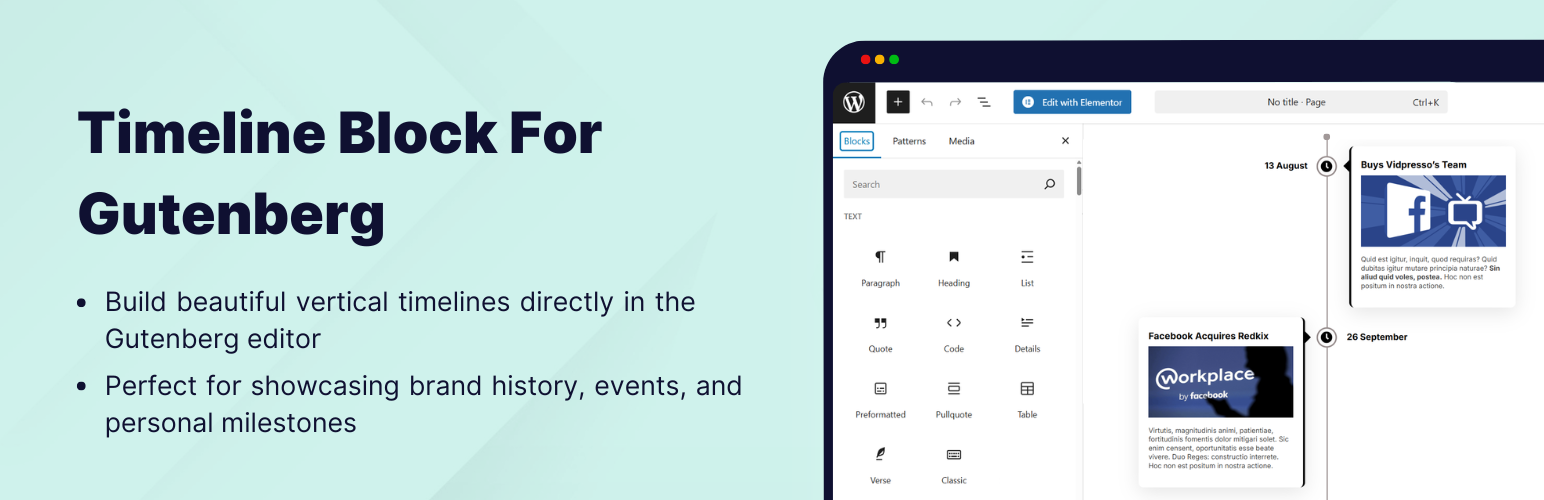
Timeline Block For Gutenberg

Timeline Block For Gutenberg

توسط

Timeline Block for Gutenberg/Block Editor

Timeline Block for Gutenberg is a powerful WordPress timeline slider plugin designed specifically to help you build vertical step-by-step timelines, history/future stories, events, appointments, and many other cool things directly inside the WordPress editor.

Just search ‘Timeline Block‘ from the block editor ‘Add Block‘ section and create a stunning timeline slider.

View Demos | Watch Video Tutorials

Key Features

  • Vertical Timeline Layout: Display your stories using a vertical timeline.
  • Multiple Timeline Designs: Choose whether you want to display the timeline on both sides or one side according to your preferences.
  • Content Alignment: Align your timeline content to the left, right, or center.
  • Customizable Labels: Add labels like step numbers, dates, tags, or short titles to make your timeline more organized and easy to navigate.
  • Image & Multimedia Support: Enhance your timeline’s engagement using interactive images that visually tell your story.
  • Story Icon Support: Add a custom icon to each timeline slider step to give visual context, or, by default, you can choose to display a dot.
  • Fully Responsive: This plugin is fully responsive, ensuring that your events display perfectly on all screen sizes.

Where can you use Timeline Block?

  • Represent your company’s story.
  • Showcase tutorial/process steps in timeline format.
  • Create a program timeline.
  • Represent history.
  • Create events/appointments timeline.
  • Job stories/achievements timeline.
  • Personal story timeline.
  • Product roadmap.

Upgrade To Pro:

  • Horizontal Layout: Timeline Block Pro offers Horizontal Default Design and Horizontal Simple Design layouts.
  • Multiple Timelines:Easily create and display multiple timelines on one website, categorized by different layouts.
  • Video, Images & Slider: Seamlessly integrate images, videos (YouTube), and slideshows into your timelines.
  • Dot, Icon, Image & Text: Customize icons with options including dot, icon, image, and text for personalized timelines.

Get Pro!

Check Our Other Timeline Plugins

  • Cool Timeline: Display your company’s history, product roadmaps, personal stories, or key events using the built-in block or via simple shortcode. View Demo
  • Timeline Widget For Elementor: Showcase your company history, product roadmap, and personal journey in vertical & horizontal layout directly inside Elementor. View Demo
  • Timeline Builder: Create a small timeline inside the Gutenberg block editor using a vertical or horizontal timeline. View Demo
  • Timeline Module Pro For Divi: Showcase your personal story or company history using stunning vertical or horizontal timelines directly inside the Divi Builder. View Demo

Use of 3rd Party Services: This plugin connects to the Cool Plugins feedback server only for optional usage data sharing and voluntary feedback submission (for example, during plugin deactivation). Data is transmitted solely after explicit user consent. No hidden tracking is performed, and no frontend visitor or site user data is collected. For more details, please review our Data Usage Policy, TOS, and Privacy Policy.

  • From the WordPress dashboard, navigate to Plugins > Add New.
  • Search for “Timeline Block”. Install & activate the plugin.
  • Search and add the “Timeline” to your page.
  • Create a timeline story by adding a timeline block to your page.
  • Use the settings to customize your timeline’s style, colors, animations, and more.
  • Once your timeline is ready, publish it on your site to share your story with your visitors.

سوالات متداول

How do I add a Timeline Block in the Gutenberg editor?

You can add a Timeline by searching for ‘Timeline Block’ in the ‘Add Block’ section of the Gutenberg editor.

Can I add videos to my timeline?

Yes, with Timeline Block Pro, you can integrate videos (including YouTube), images, and slideshows into your timelines.

Is it possible to create multiple timelines on a single website?

Yes, Timeline Block Pro allows you to create and display multiple timelines on one website, categorized by different layouts.

How can I improve the visual presentation of my timeline?

You can enhance the visual appeal of your timeline by using the various customization options available in Timeline Block Pro, such as:

  • Choosing from over 15 animation effects.
  • Adding a center line filling effect to vertical layouts.
  • Adjusting the placement of icons, arrows, and labels.
  • Customizing connector styles between stories (Arrow, Line, or None).
How do I make my timeline more interactive?

You can make your timeline more interactive by enabling scrolling navigation for quick access to specific year stories and including “read more” links within timeline stories to provide additional content or direct users to custom URLs.

Can I customize the appearance of icons in my timeline?

Yes, with Timeline Block Pro, you can customize the icons in your timeline with options including dot, icon, and image.

Can I use the Timeline Block on non-Gutenberg websites or with other page builders?

No, the Timeline Block is specifically designed for the Gutenberg editor. However, Cool Plugins offers other timeline plugins compatible with page builders like Elementor.

Can I create a horizontal timeline slider in Gutenberg?

Yes, with Timeline Block Pro, you can build both vertical and horizontal timeline sliders directly inside the WordPress block editor.

Is this plugin translation-ready?

Yes, the plugin is fully translation-ready. You can use translation tools like Loco Translate to translate it into your desired language.

Does the plugin support RTL (Right-to-Left) languages?

Yes, the Timeline Block is compatible with RTL languages and adjusts layouts accordingly for better usability.

Can I add custom styles to the timeline?

Yes, you can use the block settings to customize colors, typography, and layouts. For advanced styling, custom CSS can be added through the WordPress Customizer or a child theme.

Can I display dynamic content in the timeline?

Currently, the plugin does not support dynamic content directly. However, you can manually add custom stories or events.

Can I schedule timeline updates for future dates?

Currently, the plugin does not support scheduling timeline updates. You will need to manually update or publish new stories when needed.

How do I handle conflicts with other plugins?

If you encounter a conflict, try deactivating other plugins to identify the issue. Ensure all plugins and WordPress are updated to the latest versions. If the issue persists, contact support.

Can I change the timeline’s default font family?

Yes, you can customize fonts through the block settings or by adding custom CSS.

Can I create a timeline for multiple categories or topics?

Yes, you can create separate timelines for different categories or topics and display them on various pages using Gutenberg blocks.

How do I get priority support for the plugin?

Priority support is included with the Pro version. After purchasing, you can submit tickets through the official Cool Plugins support portal.

How can I report security bugs?

You can report security bugs through the Patchstack Vulnerability Disclosure Program. The Patchstack team helps validate, triage, and handle any security vulnerabilities. Report a security vulnerability.

×
نظری برای این آیتم موجود نیست.
0 0 رای ها
امتیازدهی
اشتراک در
اطلاع از
0 نظرات
قدیمی‌ترین
تازه‌ترین بیشترین رأی
نسخه حجم فایل SHA256 تغییرات دانلود
1.8.1 1 مگابایت -
دانلود
×
★★★★★
★★★★★
4.6 /5 (9 نظر)

قیمت:

رایگان

نگارش

1.8.1

آخرین انتشار

11 اردیبهشت 1405

آخرین بروزرسانی

4 ماه پیش

نصب های فعال

9,000+

نگارش وردپرس

وردپرس 5.0+

تست شده از نسخه

وردپرس 6.9.4

نگارش PHP

PHP 7.2+

نسخه ها

1 نسخه




