
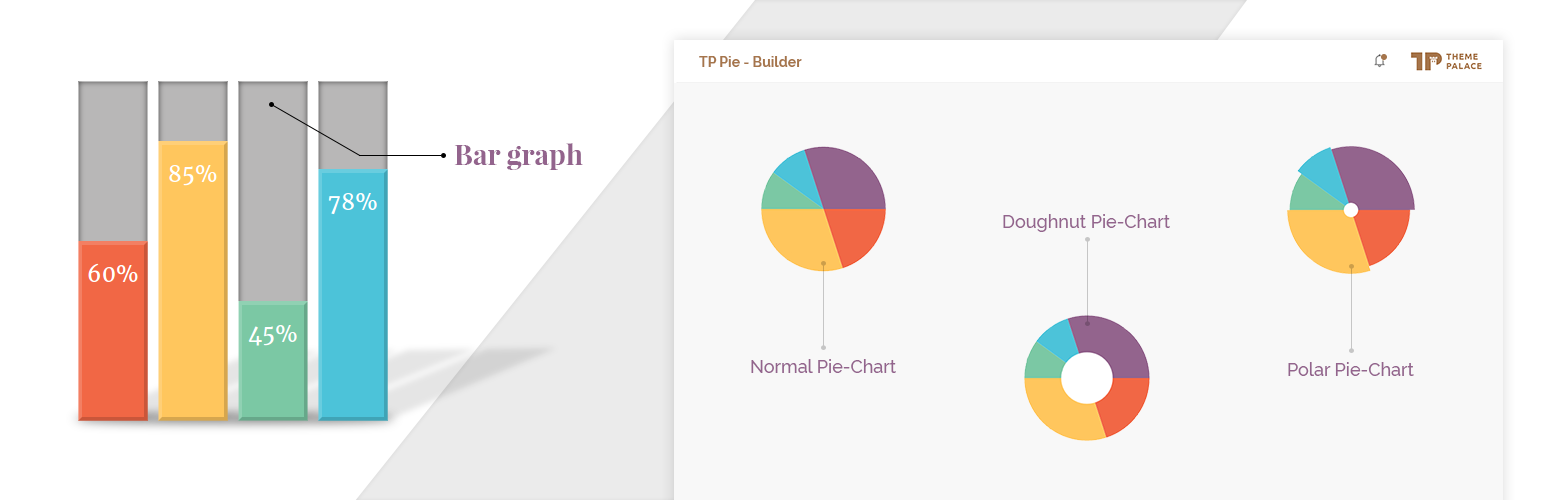

This Plugin provides you an elegent Bar Graph and Pie Charts with multiple designs and colors. ie. Default Pie Chart, Doughnut Pie Chart and Polar Pie Chart.
Customization and Flexibility
TP PieBuilder offers you a very easy customization of color from shortcode. This plugin allows you to customize title from css.
Shortcodes
= Defaults Atts :- =
* title = ”, // Optional
* values = ”, // * in percentage (%) ( should be seperated by comma (‘,’). ie: 60, 40 )
* labels = ”, // * ( should be seperated by comma (‘,’). ie: Design, Development )
* colors = ” // Optional till 10 elements else * ( should be seperated by ‘,’. ie: #E6E6FA, #E0FFFF )
Alt Atts for Pie Charts only:
* fontfamily = 'ariel', // Optional, you can change the defult font family
* fontstyle = 'italic', // Optional, you can change the defult font style to normal or bold
Default Piechart Shortcode:
[TP_PIEBUILDER title="Pie Chart" values="20, 30, 50" labels="Design, Development, Production" colors="#E6E6FA, #E0FFFF, #F8B4BC"]
Doughnut Piechart Shortcode:
[TP_PIEBUILDER_DOUGHNUT title="Pie Chart" values="20, 30, 50" labels="Design, Development, Production" colors="#E6E6FA, #E0FFFF, #F8B4BC"]
Polar Piechart Shortcode:
[TP_PIEBUILDER_POLAR title="Pie Chart" values="20, 30, 50" labels="Design, Development, Production" colors="#E6E6FA, #E0FFFF, #F8B4BC"]
Bar Graph Shortcode:
[TP_PIEBUILDER_BAR title="Pie Chart" values="20, 30, 50" labels="Design, Development, Production" colors="#E6E6FA, #E0FFFF, #F8B4BC"]
Horizontal Bar Graph Shortcode:
[TP_PIEBUILDER_HORIZONTAL_BAR title="Pie Chart" values="20, 30, 50" labels="Design, Development, Production" colors="#E6E6FA, #E0FFFF, #F8B4BC"]






