
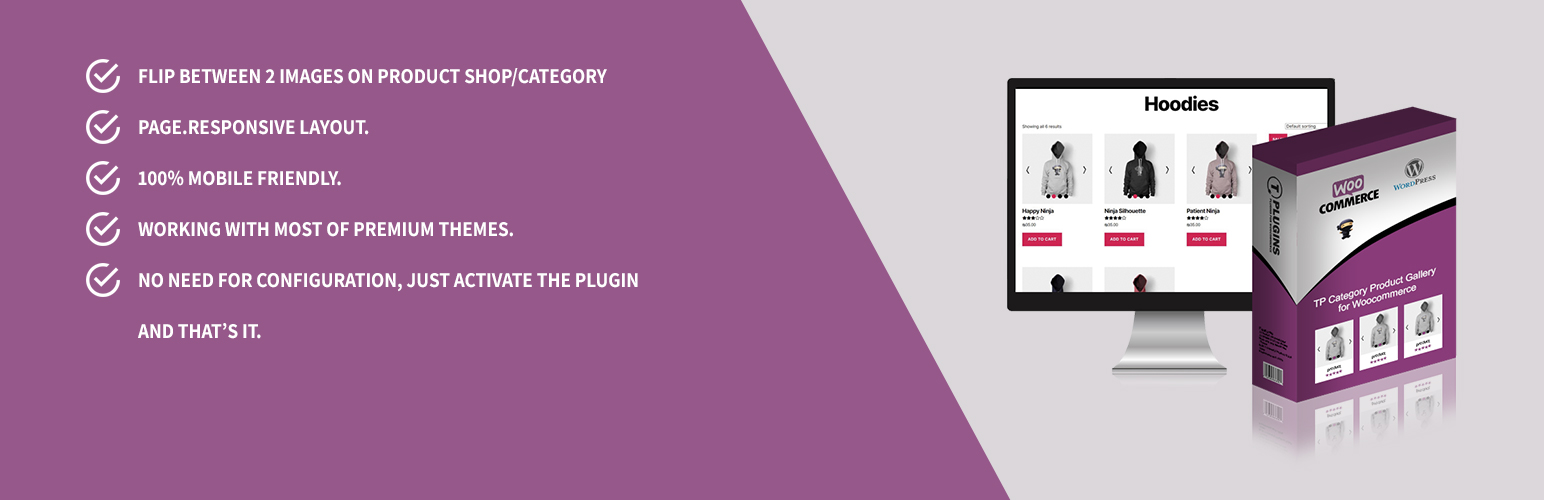

Enhance your WooCommerce store with a beautiful product image flipper. Give your customers a glimpse of another image from your product gallery — 100% responsive and mobile-friendly.
This plugin displays your product’s featured image along with the first gallery image and flips between them on mouse hover.
🚀 Upgrade to TP Gallery PRO — The All-in-One WooCommerce Gallery Solution
Looking for more than just image flipping? TP Gallery PRO includes everything this plugin does — and much more. One plugin to replace multiple gallery, slider, and swatch plugins.
🔗 Learn More About TP Gallery PRO | 🎬 View Live Demo
🛒 Loop Gallery — Flipper & Slider Modes
Everything this plugin does, plus a full slider option:
* Flipper Mode — Swap images on hover (just like this plugin)
* Slider Mode — Mini gallery with navigation arrows on each product
* Customizable Arrows — Circle, square, rounded, or minimal styles
* Works on shop, category, and all archive pages
🖼️ Product Page Gallery
Replace the default WooCommerce gallery:
* 5 Gallery Layouts — Thumbnails bottom, left, right, grid mosaic, or slider only
* 3 Zoom Types — Inner zoom, lens (magnifying glass), or window zoom
* Video Support — Embed YouTube & Vimeo videos directly in your gallery
* Full-Screen Lightbox — Beautiful lightbox with smooth transitions
🎨 Visual Variation Swatches
Replace dropdown selects with stunning visual options:
* Color Swatches — Visual color selection
* Image Swatches — Mini thumbnails for each option
* Label Swatches — Styled text buttons
🎯 Per-Variation Galleries
Display unique image sets for each product variation — automatic gallery switching when selecting a variation.
📦 Product, Category & Brand Sliders
Create beautiful carousels anywhere on your site with shortcodes:
* Product sliders with 5 design presets
* Category sliders (circle, grid, carousel styles)
* Brand sliders with 7 unique styles
* Cross-sells & upsells as Swiper sliders
⚡ Optimized Performance
- Conditional Loading — Scripts load only on relevant pages
- HPOS Compatible — Full High-Performance Order Storage support
- FSE Ready — Works perfectly with Full Site Editing / Block themes
- 100% RTL Support — Perfect for Hebrew, Arabic, and other RTL languages
👉 Get TP Gallery PRO Now — One Plugin, Endless Possibilities
Free Plugin Features
- Flip between 2 images on product shop/category pages
- Responsive layout
- Responsive images with srcset and sizes attributes
- 100% mobile friendly
- Compatible with most premium themes
- Compatible with HPOS (High-Performance Order Storage)
- Remove duplicate images: Ensures only plugin-generated images are shown
- Images from gallery only: Use only gallery images for the flipper
Pro Version Features
- Works with Elementor products grid
- Display all product gallery images
- Responsive layout
- Navigation support
- Slider autoplay options
- Show/hide dots navigation
- Customizable slider arrows (color/background/icons)
- Customizable slider dots (circle/square/rectangle)
- Infinite loop
- Mouse dragging option
- RTL support
- Touch and swipe support
- 36 animation transform types
- Compatible with most premium themes
- Image size selection (all theme sizes available)
- Change images by dots or thumbnails
Pro Version Video
👍 You May Also Like
Change Image Size
TP Product Image Flipper uses the WooCommerce image size called woocommerce_thumbnail. To change this size, use our filter:
add_filter('tppif_image_size', 'your_function');
Example
The following example uses full image size. Add this function to your theme’s functions.php file:
<?php
add_filter('tppif_image_size', 'tp_change_flipper_image_size');
function tp_change_flipper_image_size($default_image_size) {
    return 'full';
}
?>






