
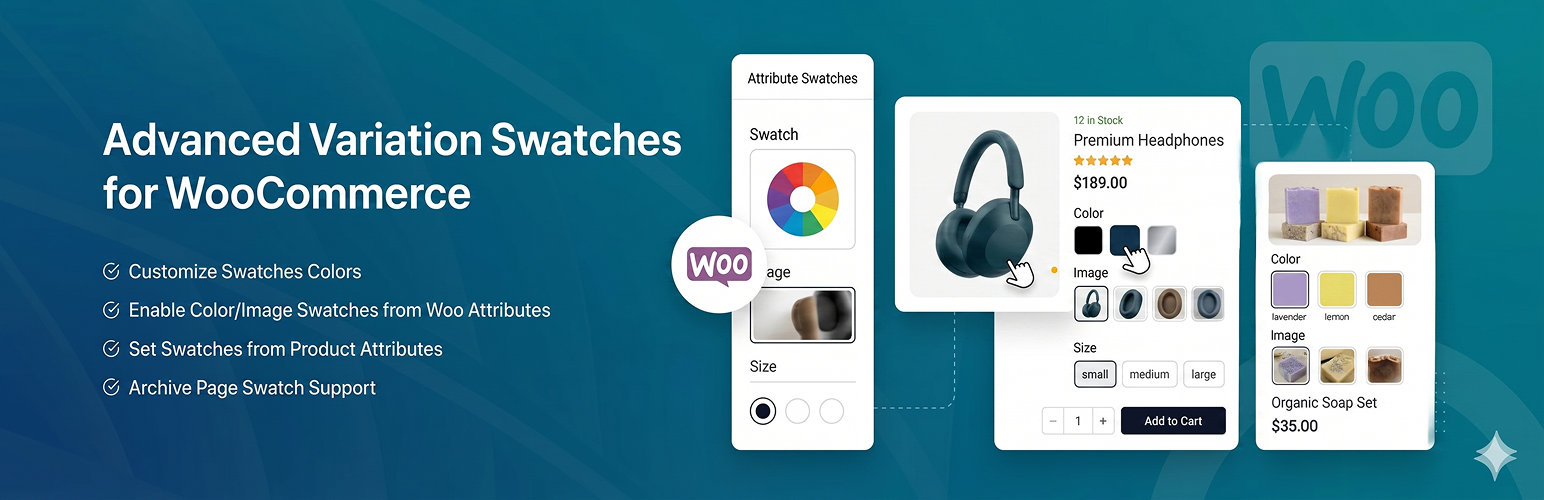

TPure Variation Swatches for WooCommerce replaces the default product attribute dropdown selects with visually appealing color swatches, image swatches, and label/button swatches. It works on both single product pages and shop/archive pages.
Key Features
- Color Swatches – Display product color variations as clickable color circles or squares.
- Image Swatches – Show variation images directly on the product page for quick visual selection.
- Label/Button Swatches – Convert text-based attributes (like sizes) into styled buttons.
- Shop Page Swatches – Enable swatches on archive and shop pages with configurable positioning.
- Ajax Add to Cart – Add variable products to the cart directly from the shop page.
- Tooltip Support – Customizable tooltips with configurable colors and positioning.
- Rounded and Squared Shapes – Choose between rounded or squared swatch shapes globally.
- Swatch Size Control – Adjust the size of swatches from the settings panel.
- Archive Page Positioning – Place swatches before or after the add to cart button, after title, after price, etc.
- Swatch Alignment – Control horizontal alignment of swatches on shop pages.
- Import/Export Settings – Easily transfer your settings between sites.
- Theme Compatibility – Works with popular themes including Astra, Flatsome, Storefront, OceanWP, and more.
- Shortcode Support – Use
[tpwvs_swatches]inside the shop loop.
How It Works
- Install and activate the plugin.
- Go to Products > Attributes and create or edit attributes.
- Select the attribute type: Color, Image, or Select (Label).
- Configure terms for each attribute with the corresponding color, image, or label value.
- Swatches will automatically replace dropdown selects on your product pages.
Shortcode
Use [tpwvs_swatches] inside the WooCommerce shop loop to manually output swatches.
Development
The full uncompiled source code (JavaScript, CSS, and build configuration) is included in the plugin inside the src/ directory. The compiled assets in build/ are generated from these source files.
To build the plugin assets from source:
- Navigate to the plugin directory.
- Install dependencies:
npm install - Build for production:
npm run build
The build tool used is @wordpress/scripts (webpack-based). The compiled assets are output to the build/ directory.






