
TRIPLE PRICING TABLE

TRIPLE PRICING TABLE

توسط

Live Demo in online shop!

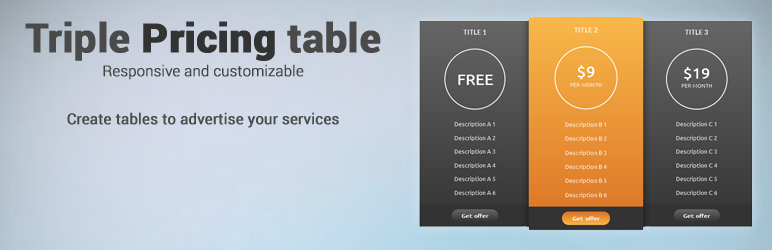
Triple pricing table is a free, responsive and customizable WordPress table for your site. The easiest way to announce your services and prices with a clean style and very easy installation process.

As well, if you have an eCommerce shop, you can always use as much tables as you want to insert your prefered WordPress themes.

With the triple pricing table plugin you have no excuse to not advertise the features and prices of your service in an easy way.

Simple, friendly and striking design to focus the attention of your potential users.

This plugin allows you to:

  • Create informative tables
  • Show your services and prices to your customers
  • Publish your desired information
  • Customize colors
  • Customize fonts
  • Select all the characters that you want to show. Just fill what you need.

After creating your first pricing table, (WP-admin->Settings->Triple Pricing Slider) you can load the plugin using this code:

[pricingtable id=1] For the table 1

You can place as many tables as you want, copy the shortcodes, change “id=1” for the provided id and then publish it!

This section describes how to install the plugin and get it working in less than 5 minutes!

  1. Download the pricing plugin for WordPress
  2. Login to your WordPress administration panel
  3. Install the plugin via plugins menu
  4. Once downloaded and installed you’ll see the activation menu
  5. You’ll see the new “Triple Pricing Table” option in “Settings”
  6. Access to it, fill all the fields and save it
  7. That’s all!

سوالات متداول

  • What can I customize on my table?
  • All the titles
  • Subtitles
  • Descriptions
  • Buttons
  • Colors and styles
  • How can I add tables on a new post?
  • Create a new table with all the details that you want
  • Save changes
  • Check your latest tables on the History section
  • Copy the displayed shortcode

Installation Instructions

This section describes how to install the plugin and get it working in less than 5 minutes!

  1. Download the pricing plugin for WordPress
  2. Login to your WordPress administration panel
  3. Install the plugin via plugins menu
  4. Once downloaded and installed you’ll see the activation menu
  5. You’ll see the new “Triple Pricing Table” option in “Settings”
  6. Access to it, fill all the fields and save it
  7. That’s all!
×
نظری برای این آیتم موجود نیست.
0 0 رای ها
امتیازدهی
اشتراک در
اطلاع از
0 نظرات
قدیمی‌ترین
تازه‌ترین بیشترین رأی
نسخه حجم فایل SHA256 تغییرات دانلود
2.0 967 کیلوبایت -
دانلود
×
★★★★★
★★★★★
5.0 /5 (2 نظر)

قیمت:

رایگان

نگارش

2.0

آخرین انتشار

2 خرداد 1405

آخرین بروزرسانی

3 ماه پیش

نصب های فعال

10+

نگارش وردپرس

وردپرس 2.8.0+

تست شده از نسخه

وردپرس 4.9.29

نگارش PHP

-

نسخه ها

1 نسخه




