
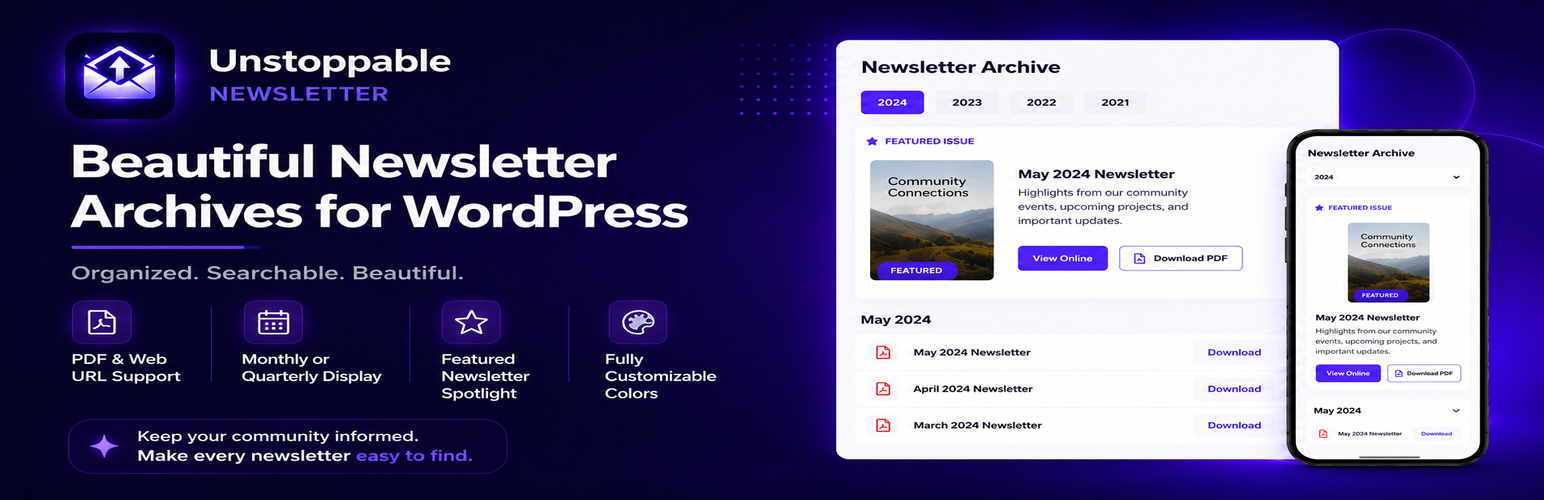

Stop editing HTML every month. Unstoppable Newsletters gives your organization a professional, beautiful newsletter display — without touching a single line of code.
Whether you’re a church, school, nonprofit, or business that publishes newsletters monthly or quarterly, this plugin eliminates the hassle of manually updating your website. Simply upload your PDF through the WordPress admin, and your page updates automatically with filterable year tabs, gradient-styled cards, and a featured newsletter section to highlight your latest issue.
Features
- Custom Post Type — Manage newsletters directly in WordPress admin
- Featured Newsletter — Highlight your current issue with quotes, events, and taglines
- Monthly or Quarterly — Choose your publishing frequency (months or Q1/Q2/Q3/Q4)
- Year Filtering — Visitors can browse by year with smooth tab navigation
- Beautiful Design — Gradient headers, hover effects, and responsive layout
- PDF Integration — Upload PDFs directly or link to external URLs
- Customizable Colors — Match your organization’s branding
- Flexible Display — Show all periods or only published newsletters (hide Coming Soon)
- Shortcode — Display anywhere with
[unstoppable_newsletters] - Elementor Compatible — Works with all major page builders
- Accessibility Ready — Keyboard navigation and ARIA labels
- Analytics Tracking — Automatic Google Analytics events for PDF downloads
Pro Features (Coming Soon)
- Email notifications when you publish a new issue
- Subscriber management with signup forms
- Email service integrations (Mailchimp, Constant Contact, etc.)
- Custom email templates
- Priority support
Perfect For
- Churches & Religious Organizations
- Schools & Universities
- Nonprofits & Associations
- HOAs & Community Groups
- Clubs & Membership Organizations
- Any business with a monthly newsletter
How It Works
- Add newsletters via Newsletters Add New
- Select the month and year
- Upload your PDF or paste a URL
- Mark the current issue as “Featured” for prominent display
- Place
[unstoppable_newsletters]on any page
Shortcodes
[unstoppable_newsletters]— Display your newsletters[unstne_archive]— Alternate shortcode (same functionality)
Shortcode Parameters
show_featured="yes/no"— Show or hide the featured newsletter sectionshow_tabs="yes/no"— Show or hide the year tabsshow_title="yes/no"— Show or hide the title and subtitleshow_card_year="yes/no"— Show year badge on each card (useful when hiding tabs)years="5"— Only show the last X yearsyear="2024"— Show specific year(s): single year, range, or list
Year parameter examples:
* year="2024" — Single year
* year="2022-2024" — Range of years (inclusive)
* year="2022,2024,2026" — Specific years (comma-separated)
Example: [unstoppable_newsletters show_title="no" show_tabs="no" show_card_year="yes" year="2024"]





