
Velocity – Video Lazy Loading for YouTube, Twitch and Vimeo

Velocity – Video Lazy Loading for YouTube, Twitch and Vimeo

توسط

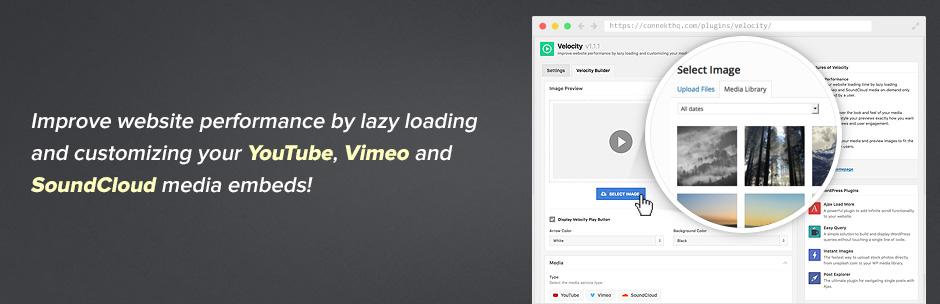
Velocity is an alternative loading method to the standard to YouTube, Vimeo, Twitch and Soundcloud iframe embeds.

With Velocity you will decrease the loading time and increase overall performance of your website by lazy loading media on-demand instead of on initial page load.

To add Velocity to your site, simply create a Velocity shortcode by selecting a preview image and media type using the intuitive shortcode builder then add the generated snippet to your page.

Get More Information

Shortcode Parameters

  • type – Choose a media type [youtube, vimeo, twitch, soundcloud].
  • id – The ID of the media item.
  • options – Add optional styling and display parameters for the embedded media – e.g. rel=0&controls=0&showinfo=0.
  • playlist – Is this a Soundcloud playlist [true/false].
  • img – The path to the preview image.
  • alt – The alternative text to be attached to the preview image.
  • color – Play button arrow color.
  • bkg_color – Play button background color.

Example Shortcode

[velocity type="youtube" id="239793212" img="http://yourwebsite.com/wp-content/uploads/2016/01/image-1263626715.jpg" alt="Play Video"]

Tested Browsers

  • Firefox (Mac, PC)
  • Chrome (Mac, PC, iOS, Android)
  • Safari (Mac, iOS)
  • IE10+
  • Android (Native)
  • BB10 (Native)

Website

https://connekthq.com/plugins/velocity/

How to install Velocity.

Using The WordPress Dashboard

  1. Navigate to the ‘Add New’ in the plugins dashboard
  2. Search for ‘Velocity’
  3. Click ‘Install Now’
  4. Activate the plugin on the Plugin dashboard

Uploading in WordPress Dashboard

  1. Navigate to the ‘Add New’ in the plugins dashboard
  2. Navigate to the ‘Upload’ area
  3. Select velocity.zip from your computer
  4. Click ‘Install Now’
  5. Activate the plugin in the Plugin dashboard

Using FTP

  1. Download velocity.zip
  2. Extract the velocity directory to your computer
  3. Upload the velocity directory to the /wp-content/plugins/ directory
  4. Activate the plugin in the Plugin dashboard

سوالات متداول

What are the steps to getting Velocity integrated on my website

  1. Create your Velocity shortcode.
  2. Add the shortcode to your page, by adding it through the content editor or placing it directly within one of your template files.
  3. Load a page with Velocity in place, click the preview image and load your media.
×
نظری برای این آیتم موجود نیست.
0 0 رای ها
امتیازدهی
اشتراک در
اطلاع از
0 نظرات
قدیمی‌ترین
تازه‌ترین بیشترین رأی
هیچ نسخه‌ای برای این آیتم موجود نیست.
★★★★★
★★★★★
4.8 /5 (6 نظر)

قیمت:

رایگان

نگارش

آخرین انتشار

21 اردیبهشت 1405

آخرین بروزرسانی

3 ماه پیش

نصب های فعال

300+

نگارش وردپرس

وردپرس 4.0+

تست شده از نسخه

وردپرس 5.3.21

نگارش PHP

-

نسخه ها

0 نسخه




