
VLink Broken Links Scout

VLink Broken Links Scout

توسط

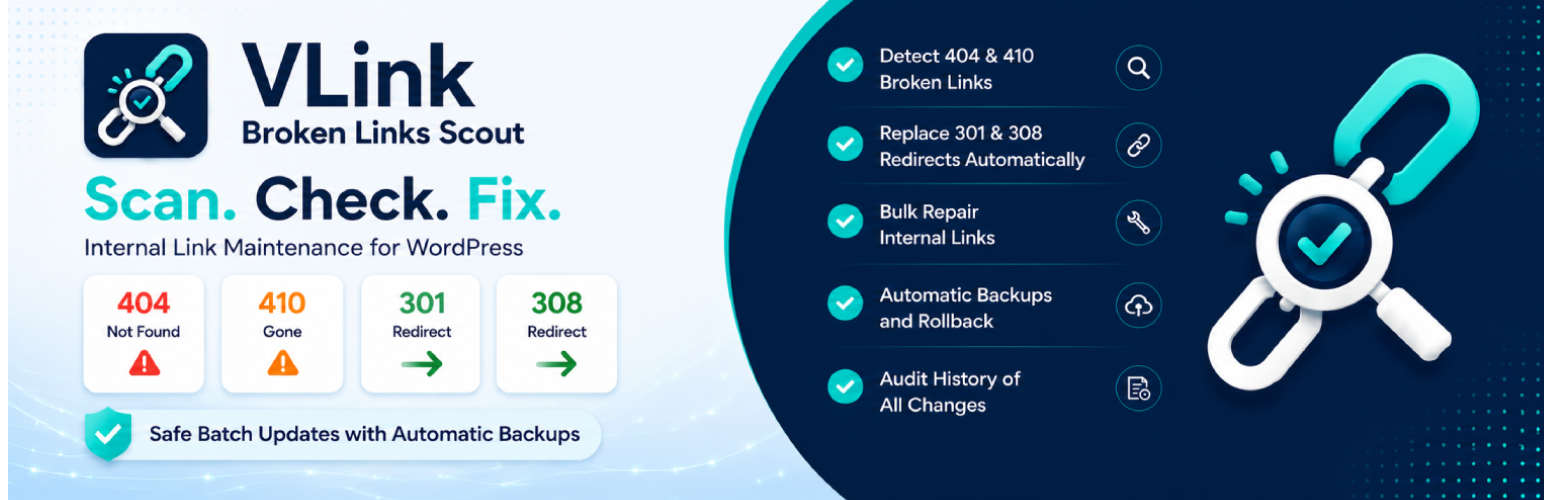
Find every broken or redirecting internal link in your WordPress content, and fix them in bulk.

VLink Broken Links Scout reads your content straight from the database, so the front-end never gets crawled and visitors are never slowed down. Every fix is preceded by a one-click-restorable snapshot, so you can replace links across hundreds of posts without fearing a typo.

How it works

  1. Scan your content for internal links.
  2. Check each URL with a real HTTP request and classify the response.
  3. Fix broken URLs and permanent redirects (301 / 308) one at a time or in bulk.

What gets flagged

  • Broken: 404 Not Found, 410 Gone.
  • Safe to auto-replace: 301 Moved Permanently, 308 Permanent Redirect.
  • Informational only: 302 / 303 / 307 (the original URL is still authoritative, so the plugin will not auto-replace them).

How you fix things

  • One link at a time: open the Change Link modal, see the suggested target, replace across every post that uses it.
  • In bulk: filter by status, preview the diff, then apply.
  • Always reversible: every fix creates a snapshot you can restore in one click.
  • Audit trail: every change is logged with old URL, new URL, posts touched, user, and timestamp.

Built for safety

  • Snapshot before every change. Restore is one click away.
  • Background work runs in small bounded batches with retry on timeout, so visitor requests are never blocked.
  • Optional scheduled scan with a clean HTML email summary.
  • RFC 3986 and RFC 9110 compliant URL handling, so http vs https, www vs non-www, and trailing slash variants are all matched correctly.

Privacy

The plugin does not collect, store, or transmit personal data about visitors or administrators. No third-party API calls. No telemetry. No analytics. No call-home.

The only outbound traffic is HTTP requests to the URLs already present in your own content, in order to read their response codes. No cookies, no Referer header, and no request body are sent.

The optional scheduled-scan email report sends a plain summary to the WordPress admin address you configure; nothing leaves your server otherwise.

  1. Open Plugins → Add New → Upload Plugin in your WordPress admin, choose the zip, and Activate. (Or drop the vlink-broken-links-scout folder into wp-content/plugins/.)
  2. Open VLink Links Scout from the WordPress admin menu.
  3. On the Overview tab, click Run scan to collect every internal URL from your content.
  4. Click Check all links to fetch the HTTP status for each unique URL.
  5. Open the Links tab to fix items one by one, or use the Bulk Update wizard for batches.

سوالات متداول

Will this plugin slow my site down?

No. Every long-running operation runs in the background through AJAX or WP-Cron. No plugin code executes during a visitor request.

Does it work with custom post types?

Yes. Open VLink Links Scout → Settings and tick the post types you want included.

What if I replace a link by mistake?

You can undo it. Every fix, single or bulk, creates a snapshot of the affected content before the replacement. Open the Backups tab and click Restore on the session you want to roll back.

Why are 302 and 307 redirects not auto-fixed?

Because RFC 9110 defines them as temporary redirects: the original URL is still the canonical destination. The plugin shows them as informational only. You can replace them manually if you know they have become permanent.

Where is plugin data stored?

In three dedicated tables inside your own WordPress database. By default these are removed when you uninstall the plugin. If you want them to persist across a delete + reinstall, turn on Keep my data when the plugin is deleted in Settings → Data retention.

Does the plugin call any external service?

No. The only outbound traffic is HTTP requests to the URLs already inside your own content, in order to read their response codes. No telemetry, no analytics, no call-home.

×
نظری برای این آیتم موجود نیست.
0 0 رای ها
امتیازدهی
اشتراک در
اطلاع از
0 نظرات
قدیمی‌ترین
تازه‌ترین بیشترین رأی
بازخورد (Feedback) های اینلاین
مشاهده همه دیدگاه ها
هیچ نسخه‌ای برای این آیتم موجود نیست.
بدون امتیاز

قیمت:

رایگان

نگارش

آخرین انتشار

21 خرداد 1405

آخرین بروزرسانی

1 هفته پیش

نصب های فعال

-

نگارش وردپرس

وردپرس 6.2+

تست شده از نسخه

وردپرس 7.0

نگارش PHP

PHP 7.4+

نسخه ها

0 نسخه




