
Sales Count Manager for WooCommerce

Sales Count Manager for WooCommerce

توسط

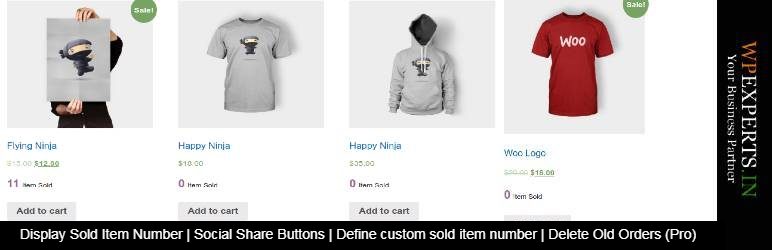
“WooCommerce Sales Count Manager” is the best add-on plugin for WooCommrce that has provide important feature to display sold item number on your store. This plugin provide feature to display the total sold item number for each product on shop page, product category page and product details page . And also provide an option to add the social share buttons i.e Facebook, LinkedIn, Twitter, Pinterest & WhatsApp.

“WooCommerce Sales Count Manager” does work with WooCommerce Plugin. It’s mainly created to show number of sold item on every product.

NOTE: Tested with 6.6.1 version of WooCommerce plugin

Features

  • Display total sold item number for each product
  • Define the custom sold item number (Pro version)
  • Manage sold counter button Style
  • Social Share Buttons (Facebook,Pinterest,Linkedin,Twitter,WhatsApp) for each product page

Pro Addon Features

  • Display item sold counter on shop page
  • Disable item sold counter on category pages
  • Display item sold counter on Category/Tag pages
  • Disable item sold counter on specific Category page
  • Display item sold counter on product details page
  • Define custom sold items number for every product
  • Shortcode to display sold item number on basis of product id
  • Manage counter button style
  • Delete old orders on weekly/monthly/yearly basis.
  • An option to Add conversion tracking code for checkout thank you page
  • An option to define your custom message to display with sold item number
  • An option to define your custom message for all 0 sold item products
  • An option to change text & sold item number position
  • Preorder custom message feature available

FLAT 15% DISCOUNT ON ADD-ON. No Coupon Code Required. Hurry! Limited Time Offer!

Do You Have Any Query? Submit here

Our Other WooCommerce Plugins

In most cases you can install automatically from WordPress.

However, if you install this manually, follow these steps:

  1. Upload the entire wc-sales-count-manager folder to the /wp-content/plugins/ directory.
  2. Activate plugin through the ‘Plugins’ menu in WordPress.
  3. To configure plugin settings browse ‘WooCommerce >> Sales Manager’.

سوالات متداول

How to Configure the the “WooCommerce Sales Count Manager” plugin settings

Go to “WooCommerce >> Sales Count Settings” and configure the plugin settings

Can I show total sold item number for every product

Yes, You can enable it from plugin settings page

Can I hide sold item counter for all products where value is 0

Yes, You can hide sold item counter where total sold item value is 0 but this feature is available only in addon of this plugin.

Can I define a custom message for all products where total sold item value is 0

Yes, You can define a custom message from plugin settings page

Can I manage style css of plugin from admin

Yes, You can manage the style of sold item counter section by edit CSS from plugin settings page

Can I enable sold item counter for category & tags pages

Yes, You can enable it for product category and tags pages but this feature is available only in addon of this plugin.

For more see screenshots.

×
نظری برای این آیتم موجود نیست.
0 0 رای ها
امتیازدهی
اشتراک در
اطلاع از
0 نظرات
قدیمی‌ترین
تازه‌ترین بیشترین رأی
هیچ نسخه‌ای برای این آیتم موجود نیست.
★★★★★
★★★★★
5.0 /5 (8 نظر)

قیمت:

رایگان

نگارش

آخرین انتشار

21 اردیبهشت 1405

آخرین بروزرسانی

3 ماه پیش

نصب های فعال

300+

نگارش وردپرس

وردپرس 6.0+

تست شده از نسخه

وردپرس 6.8.5

نگارش PHP

-

نسخه ها

0 نسخه




