
Filter Orders by Product for WooCommerce

Filter Orders by Product for WooCommerce

توسط

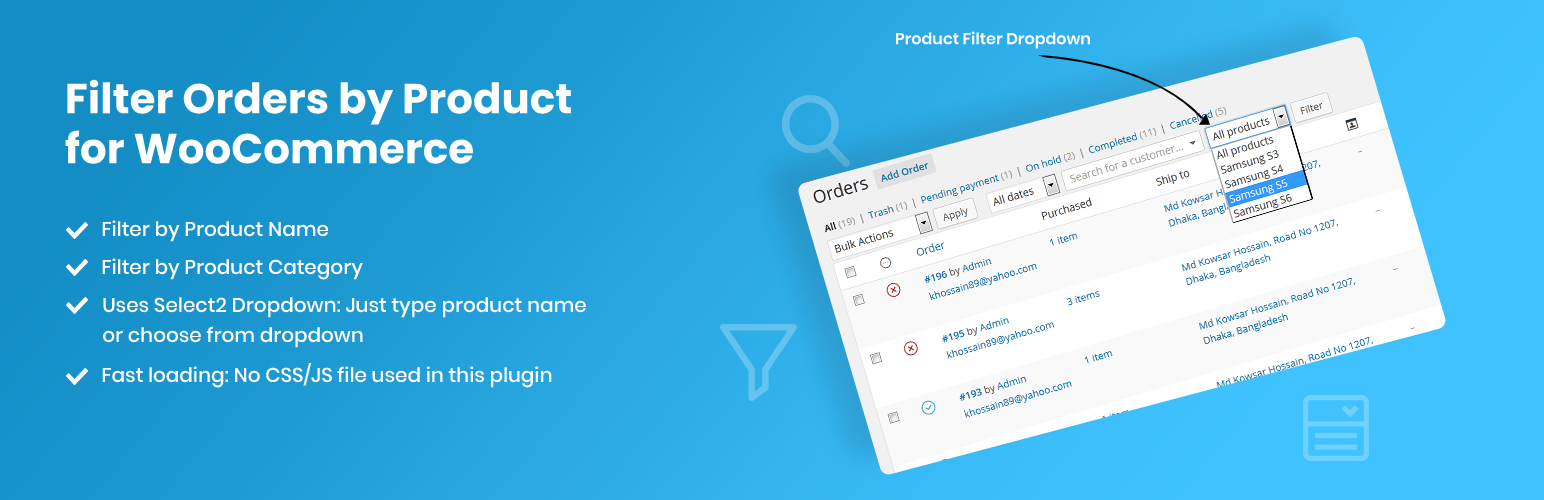
Have you ever wanted to filter your order page results by a specific product? With this plugin, now you can!

Once installed, a new filter dropdown will appear on the WooCommerce Orders screen, displaying a list of all products. Simply select a product and click the “Filter” button to view orders containing only that product.

This plugin supports filtering orders by:

  • Product Name
  • Product Category

Note: This plugin is compatible with both WooCommerce’s new HPOS (High-Performance Order Storage) and the legacy WordPress posts storage. Whether you’re using HPOS or the traditional storage method, this plugin will work seamlessly.

There are three different ways to install this plugin, as well as any other plugin from the WordPress.org repository.

Automatic Installation via WordPress Dashboard

  1. Log in to your WordPress admin dashboard.
  2. Navigate to Plugins > Add New.
  3. Search for “Filter Orders by Product for WooCommerce”.
  4. Click Install Now next to the plugin.
  5. Once installed, click Activate.

Manual Upload through WordPress Dashboard

  1. Download the “Filter Orders by Product for WooCommerce” plugin ZIP file.
  2. Log in to your WordPress admin dashboard.
  3. Navigate to Plugins > Add New.
  4. Click Upload Plugin.
  5. Click Choose File, select the plugin ZIP file you downloaded, and click Install Now.
  6. Once the installation is complete, click Activate Plugin.

Installation via FTP

  1. Download the “Filter Orders by Product for WooCommerce” plugin ZIP file and extract it to your computer.
  2. Using an FTP client, connect to your web server.
  3. Navigate to /wp-content/plugins/.
  4. Upload the extracted plugin folder to the /wp-content/plugins/ directory on your server.
  5. Log in to your WordPress admin dashboard.
  6. Navigate to Plugins.
  7. Locate “Filter Orders by Product for WooCommerce” in the list and click Activate.

After the installation is complete, a new filter will appear on the WooCommerce Orders page.

سوالات متداول

Does this plugin work for all product statuses (public, draft, etc.)?

Currently, this plugin only works for published products. To make it work for all product statuses (e.g., draft, private), add the following code to your theme’s functions.php file:

add_action( 'wfobp_product_status', 'filter_order_by_product_status' );
function filter_order_by_product_status(){
    return 'any';
}

×
نظری برای این آیتم موجود نیست.
0 0 رای ها
امتیازدهی
اشتراک در
اطلاع از
0 نظرات
قدیمی‌ترین
تازه‌ترین بیشترین رأی
نسخه حجم فایل SHA256 تغییرات دانلود
4.1.2 8 کیلوبایت -
دانلود
×
★★★★★
★★★★★
4.7 /5 (15 نظر)

قیمت:

رایگان

نگارش

4.1.2

آخرین انتشار

12 اردیبهشت 1405

آخرین بروزرسانی

4 ماه پیش

نصب های فعال

4,000+

نگارش وردپرس

وردپرس 3.0.1+

تست شده از نسخه

وردپرس 6.8.5

نگارش PHP

PHP 5.6+

نسخه ها

1 نسخه




