
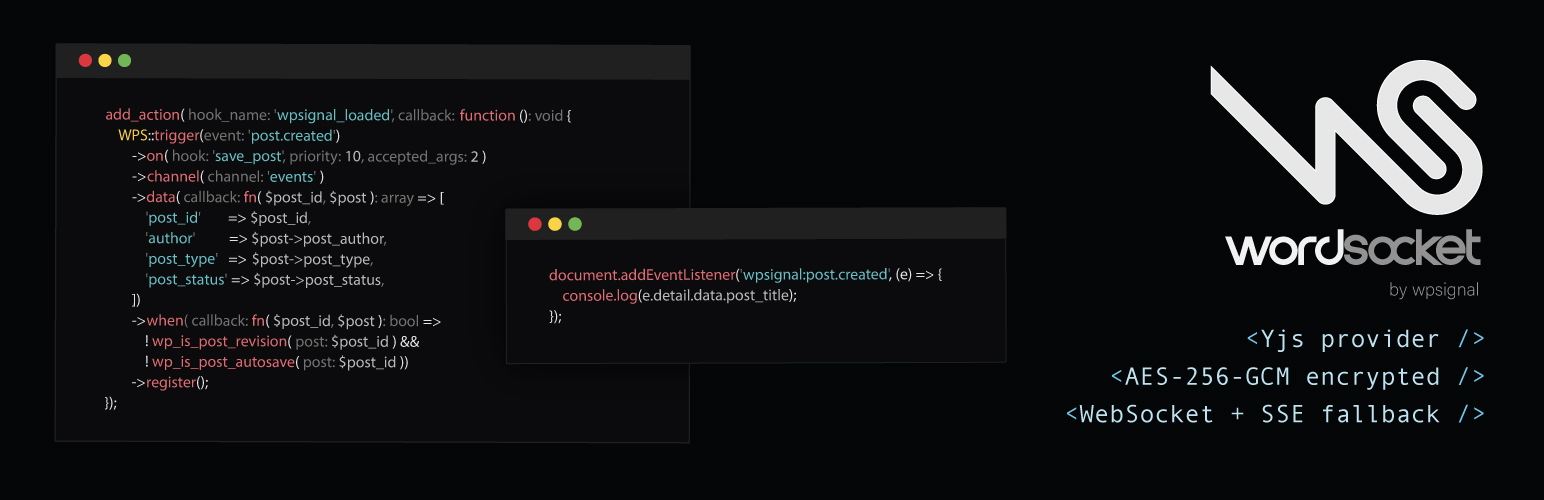
WordSocket

WordSocket

توسط

WordSocket sends realtime events from your WordPress site to connected browsers.
When content changes: a post is published, a comment is approved, an option is updated: the plugin pushes the event to subscribers instantly via WebSocket (with SSE fallback).

On WordPress 7.0+, WordSocket also registers as a WebSocket-based Yjs sync provider for real-time collaborative editing in the block editor, replacing the default HTTP polling transport with a low-latency WebSocket connection.

WPSignal is an independent service and is not affiliated with or endorsed by the WordPress project.

Features:

  • One-click automatic connection via the WPSignal dashboard (no API key required)
  • Manual connection via API key for advanced setups
  • Disconnect button with inline confirmation, removes the site from the server immediately
  • WebSocket-first with automatic SSE fallback
  • Per-site JWT signing secrets: each site’s connection tokens are cryptographically isolated
  • AES-256-GCM encrypted event payloads: the WPSignal relay receives ciphertext only and never has access to plaintext message content
  • Real-time collaborative editing in the block editor (WordPress 7.0+, via Yjs sync provider)
  • Admin toggle to disable the collaboration provider and fall back to WordPress HTTP polling
  • Built-in triggers for post updates and custom post types
  • Custom trigger builder: map any WordPress action hook to a realtime event
  • Public JavaScript API (window.WPS) for themes and plugins to share the connection
  • Extensible connection token: wpsignal_token_channels and wpsignal_token_channel_prefixes filters let other plugins add channels and namespace permissions to the JWT without modifying core
  • Admin explorer page with live event log, publish form, and token inspector
  • Short-lived JWTs (5 min) with automatic refresh

How it works:

  1. Install the plugin and connect to the WPSignal service.
  2. When content changes in WordPress, the plugin encrypts and publishes an HMAC-signed event to the WPSignal server.
  3. The server pushes the ciphertext to all browsers subscribed to that channel.
  4. The browser decrypts the payload and dispatches wpsignal:* DOM events. The relay never sees plaintext content.
  5. On WordPress 7.0+, the block editor uses the same WebSocket connection for collaborative editing with no extra configuration.

Third-Party Service

This plugin connects to the WPSignal service at api.wpsignal.io for the following operations:

  • Site registration: when you connect in the admin (via the automatic one-click flow or by entering an API key manually), the plugin registers your site with the server and receives credentials.
  • Event publishing: when a trigger fires (e.g. a post is saved), the plugin sends an encrypted, HMAC-signed HTTP request to the server.
  • Realtime connections: logged-in users’ browsers connect to the server via WebSocket or SSE to receive events.
  • Collaborative editing: on WordPress 7.0+, Yjs document updates are relayed over the same WebSocket connection.

Event payloads are AES-256-GCM encrypted before leaving WordPress. The WPSignal server relays ciphertext and never has access to plaintext message content. Data is delivered in realtime and is not persisted on the server.

Open Source

https://github.com/wpsignal/wordsocket

  1. Upload the wordsocket folder to /wp-content/plugins/, or install directly from the WordPress plugin directory.
  2. Activate the plugin through the “Plugins” menu in WordPress.
  3. Go to WordSocket > Settings > Connection.
  4. Choose a connection method:
    • Automatic (recommended): Click Connect with WPSignal. You will be redirected to the WPSignal dashboard to authorize the connection. No API key entry required.
    • Manual: Switch to the Manual tab, paste your API key, and click Save Settings.
  5. The plugin registers with the server and saves credentials automatically.

To create an account, visit wpsignal.io.

سوالات متداول

What is WPSignal?

WPSignal is a realtime event delivery service for WordPress. It pushes events from your site to connected browsers the moment they happen, without polling.

Do I need a wpsignal.io account?

Yes. The plugin requires a WPSignal account to relay events. Create a free account at wpsignal.io.

What data is sent to the WPSignal server?

During registration: your site URL and name. During normal operation: AES-256-GCM encrypted event payloads (the server never sees plaintext content). On WordPress 7.0+, Yjs document updates (binary diffs of block editor content) are also relayed. All data is delivered in realtime and is not stored on the server. See our Privacy Policy for full details.

Are my event payloads private?

Event payloads are encrypted with AES-256-GCM before leaving WordPress. The encryption key is derived from your WordPress salts and site key using HKDF-SHA256, and is never sent to the WPSignal server. This means the relay cannot read your message content. Note: all logged-in users on the same site share the same derived key. Per-user message privacy is out of scope for the current version.

Does this work for logged-out visitors?

The built-in client script loads for logged-in users by default. You can enqueue the script for all visitors by adding wpsignal as a dependency to your own script.

What happens if WebSocket is unavailable?

The client falls back to SSE for receiving events. window.WPS.subscribe() and window.WPS.unsubscribe() work on SSE connections: channel changes are tracked and applied immediately via a lightweight SSE reconnect (50 ms debounce). For collaborative editing, the plugin detects the fallback and emits a “not synced” status so WordPress can surface the appropriate indicator. You can also disable the collaboration provider entirely from WordSocket > Settings > Connection to restore WordPress HTTP polling for all editors.

Does collaborative editing require WordPress 7.0?

Yes. The Yjs sync provider integration requires WordPress 7.0 or later. The plugin detects the WordPress version and only registers the provider when @wordpress/sync is available.

تصویری برای این آیتم موجود نیست.
نظری برای این آیتم موجود نیست.
0 0 رای ها
امتیازدهی
اشتراک در
اطلاع از
0 نظرات
قدیمی‌ترین
تازه‌ترین بیشترین رأی
نسخه حجم فایل SHA256 تغییرات دانلود
0.15.1 73 کیلوبایت -
دانلود
×
★★★★★
★★★★★
5.0 /5 (1 نظر)

قیمت:

رایگان

نگارش

0.15.1

آخرین انتشار

16 اردیبهشت 1405

آخرین بروزرسانی

3 ماه پیش

نصب های فعال

-

نگارش وردپرس

وردپرس 6.2+

تست شده از نسخه

وردپرس 7.0

نگارش PHP

PHP 7.4+

نسخه ها

1 نسخه



