
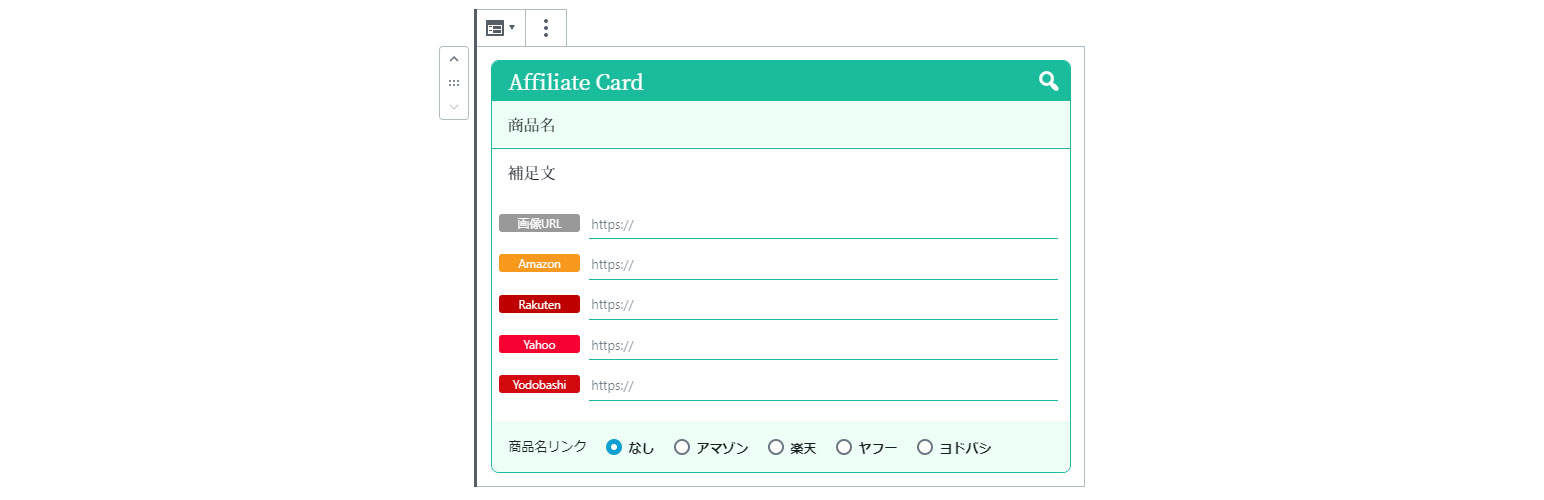
WP Affiliate Card

WP Affiliate Card

توسط

  • This WordPress plugin lays out a link to your e-commerce site when you introduce your products and This is a plugin that allows you to save in a block editor for easy understanding. It is currently available for Amazon, Rakuten, Yahoo Shopping and Yodobashi Camera.

  • You can use the code for affiliates. You can use URLs that go directly to a product page, or you can use URLs that go to the search screen by keyword.


  1. From the WP admin panel, click “Plugins” -> “Add new”.
  2. In the browser input box, type “WP Affiliate Card”.
  3. Select the “WP Affiliate Card” plugin and click “Install”.
  4. Activate the plugin.

OR…

  1. Download the plugin from this page.
  2. Save the .zip file to a location on your computer.
  3. Open the WP admin panel, and click “Plugins” -> “Add new”.
  4. Click “upload”.. then browse to the .zip file downloaded from this page.
  5. Click “Install”.. and then “Activate plugin”.

سوالات متداول

Q. Do you speak English?

A. Currently, only Japanese is supported.

تصویری برای این آیتم موجود نیست.
نظری برای این آیتم موجود نیست.
0 0 رای ها
امتیازدهی
اشتراک در
اطلاع از
0 نظرات
قدیمی‌ترین
تازه‌ترین بیشترین رأی
هیچ نسخه‌ای برای این آیتم موجود نیست.
بدون امتیاز

قیمت:

رایگان

نگارش

آخرین انتشار

19 اردیبهشت 1405

آخرین بروزرسانی

3 ماه پیش

نصب های فعال

-

نگارش وردپرس

وردپرس 5.0+

تست شده از نسخه

وردپرس 5.4.19

نگارش PHP

PHP 7.0+

نسخه ها

0 نسخه


