
WP Blog Post Layouts

WP Blog Post Layouts

توسط

Demos | Documentation | Premium Version

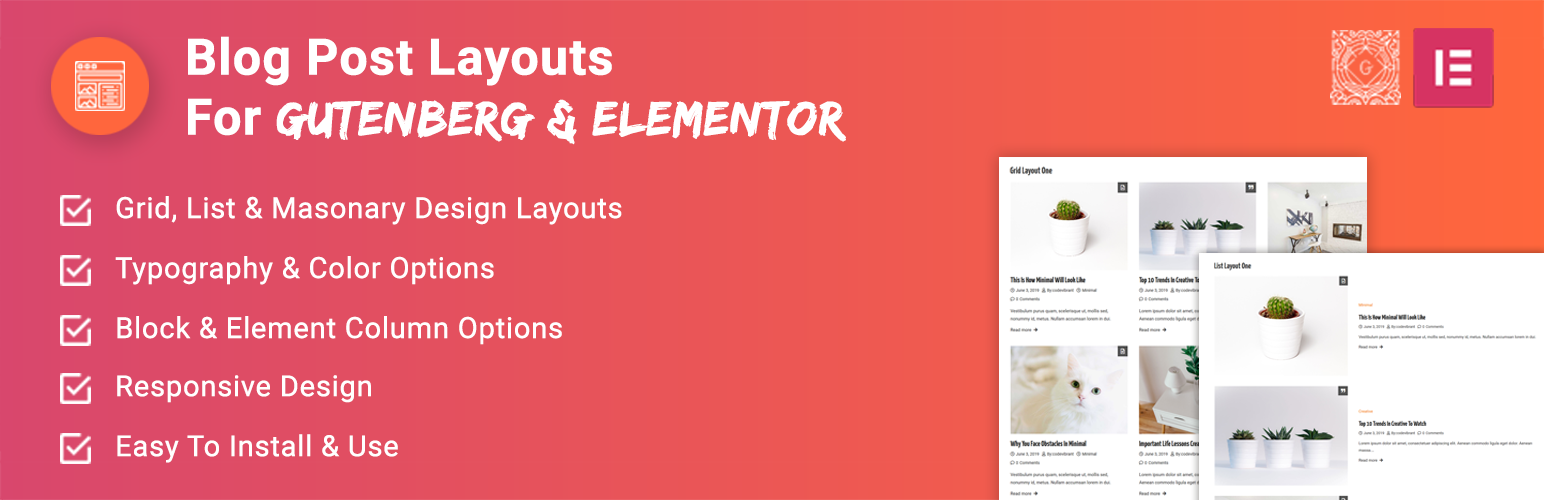
WP Blog Post Layouts is a versatile plugin specially designed to create layouts of WordPress blogs without any coding knowledge required. It comes with several archive layouts types: Masonry, Grid, and List, each with 3 different variations. It gives you full control to style blog posts exactly the way you want. It is fully compatible with both Gutenberg and Elementor. With this plugin, you can rearrange WordPress posts, configure colors, customize typography, set content length, and so on. Furthermore, it offers the category option that lets you display posts from specific categories in your site.

Features and Options

  • Compatible with Gutenberg Editor and Elementor PageBuilder.
  • Archive your default posts.
  • Multiple archive layout types ( Grid, List, and Masonry ).
  • Each layout with 3 different variations
    – Grid( 3 variations )
    – List( 3 variations )
    – Masonry( 3 variations )
  • Multiple Archive Columns ( upto 5 columns )
  • Category Select option – display posts from specific category.
  • OrderBy and Order Options – display your posts in descending, ascending manner w.r.t to post date and title.
  • Post Count Option – number of posts to display
  • Set content length option.
  • Show/Hide option for meta.
  • Show/Hide post margin option.
  • Color options.
    – Font Color
    – Button Background Color
    – Border Color
    – Link Hover Color
  • Enable/Disable custom typography option.
  • Flexible Typography option available for Block title, Post title, Content, Meta, Button
  • Available settings tabs
    – Basic Settings
    – Query Settings
    – Layout Settings
    – Typography Settings

What’s Next

Checkout out our other projects for WordPress

Mystery Themes – has 30+ beautiful and elegant responsive WordPress Themes.

WPAllresources – A complete WordPress resources with Collection of WordPress Themes by Well Renowned Authors.

Contribute

You can contribute to the source code in our GitHub page.

  1. Login to your WordPress Admin Area

    1. Go to Plugins > Add New
    2. Type WP Blog Post Layouts into the Search and hit Enter.
    3. Find this plugin Click Install now
    4. Activate The Plugin
    5. Use the WP Blog Post Layouts block on your next page or post.

    Manual Installation:

    1. Download the plugin from WordPress.org repository
    2. On your WordPress admin dashboard, go to Plugins > Add New > Upload Plugin
    3. Upload the downloaded plugin file (wp-blog-post-layouts.zip) and click Install Now
    4. Activate WP Blog Post Layouts from your Plugins page.
    5. Use the WP Blog Post Layouts block on your next page or post.

سوالات متداول

Can I use WP Blog Post Layouts with any WordPress theme?

Yes, It can be used with any WordPress theme.

Do I need coding skills to use WP Blog Post Layouts?

Our settings panels are well coded with the proper user interface so, you just need to drag, drop, and click.

Is WP Blog Post Layouts Compatible with Gutenberg Editor?

Yes, WP Blog Post Layouts is fully compatible with the Gutenberg editor. In fact, this plugin is compatible latest WordPress version along with major plugins and themes available in WordPress.

Can I manage my content length on the blog page?

Yes, this plugin lets you control content length on blog posts and pages.

Can I use Blog Post layout with Elementor Page Editor?

Absolutely, WP Blog Post Layouts is fully integrated with Elementor Page Editor. You can use this plugin with elementor to design your website without any problem.

Do WP Blog Post Layouts have any typography options?

Yes, this plugin comes with a flexible and customizable typography option

×
نظری برای این آیتم موجود نیست.
0 0 رای ها
امتیازدهی
اشتراک در
اطلاع از
0 نظرات
قدیمی‌ترین
تازه‌ترین بیشترین رأی
بازخورد (Feedback) های اینلاین
مشاهده همه دیدگاه ها
نسخه حجم فایل SHA256 تغییرات دانلود
1.1.4 2 مگابایت -
دانلود
×
★★★★★
★★★★★
4.7 /5 (83 نظر)

قیمت:

رایگان

نگارش

1.1.4

آخرین انتشار

11 اردیبهشت 1405

آخرین بروزرسانی

2 ماه پیش

نصب های فعال

10,000+

نگارش وردپرس

وردپرس 5.0+

تست شده از نسخه

وردپرس 6.8.5

نگارش PHP

PHP 7.2+

نسخه ها

1 نسخه




