
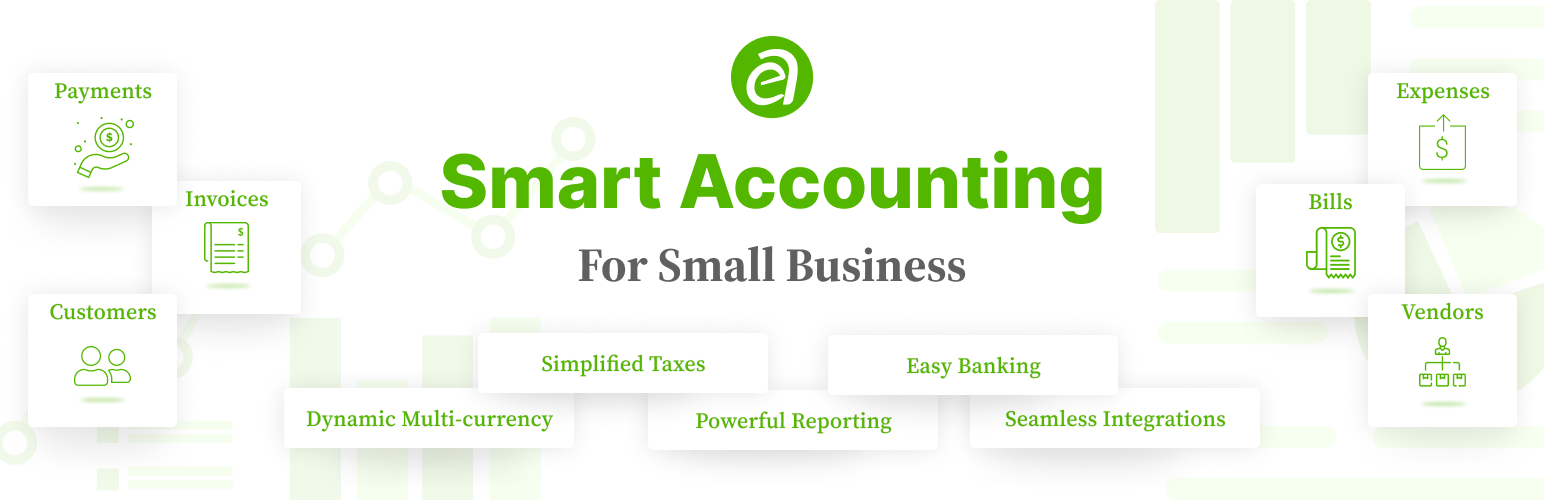
Ever Accounting – Accounting & Invoicing Solution for Small Businesses

Ever Accounting – Accounting & Invoicing Solution for Small Businesses

توسط

Complete Accounting Solution for Small Businesses

Ever Accounting is a comprehensive WordPress accounting plugin that helps you keep track of your income and expenses, send professional invoices in multiple currencies, and manage your business finances with confidence.

It offers a complete accounting solution designed specifically for small businesses. The plugin’s primary goal is to provide an easy yet professional way for businesses to manage finances, keep detailed logs of income and expenses, and generate powerful reports to understand their financial position.

The plugin allows you to manage your income and expenses without any prior accounting knowledge. It helps you overcome accounting-related challenges so you can focus more on other business operations.

Managing a small business comes with many challenges, and adopting the right tool can save you from some of the hardships. Keeping track of cash flow is one of the most important tasks for all businesses.

With the ability to create your income and expenses in multiple currencies, you’ll stay on top of your accounting tasks. You can also create multiple accounts and transfer funds between them, giving you the ease of smooth accounting operations.

The plugin is designed to be user-friendly and easy to use. It’s suitable for small business owners, freelancers, startups, SMEs, accountants, entrepreneurs, WooCommerce store owners, service providers, consultants, agencies, nonprofits, bloggers, affiliate marketers, digital marketers, content creators, e-commerce store owners, and online business owners.

💻 Live Demo Site | 📄 Plugin Documentation | 🚀 Extensions

👨‍💻 This Plugin is Ideal for:

  • Small Business Owners: Manage your finances with ease and focus on growing your business.
  • Freelancers: Keep track of your income and expenses and send professional invoices.
  • Startups: Get a clear view of your financial position and make informed decisions.
  • SMEs: Manage your cash flow, track expenses, and generate detailed reports.
  • Accountants: Simplify your accounting tasks and save time with powerful features.
  • Entrepreneurs: Stay on top of your finances and make informed decisions for your business.
  • WooCommerce Store Owners: Track your store’s income and expenses with ease.
  • Service Providers: Create and send professional invoices to clients in multiple currencies.
  • Consultants: Keep track of your income and expenses and generate detailed reports.
  • Agencies: Manage your finances, track expenses, and generate detailed reports.
  • Nonprofits: Keep track of donations, expenses, and generate detailed reports.
  • Bloggers: Track your income and expenses and generate detailed reports.
  • Affiliate Marketers: Keep track of your income and expenses and generate detailed reports.
  • Digital Marketers: Track your income and expenses and generate detailed reports.
  • Content Creators: Keep track of your income and expenses and generate detailed reports.
  • E-commerce Store Owners: Track your store’s income and expenses with ease.
  • Online Business Owners: Manage your finances, track expenses, and generate detailed reports.

✨ Key Features

Multi-Currency Support: Track income and expenses in multiple currencies.
Detailed Cash Flow Insights: Real-time cash flow monitoring for smarter financial decisions.
Professional Invoicing: Create, print, and share tax and discount-enabled invoices.
Expense Tracking: Keep accurate records of business expenses in any currency.
Income Tracking: Record all income transactions to monitor payments.
Billable Expenses: Create and manage bills for accurate financial records.
Vendor Management: Organize and track interactions with vendors.
Customer Management: Store essential information about your business contacts.
Bank Account Management: Track balances, deposits, and transfers across multiple accounts.
Deposits & Transfers: Add deposits and make transfers across accounts.
Transaction Categorization: Group transactions into categories for quick insights.
Product & Service Management: List items as products or services for streamlined invoicing.
Powerful Reporting: Generate detailed financial reports for a clear view of business performance.
Bulk Import & Export: Seamlessly move data in and out of the plugin.
Custom User Roles: Assign roles with tailored permissions for secure management.

Discover More

Learn more about the Ever Accounting plugin on our website.
– 🌐 EverAccounting
– 💻 Live Demo Site
– 📄 Plugin Documentation
– 🚀 Extensions

✨ Features of Ever Accounting

Multi-Currency Accounting
Do business all over the world with multi-currency accounting. Track income or expenses in any currency you want and let the plugin convert them into your base currency automatically.

Cash Flow Monitoring
Get a real-time view of your cash flow. Stay on top of your cash flow and make smarter decisions about your business anytime. Know how your income, expenses, and revenues are flowing in real-time.

Easy Invoicing
Generate, print, and share professional invoices, including tax and discount options, in your customers’ currency.

Billable Expenses
Create and manage bills to ensure your finances are always accurate and healthy. Print and share bills with your vendors. Bills also support tax calculations and discounts.

Expense Tracking
Keep accurate and up-to-date records of business expenses in any currency to maintain a clear financial picture.

Income Tracking
Record all income transactions to monitor what and when you’re getting paid.

Product & Service Management
List items as products or services for streamlined invoicing and billing.

Transaction Categorization
Group transactions into categories for quick insights into where your money is going and coming from. Track which categories your business is spending the most on, as well as earning from.

Powerful Reporting
Generate detailed financial reports that give you a clear view of your business performance. Create smart financial reports and budgets to understand and track what matters most.

Vendor & Customer Profiles
Organize essential information about your business contacts to keep track of interactions and transactions.

Customer Management
Create customers to assign payments, and later you can filter the transactions you made with them. You can store the name, address, email, phone number, and more for each customer.

Vendor Management
Create vendors to assign expenses, and later you can filter the transactions you made with them. You can store the name, address, email, phone number, and other relevant information about vendors.

Account Management
Manage unlimited cash accounts with ease and track current balances. You can use any currency you want. Ever Accounting will handle the currency conversion automatically.

Deposits & Transfers
Add deposits and make transfers across accounts to keep finances organized. The transferred amount will automatically adjust to the account currency.

Bulk Import
Quickly import data, including customers, vendors, categories, taxes, items, accounts, transfers, payments, and expenses from other systems.

Bulk Export
Ever Accounting lets you export most of your accounting records, like customers, vendors, categories, taxes, items, accounts, transfers, payments, and expenses in CSV format, which you can import later or analyze.

Custom User Roles
Ever Accounting comes with a built-in, fine-grained permission system to help you manage your team securely and efficiently. By default, it offers three dedicated user roles: ‘Accounting Manager’, ‘Accountant’, and ‘Accounting Auditor’. Each role is designed with predefined capabilities to ensure that users only access what they need. This role-based access control simplifies your workflow while strengthening security across your accounting operations.

Open-Source & Secure
Ever Accounting is an open-source project and is hosted in your space. You can ensure that your data is secure and that nobody can access or misuse it. Open-source software offers complete privacy.

How Ever Accounting Works

Once installed, Ever Accounting adds an Accounting menu to your WordPress dashboard. From here, you can access essential submenus, including Dashboard, Items, Sales, Purchases, Banking, Tools, Reports, and Settings. Each section provides powerful tools and data to keep your finances organized.

The dashboard provides a detailed summary with highlights of the most important and recent accounting events. It also features an intuitive graphical interface that visually represents your Sales, Expenses, and Profit/Loss for the current year, providing instant insights at a glance.

Developer Information

This plugin uses modern JavaScript build tools for optimal performance. Human-readable source code is available for review and contribution.

Source Code Locations:
* JavaScript source files are located in the /resources/ directory
* Custom JavaScript packages (monorepo) are located in the /packages/ directory
– Money package source: /packages/money/src/index.js (builds to /assets/packages/money.js)
* Build system: Webpack via @wordpress/scripts npm package
* Build commands:
– Development: npm install && npm run start
– Production: npm run build

Third-Party Libraries (All GPL-Compatible):
* Chart.js v4.x – Data visualization (MIT License) – https://github.com/chartjs/Chart.js
* Select2 v4.x – Enhanced dropdowns (MIT License) – https://github.com/select2/select2
* AutoNumeric v4.10.8 – Number formatting (MIT License) – https://github.com/autoNumeric/autoNumeric
* jQuery UI Components – Date/time pickers (MIT License) – https://jqueryui.com/
* Moment.js – Date handling (MIT License) – https://momentjs.com/
* WooCommerce Action Scheduler – Background processing (GPL v2+)
* ByteKit Framework – Plugin foundation (GPL v2+)
* PSR Libraries – PHP standards compliance (MIT License)

Contributing:
We welcome community contributions! Report bugs or suggest features in the support forum. All code follows WordPress Coding Standards and is tested with PHPCS and Plugin Check.

License

This plugin is licensed under the GPLv2 or later. You are free to use this plugin on as many sites as you want. You may not give it away, redistribute it or resell it. If you want to include this plugin with your theme or other product, please contact us.

Individual libraries included with this plugin maintain their own licenses (all GPL-compatible). See the Developer Information section for specific library licenses.

  1. Upload the plugin files to the /wp-content/plugins/wp-ever-accounting directory, or install the plugin through the WordPress plugins screen directly.
  2. Activate the plugin through the ‘Plugins’ menu in WordPress.
  3. Navigate to WordPress Admin Dashboard > Accounting to start using the plugin.
  4. Configure the settings and start managing your finances.

What do I need to properly use Ever Accounting?

Apart from a fully functional WordPress installation (version 5.0 or higher), Ever Accounting does not have any dependencies. The plugin works seamlessly with WordPress without requiring additional services.

What is the minimum PHP version that I have to maintain to use this plugin?

To enjoy the features of this powerful plugin, you need at least PHP version 7.4 or higher installed. If you have a lower version of PHP, you may face compatibility problems.

Can I ask/suggest for a new feature?

Yes, of course. We do not create products for ourselves. You are always welcome to suggest new features and improvements.

سوالات متداول

What is Ever Accounting?

Ever Accounting is a powerful accounting plugin for WordPress. It helps you manage your finances, keep track of income and expenses, send professional invoices, and generate detailed reports.

What are the key features of Ever Accounting?

Ever Accounting offers multi-currency support, detailed cash flow insights, professional invoicing, expense tracking, income tracking, billable expenses, vendor management, customer management, bank account management, deposits & transfers, transaction categorization, product & service management, powerful reporting, bulk import & export, and custom user roles.

Who can use Ever Accounting?

Ever Accounting is ideal for small business owners, freelancers, startups, SMEs, accountants, entrepreneurs, WooCommerce store owners, service providers, consultants, agencies, nonprofits, bloggers, affiliate marketers, digital marketers, content creators, e-commerce store owners, and online business owners.

How does Ever Accounting work?

Once installed, Ever Accounting adds an Accounting menu to your WordPress dashboard. From here, access essential submenus such as Dashboard, Items, Transactions, Contacts, Payments, Revenues, Accounts, Transfers, Categories, and Settings. Each section provides powerful tools and data to keep your finances organized.

How do I install Ever Accounting?

To install Ever Accounting, upload the plugin files to the /wp-content/plugins/wp-ever-accounting directory, or install the plugin through the WordPress plugins screen directly. Activate the plugin through the ‘Plugins’ menu in WordPress and navigate to WordPress Admin Dashboard > Accounting to start using the plugin.

How do I configure Ever Accounting?

To configure Ever Accounting, navigate to the WordPress Admin Dashboard > Accounting and access the Settings section. Here, you can customize the plugin settings to suit your business needs.

Can I manage multiple currencies with Ever Accounting?

Yes, Ever Accounting offers multi-currency support. You can track income and expenses in multiple currencies and let the plugin convert them into your base currency automatically.

Can I generate professional invoices with Ever Accounting?

Yes, Ever Accounting allows you to generate, print, and share professional invoices, including tax and discount options, in your clients’ currency. You can also create and manage bills for accurate financial records.

Can I track expenses and income with Ever Accounting?

Yes, Ever Accounting allows you to keep accurate records of business expenses in any currency and record all income transactions to monitor payments. You can also group transactions into categories for quick insights.

Can I manage vendors and customers with Ever Accounting?

Yes, Ever Accounting allows you to organize essential information about your business contacts, including vendors and customers. You can store details such as name, address, email, phone number, and more to keep track of interactions and transactions. You can also create customers to assign revenues and filter transactions made with them.

Can I manage bank accounts with Ever Accounting?

Yes, Ever Accounting allows you to manage unlimited bank and cash accounts with ease. You can track opening and current balances, deposits, and transfers across multiple accounts. You can use any currency, and the plugin will handle the currency conversion automatically.

Can I add deposits and make transfers with Ever Accounting?

Yes, Ever Accounting allows you to add deposits and make transfers across accounts to keep finances organized. The transferred amount will automatically adjust to the account currency.

Can I generate detailed financial reports with Ever Accounting?

Yes, Ever Accounting allows you to generate detailed financial reports that give you a clear view of your business performance. You can create smart financial reports and budgets to understand and track what matters most.

Can I import and export data with Ever Accounting?

Yes, Ever Accounting allows you to quickly import data like customers, vendors, revenues, payments, accounts, and transactions to/from other systems. You can also export most of your accounting records like customers, vendors, revenues, payments, and accounts in CSV format for analysis or to import later.

Can I assign custom user roles with Ever Accounting?

Yes, Ever Accounting allows you to assign user roles like ‘Accounting Manager’ and ‘Accountant’ with controlled permissions to enhance security. You can control permissions to protect and simplify your management experience.

Is Ever Accounting open-source and secure?

Yes, Ever Accounting is an open-source project and hosted in your space. You can be sure that your data is safe and nobody can misuse it. Open-source software provides you full privacy.

Can I use Ever Accounting with WooCommerce?

Yes, Ever Accounting is compatible with WooCommerce. You can track your store’s income and expenses with ease and generate detailed reports. However, you need to install the WooCommerce compatibility extension.

Can I use Ever Accounting with other plugins?

Yes, Ever Accounting is compatible with other WordPress plugins. You can use it with any WordPress plugin to enhance your business operations.

Can I use Ever Accounting with other themes?

Yes, Ever Accounting is compatible with other WordPress themes. You can use it with any WordPress theme to manage your finances effectively.

Can I use Ever Accounting for my business?

Yes, you can use Ever Accounting for your business. The plugin is designed to help small business owners, freelancers, startups, SMEs, accountants, entrepreneurs, WooCommerce store owners, service providers, consultants, agencies, nonprofits, bloggers, affiliate marketers, digital marketers, content creators, e-commerce store owners, and online business owners manage their finances effectively.

Can I use Ever Accounting for my clients?

Yes, you can use Ever Accounting for your clients. The plugin is ideal for accountants, agencies, consultants, and service providers who manage finances for multiple clients. You can create separate accounts for each client and manage their finances securely.

Can I use Ever Accounting for multiple businesses?

No, Ever Accounting is designed for single-site use. If you have multiple businesses, you will need to install the plugin on each site separately. You can manage finances for each business independently and keep track of income and expenses effectively.

Can I use Ever Accounting for personal use?

Yes, you can use Ever Accounting for personal use. The plugin is suitable for individuals who want to manage their finances effectively and keep track of income and expenses. You can use it to create invoices, track expenses, generate reports, and monitor cash flow for personal finances.

Can I use Ever Accounting for non-profit organizations?

Yes, you can use Ever Accounting for non-profit organizations. The plugin is ideal for charities, NGOs, and non-profits that want to manage their finances effectively and keep track of donations, expenses, and revenues. You can use it to create invoices, track expenses, generate reports, and monitor cash flow for non-profit finances.

Can I use Ever Accounting for educational purposes?

Yes, you can use Ever Accounting for educational purposes. The plugin is suitable for students, teachers, and educational institutions that want to learn about accounting and finance. You can use it to create invoices, track expenses, generate reports, and monitor cash flow for educational purposes.

Can I use Ever Accounting for affiliate marketing?

Yes, you can use Ever Accounting for affiliate marketing. The plugin is ideal for affiliate marketers who want to manage their finances effectively and keep track of income and expenses. You can use it to create invoices, track expenses, generate reports, and monitor cash flow for affiliate marketing.

Can I use Ever Accounting for blogging?

Yes, you can use Ever Accounting for blogging. The plugin is suitable for bloggers who want to manage their finances effectively and keep track of income and expenses. You can use it to create invoices, track expenses, generate reports, and monitor cash flow for blogging.

What is required to use Ever Accounting?

You only need a fully functional WordPress site (minimum version 5.0). Ever Accounting is fully self-contained and requires no additional dependencies. The plugin is designed to work seamlessly with WordPress and provide a powerful accounting solution for small businesses.

What PHP version is required?

Ever Accounting requires PHP 7.4 or higher to function optimally. Please upgrade to avoid compatibility issues. If you are using an older version of PHP, you may experience performance problems or errors.

Can I suggest new features for Ever Accounting?

Yes, you can suggest new features for Ever Accounting. We welcome user feedback and continuously improve the plugin based on your suggestions. If you have an idea for a new feature or improvement, please let us know, and we will consider it for future updates.

Can I request support for Ever Accounting?

Yes, you can request support for Ever Accounting. We offer dedicated support to help you with any issues or queries you may have. If you need assistance with the plugin, please contact us, and we will be happy to help.

Can I customize Ever Accounting?

Yes, Ever Accounting allows you to customize the plugin settings to suit your business needs. You can configure the settings to match your branding and business requirements.

Can I contribute to Ever Accounting?

Yes, you can contribute to Ever Accounting. We welcome contributions from the community to enhance the plugin and make it better for everyone. If you have a bug report, feature request, or code contribution, please submit it, and we will review it for inclusion in the plugin.

×
نظری برای این آیتم موجود نیست.
0 0 رای ها
امتیازدهی
اشتراک در
اطلاع از
0 نظرات
قدیمی‌ترین
تازه‌ترین بیشترین رأی
نسخه حجم فایل SHA256 تغییرات دانلود
2.2.8 1 مگابایت -
دانلود
×
★★★★★
★★★★★
4.9 /5 (22 نظر)

قیمت:

رایگان

نگارش

2.2.8

آخرین انتشار

14 اردیبهشت 1405

آخرین بروزرسانی

4 ماه پیش

نصب های فعال

1,000+

نگارش وردپرس

وردپرس 5.0+

تست شده از نسخه

وردپرس 6.9.4

نگارش PHP

PHP 7.4+

نسخه ها

1 نسخه



