
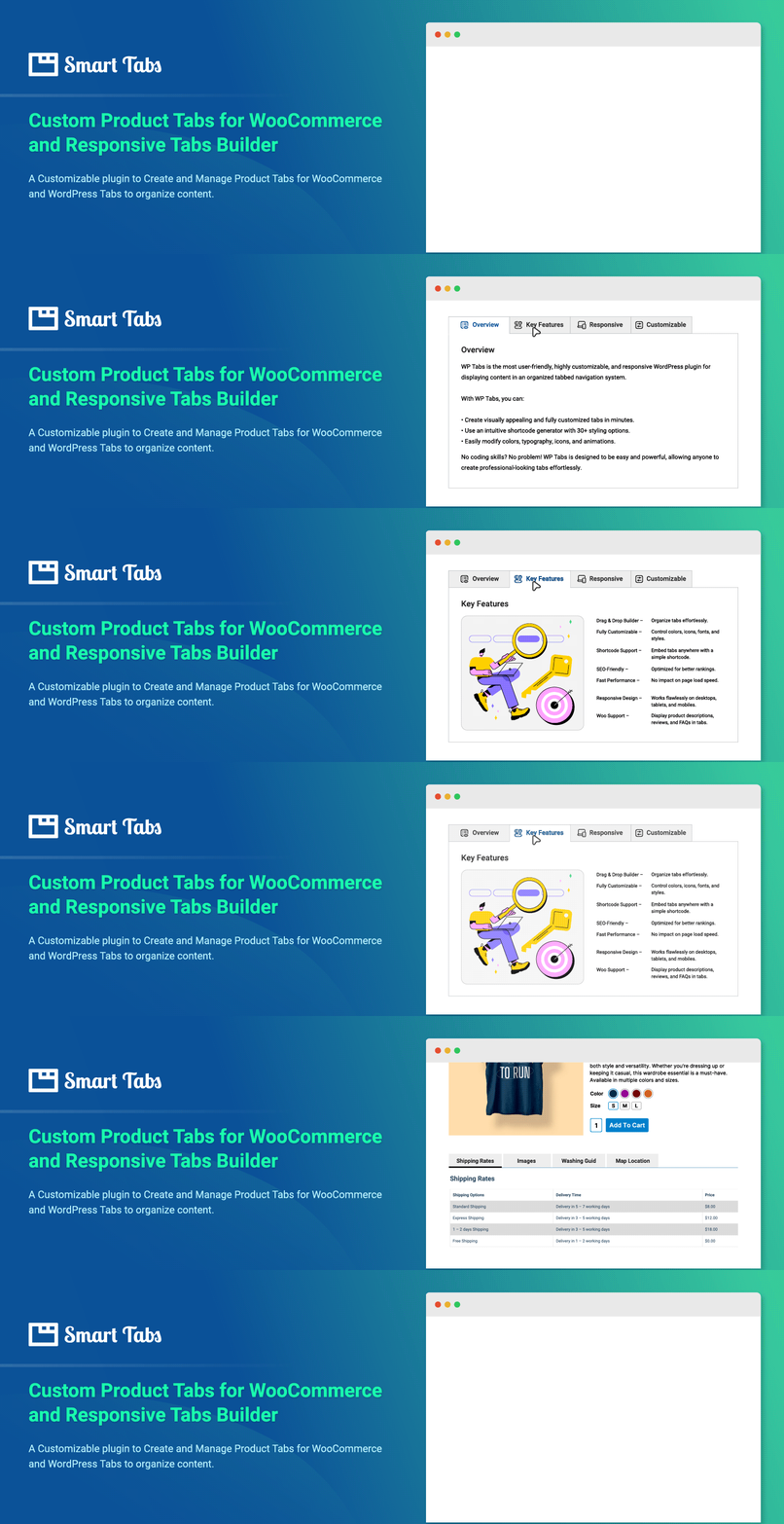
Custom Product Tabs for WooCommerce & WordPress Tabs Builder – Smart Tabs

Custom Product Tabs for WooCommerce & WordPress Tabs Builder – Smart Tabs

توسط

Responsive WooCommerce Product Tabs & WordPress Tabs Builder Plugin

Smart Tabs (formerly WP Tabs) is a tab plugin designed for both WooCommerce and WordPress. It provides responsive tab layouts and customization options to create WooCommerce product tabs and WordPress tabs with no coding required.

🖥 Live Demo | 📖 Documentation | 🛟 Support

Key Benefits:

  • Organize rich content and keep shoppers engaged
  • Save space and reduce scrolling with clean tabbed layouts
  • Let visitors see everything at a glance
  • Improve navigation with contextual tabs
  • Boost engagement and drive more sales

Key Features List:

  • WooCommerce Custom Product Tabs – Add custom product tabs to product pages
  • WooCommerce Suggested Product Tabs – Showcase related & complementary items for cross-sells
  • Pre-made Tab Layouts – Create tabs in one click
  • Responsive Mobile Tabs – Tabs convert to full-width or accordion style on smaller screens
  • Nested / Multi-level Tabs – Structure content with tabs inside tabs
  • Flexible Tab Navigation – Switch tabs by clicking or mouseover
  • Drag & Drop Ordering – Reorder tabs easily by drag-and-drop, ID, title, or date
  • Tab Animations & Hover Effects – Add animations for interactions
  • Tabs Alignment Options – Left, right, top, bottom, center, or justified

Key Compatibility:

  • Works with major themes, WooCommerce plugins, and page builders
  • Multisite Supported – Activate network-wide or per site
  • Multilingual & RTL Ready – Compatible with WPML, Polylang, WeGlot, Loco Translate, TranslatePress, GTranslate, qTranslate-x, and more

Upgrade to Smart Tabs Pro

Smart Tabs Pro is a premium version that extends the functionality of the free plugin with additional features for WooCommerce product tabs and WordPress tabs.

🏆 What You Can Do with Smart Tabs Pro⚡

WooCommerce Product Tabs: Add custom tabs and accordions globally or individually, positioned below or beside the product gallery.
Override Tabs Per Products: Create different content for specific products by overriding tabs while adding or editing products.
Custom Content Tabs: Create tabs with any type of content: texts, images, videos, shortcodes, and more.
Post Tabs: Build tabs displaying posts filtered by various taxonomies.
Horizontal and Vertical Tabs: Shape Horizontal & Vertical tabs with left and right placement options.
Nested/Multilevel Tabs: Add tabs within other tabs.
Tabs Carousels (Scrollable Tabs): Create scrollable tab carousels to display multiple tabs in a single row.

🏆 WooCommerce Product Tabs:

👉 Tabs Templates and Layouts: Access pre-designed tab layouts for your product pages.

👉 Product Tabs with Product Image Galleries: Include image galleries in tabs with grid or masonry layouts and adjustable column settings.

👉 Video Tab: Add video content to showcase reviews, tutorials, and promotions.

Supported video platforms:

  • YouTube
  • Vimeo
  • Wistia
  • TikTok
  • Self-hosted videos

👉 FAQ Tab: Include an FAQ section to address common customer questions.

👉 Contact Form Tab: Add a contact form to capture leads and inquiries.

👉 Download Tab: Provide access to all essential documents like technical specs, guides, warranties, charts, and more in one dedicated tab.

👉 Product-Specific Tabs: Add tabs to specific products, categories, or brands.

👉 Product Tabs as Accordion Layout: Display tabs in an accordion format for better space utilization.

👉 Hide or Override (Edit) Tabs Per Product: Hide or modify tabs for specific products as needed.

👉 Custom Related Products Tabs: Add related products tabs without relying on category or tag matching.

🏆 WordPress Tabs Features:

👉 Display Posts in Tabs: Organize blog posts, news, and pages into tabs with filtering options.

👉 Image & Video Gallery Tabs: Create image and video galleries within tabs.

👉 Tab Icons: Choose from FontAwesome icons or upload custom icons.

👉 Tab Connecting Arrow or Indicator: Add visual indicators connecting tabs to their content.

👉 Animations and Effects: Apply animations and hover effects to tabs.

👉 Responsive Design: Tabs automatically convert to accordions on mobile devices.

👉 Deep Links: Add deep links within tabs to direct users to specific content.

👉 Customization Options: Access extensive styling options including Google Fonts and design settings.

🛟 Support and Documentation

👉 Get all guidance at our Documentation
👉 Say Hi for support to the Plugin’s Support Team
👉 Explore more at Smart Tabs

Author – Backed By A Trusted Team
Smart Tabs plugin is developed and maintained by ShapedPlugin LLC.

MINIMUM REQUIREMENTS

  • PHP 7.2 or later
  • MySQL 5.6 or later
  • WordPress 5.0 or later

This section describes how to install the plugin and get it working

AUTOMATIC INSTALLATION (EASIEST WAY)

To do an automatic install of Smart Tabs, log in to your WordPress dashboard, navigate to the Plugins menu, and click.
Add New.
In the search field, type “Smart Tabs” by ShapedPlugin. Once you have found it, you can install it by simply clicking “Install Now” and then “Activate”.

MANUAL INSTALLATION

Uploading in WordPress Dashboard

  • Download wp-expand-tabs-free.zip
  • Navigate to the ‘Add New’ in the plugins dashboard
  • Navigate to the ‘Upload’ area
  • Select wp-expand-tabs-free.zip from your computer
  • Click ‘Install Now’
  • Activate the plugin in the Plugin dashboard

Using FTP

  • Download wp-expand-tabs-free.zip
  • Extract the wp-expand-tabs-free directory to your computer
  • Upload the wp-expand-tabs-free directory to the /wp-content/plugins/ directory
  • Activate the plugin in the Plugin dashboard

The WordPress codex contains instructions on how to install a WordPress plugin.

سوالات متداول

Q. Is Smart Tabs free?

A: Yes! Smart Tabs is and always will be free.

Q. How can I add tabs to my site?

A: After activating the plugin, you will see Smart Tabs in the WordPress admin dashboard.

First:

  • Click on the Add New menu;
  • Write a Shortcode Title, which is optional (shown as tab group section title) for the Tab Group;
  • Select Content from the Tabs Type option;
  • Add some content by following the steps:
    • Click on the Add New Tab button;
    • Type Title for the Tab item;
    • Write description/content for the tab item;
    • Thus, you can add as many tab items as needed

Second:

  • You can customize the setting fields as you want. And then click on Publish, and you will find a Generated Shortcode in the bottom area;

Finally:,

  • Copy and paste the Tabs or Tab Group Shortcode to your post/page or anywhere on your site.
Q. What if I upgrade to the premium version?

A: Your existing tab content will work with the premium version, so you won’t lose your developed content.

Q. Do I need to have coding skills to use Smart Tabs?

A: No. You don’t need any coding skills. No more pain writing any shortcode attributes to display tabs on your site. With just a few clicks, you can amazingly create unlimited tab groups.

Q. Is Smart Tabs responsive?

A: Yes, Smart Tabs is responsive and works on mobile and touch devices.

Q. Can I add Tabs anywhere on my website?

A: Yes, you can add tabs to blog posts, pages, widgets, and other areas of your WordPress site using a shortcode or PHP function.

Q. How to show tabs/tabs group into my homepage, header.php, or other PHP files?

A: Use the following PHP code: <?php echo do_shortcode('[wptabs id="x..."]'); ?>

Q. Can I have multiple tab groups with separate settings?

A: Yes, you can create unlimited tab groups with separate settings on pages, posts, templates, widgets, or other areas.

Q. Will Smart Tabs work with my theme?

A: Smart Tabs works with any WordPress theme that follows WordPress development standards.

Q. How can I get support if the plugin is not working?

A: If you encounter issues with the plugin:

  1. Test with a WordPress default theme to ensure the issue isn’t theme-related
  2. Deactivate all plugins to check for conflicts
  3. If the problem persists, submit a support ticket with details about your WordPress version, plugin version, and a description of the issue

You can get support via our Support or WordPress.org forums.

Q. Where can I report bugs?

A: If you find a bug, please report it in our active support. You will be replied to once the issue is resolved.

Q. Is Smart Tabs Multilingual Ready?

A: Yes, Smart Tabs is translation-ready and compatible with WPML, Polylang, Loco Translate, qTranslate-x, GTranslate, Google Language Translator, WPGlobus, etc.

Q. Is Smart Tabs ready with multisite?

A: Yes, Smart Tabs works with WordPress multi-site networks.

Q. How to use Smart Tabs in WordPress 5.0 Gutenberg Block Editor

A: To add a tab group in the WordPress Block Editor:

  • Paste the generated shortcode into a Paragraph Block
  • Or use the Shortcode Block
    The plugin works with both the Block Editor and Classic Editor.
×
نظری برای این آیتم موجود نیست.
0 0 رای ها
امتیازدهی
اشتراک در
اطلاع از
0 نظرات
قدیمی‌ترین
تازه‌ترین بیشترین رأی
نسخه حجم فایل SHA256 تغییرات دانلود
3.1.4 5 مگابایت -
دانلود
×
★★★★★
★★★★★
4.9 /5 (133 نظر)

قیمت:

رایگان

نگارش

3.1.4

آخرین انتشار

10 اردیبهشت 1405

آخرین بروزرسانی

4 ماه پیش

نصب های فعال

10,000+

نگارش وردپرس

وردپرس 5.0+

تست شده از نسخه

وردپرس 7.0

نگارش PHP

PHP 7.2+

نسخه ها

1 نسخه




