
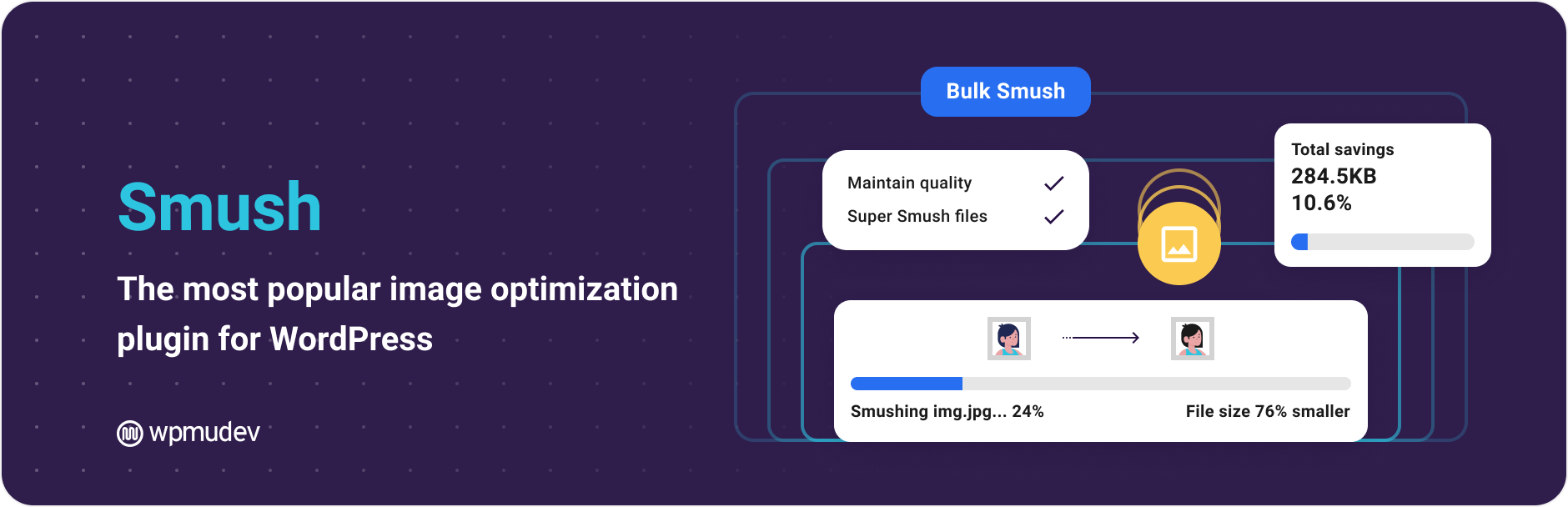
Smush – Image Optimization, Compression, Lazy Load, WebP & CDN

Smush – Image Optimization, Compression, Lazy Load, WebP & CDN

Compress images, optimize images, and enable image lazy load automatically to keep your WordPress site fast, without losing quality.

Smush makes it easy to optimize images, compress images, and deliver images faster across your entire WordPress site. Automatically reduce image file sizes, enable image lazy load, and serve modern formats like WebP and AVIF, all without breaking image quality or adding extra work.

Whether you’re running a blog, store, or portfolio, Smush helps you optimize images at scale and keep your site fast.

Trusted by over 1 million WordPress sites.

With a 4.8/5 rating.

Everything you need to optimize images and speed up your site.

Works out of the box with no complicated setup.

Compress images without losing quality

Reduce image file sizes automatically while keeping your images sharp and clear. Smush lets you compress images using both lossless and lossy compression, so you get the best balance of quality and performance without extra work.

You can also compress images outside the media library using Directory Smush, making it easy to optimize images stored in theme folders, plugins, or other directories on your server.

Lazy load images for faster pages

Enable image lazy load across your site so images load only when needed. This improves initial page speed and creates a smoother experience for visitors without extra configuration.

Serve WebP and AVIF images automatically (PRO)

Convert images to WebP and AVIF and serve them automatically to supported browsers. Smush helps you optimize images using next-gen formats to reduce file size and improve load times across your WordPress site.

Deliver images faster with an Image CDN (PRO)

Serve images through a global image CDN to reduce latency and improve load times for visitors around the world.

  • 119 global CDN servers
  • Up to 500 GB of bandwidth
  • Faster image delivery based on visitor location
  • Improved performance for image-heavy and high-traffic sites

Automatically resize and fix image dimensions (PRO)

Eliminate common PageSpeed warnings and improve layout stability with automatic image sizing. Smush dynamically resizes images to perfectly fit their containers, regardless of original size, helping fix the “Properly size images” warning in Google PageSpeed Insights.

It also automatically adds missing width and height attributes to your images, improving rendering speed and reducing layout shifts. This helps you meet the “Ensure images have explicit width and height” recommendation without any manual work.

Optimize your entire site, automatically

Smush works across your whole site to optimize images as you upload them and maintain performance over time without manual work.

  • Optimize images automatically on upload
  • Compress images in bulk or individually
  • Works with your existing media library
  • No need to re-upload images
  • Enable image lazy load across your site
  • Convert images to WebP and AVIF
  • Deliver images with an integrated image CDN
  • Automatically resize and serve correctly sized images
  • Optimize images outside the media library with Directory Smush

Built for performance

Smush improves page speed and overall performance by reducing image weight and improving how images are delivered.

  • Reduce page load times
  • Improve user experience
  • Better performance for image-heavy pages
  • Supports image lazy load and preload images (PRO) for faster perceived performance

Works with your existing setup

Smush is built to work with your current WordPress setup, including popular themes, page builders, and plugins.

  • Compatible with Gutenberg, Elementor, WPBakery, and more
  • Works with WooCommerce stores
  • No need to change your workflow
  • Easy to enable and configure

Designed to be simple

You don’t need to be a performance expert to optimize images with Smush.

  • Works out of the box
  • Simple settings when you need them
  • No technical knowledge required
  • Safe to use on any site

Why choose Smush?

There are plenty of image optimization plugins, but Smush focuses on making it easy to optimize images, compress images, and improve performance without complexity.

  • Trusted by over 1 million WordPress users
  • Built specifically for WordPress
  • Regular updates and improvements
  • Backed by the WPMU DEV team

Get started in minutes

Install Smush, activate it, and start to compress images, optimize images, and enable image lazy load right away. Most sites see improvements immediately without changing how they upload or manage images.

About Us

WPMU DEV is a premium supplier of quality WordPress plugins, services and support. Learn more here:
https://wpmudev.com/

Don’t forget to stay up to date on everything WordPress from the Internet’s number one resource:
WPMU DEV Blog

Hey, one more thing… we hope you enjoy our free offerings as much as we’ve loved making them for you!

Contact and Credits

Originally written by Alex Dunae at Dialect (dialect.ca, e-mail ‘alex’ at ‘dialect dot ca’), 2008-11.

راهنمای نصب برای این آیتم موجود نیست.

سوالات متداول

How do I optimize images in WordPress with Smush?

Smush makes it easy to optimize images in WordPress automatically.

Once installed, Smush will optimize images and compress images as you upload them. You can also bulk optimize images already on your site with one click.

How do I compress images without losing quality?

Smush lets you compress images using both lossless and lossy compression.

This means you can reduce file sizes and improve performance without noticeable quality loss.

Can Smush serve images through an image CDN?

Yes. Smush Pro includes a global image CDN.

  • 119 global CDN servers
  • Up to 500 GB of bandwidth
  • Faster delivery based on visitor location

This helps improve load times for users around the world.

How do I fix “properly size images” in PageSpeed Insights?

This warning means images are larger than the space they are displayed in.

Smush includes automatic image resizing, which dynamically resizes images to fit their containers. This helps eliminate the “Properly size images” warning without manual work.

How do I fix “images missing width and height” warnings?

Smush can automatically add missing width and height attributes to your images.

This improves rendering speed, reduces layout shifts, and helps you pass Core Web Vitals checks like CLS.

Can Smush convert images to WebP and AVIF?

Yes. Smush can convert images to WebP and AVIF formats to reduce file size and improve performance.

These next-gen formats help you optimize images and meet modern PageSpeed recommendations.

Why does PageSpeed say “serve images in next-gen formats”?

This means your images are not using WebP or AVIF.

Smush helps you convert images to these formats so they load faster and improve your PageSpeed score.

Does Smush delete or replace my original images?

No. Smush does not delete your original images.

It compresses and optimizes resized versions by default. Full-size image compression is available in Smush Pro.

Why aren’t some images being compressed?

In the free version, images over 5MB are skipped.

Smush Pro supports compressing images up to 256MB.

Do I still need Photoshop to optimize images?

No. Smush automatically optimizes images across your entire site, including images added by plugins and themes.

What is the difference between optimize images and compress images?

Compressing images reduces file size. Optimizing images includes compression plus resizing, format conversion, and delivery improvements.

Smush handles both automatically.

How can I report security issues or bugs?

We take plugin security incredibly seriously; if you have a bug or vulnerability to report, you can do so through the Patchstack Vulnerability Disclosure Program. It’s fast, easy, and you will be notified when the issue is fixed. Report a vulnerability.

×

نظرات کاربران

1/5
★☆☆☆☆

The new version simply doesn't work.

By ljdsco on April 25, 2026

The new interface is merely "pretty" but not intuitive; simple tasks like performing a new scan or optimizing images seem impossible with the plugin…

  • The scan always stays at 0%
  • The optimization does not go beyond 1 image

It seems they ruined what they had done in the past. :(

The Go-To Image Optimization Tool for Large-Scale E-commerce

By Underscore Sab (underscoresab) on April 14, 2026

Working on custom, large-scale e-commerce stores means that speed isn't just a "nice-to-have" - it’s a requirement. I often deal with significant performance bottlenecks caused by unoptimized product images, which can be a total disaster, especially when inheriting a project from another developer.​Optimizing a site is much smoother when you have full control over the images along with server configuration, and cache settings. Smush has helped me immensely in this regard. I’ve also found that pairing Hummingbird with my existing cache setup - while a bit tricky to balance , yields excellent results for speed rankings once you get the configuration right.​It’s an awesome tool for any developer’s kit. Keep up the great work and keep smushing!

#1 Fan of Smush 👌

Best App Category

By rohitsinghvi2006 on April 3, 2026

Thanks for supporting our website.

Great Plugin

By joussenkarliczek on March 13, 2026

Großartiges Plugin um Bilder zu optimieren.

Super Helpful

By larry111 on March 11, 2026

Good plugin for compressing images in WordPress. Setup took just a minute, and it started optimizing right away. Site speed improved a bit, too. tnx devs for this.

Easy to install & does the job

By cityneil on January 26, 2026

I needed a lot of images optimised and Smush did the job. Will probably go to Pro level to get some of the additional features.

Easy Image Optimization

By coryhopper65 on January 19, 2026

Smush helps reduce image size without losing quality. It improves site speed and works automatically in the background.

Must register an account to now use

By Kazam Creative (goldenagemedia) on January 15, 2026

Sorry it's a deal-breaker for us as well. As others have also said, we've used this plugin on many websites for years and it's served its purpose well, but now that you've restricted access to (almost) all the features unless we register for an account, we won't be installing/using this plugin any more. It's made it way too complicated to now have to register a new account every time we want to use it on another website.

This plugin is really just what I needed thankyou

By Christine Spence (chrissy9452) on January 5, 2026

Revised plugin is great, thank you soooo much!

suuper

By bojed on December 29, 2025

jest okey

0 0 رای ها
امتیازدهی
اشتراک در
اطلاع از
0 نظرات
قدیمی‌ترین
تازه‌ترین بیشترین رأی
نسخه حجم فایل SHA256 تغییرات دانلود
4.0.1 9 بایت
دانلود
4.0 9 بایت
دانلود
4.0.2 5 مگابایت
دانلود
3.16.5 4 مگابایت
دانلود
3.12.2 9 بایت
دانلود
3.16.4 4 مگابایت
دانلود
3.16.3 9 بایت
دانلود
3.16.2 4 مگابایت
دانلود
3.16.1 9 بایت
دانلود
3.16.0 9 بایت
دانلود
3.15.5 4 مگابایت
دانلود
3.15.4 4 مگابایت
دانلود
3.15.3 4 مگابایت
دانلود
3.15.2 4 مگابایت
دانلود
3.15.1 4 مگابایت
دانلود
3.15.0 4 مگابایت
دانلود
3.14.2 4 مگابایت
دانلود
3.14.1 4 مگابایت
دانلود
3.14.0 4 مگابایت
دانلود
3.13.2 4 مگابایت
دانلود
3.13.1 5 مگابایت
دانلود
3.13.0 5 مگابایت
دانلود
3.12.6 4 مگابایت
دانلود
3.12.5 4 مگابایت
دانلود
3.12.4 5 مگابایت
دانلود
3.12.3 4 مگابایت
دانلود
3.19.1 9 بایت
دانلود
3.24.0 5 مگابایت
دانلود
3.23.4 5 مگابایت
دانلود
3.23.3 5 مگابایت
دانلود
3.23.2 5 مگابایت
دانلود
3.23.1 5 مگابایت
دانلود
3.23.0 5 مگابایت
دانلود
3.22.1 5 مگابایت
دانلود
3.22.0 9 بایت
دانلود
3.21.1 4 مگابایت
دانلود
3.21.0 9 بایت
دانلود
3.20.0 4 مگابایت
دانلود
3.16.6 4 مگابایت
دانلود
3.19.0 9 بایت
دانلود
3.18.1 4 مگابایت
دانلود
3.18.0 4 مگابایت
دانلود
3.17.1 4 مگابایت
دانلود
3.17.0 4 مگابایت
دانلود
3.16.12 -
دانلود
3.16.11 332 بایت
دانلود
3.16.10 9 بایت
دانلود
3.16.9 9 بایت
دانلود
3.16.8 9 بایت
دانلود
3.16.7 331 بایت
دانلود
×
★★★★★
★★★★★
4.8 /5 (6,036 نظر)

قیمت:

رایگان

نگارش

4.0.2

آخرین انتشار

6 اردیبهشت 1405

آخرین بروزرسانی

3 ماه پیش

نصب های فعال

1,000,000+

نگارش وردپرس

وردپرس 6.4+

تست شده از نسخه

وردپرس 6.9.4

نگارش PHP

PHP 7.4+

نسخه ها

50 نسخه




