
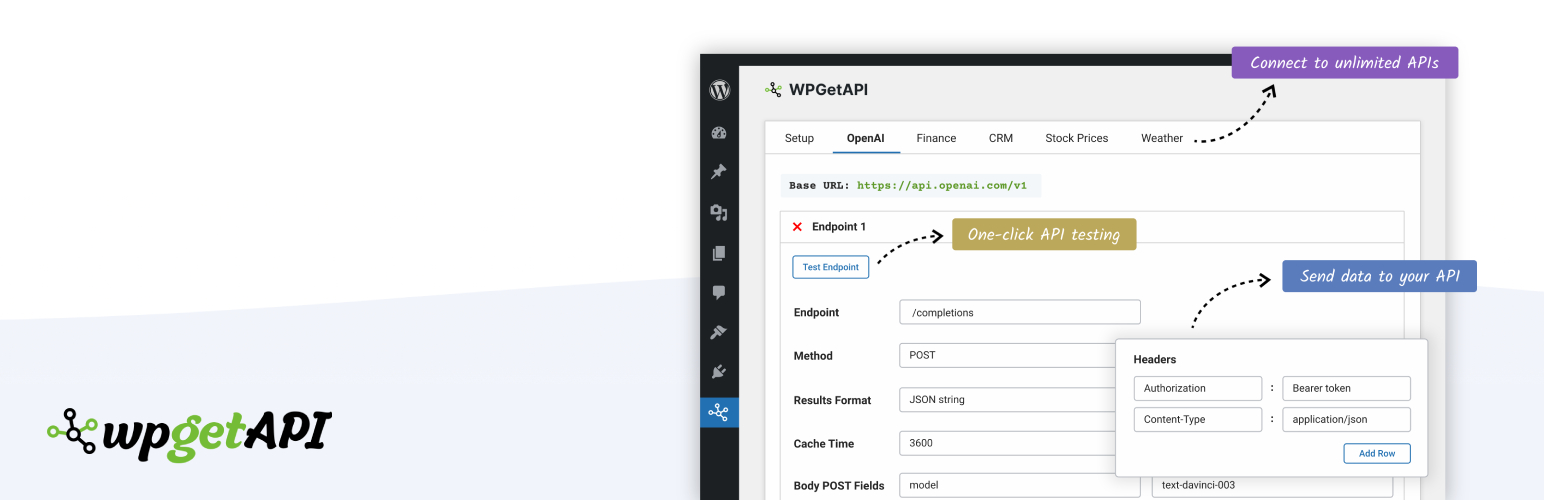
WPGet API – Connect to any external REST API

WPGet API – Connect to any external REST API

Connect WordPress to external APIs, without code.

Easily send data to any API and get data from unlimited 3rd party REST APIs. Format and display the returned data on your WordPress website using a shortcode or a template tag.

WPGet API supports virtually all authentication methods including API keys, bearer tokens, basic auth, username/password and OAuth 2.0 authorization.

Live Examples

View our live examples of connecting to several different APIs and displaying the data in various unique ways including charts, graphs, tables and weather forecasts.

LIVE EXAMPLES – Connecting WordPress to external APIs

Major Features

  • Connect your WordPress website to any REST API
  • Unlimited APIs & endpoints
  • No coding required
  • Display API data using a template tag or shortcode
  • GET, POST, PUT, PATCH & DELETE methods
  • Add query string, header & body parameters

Documentation

We have tons of articles and help available.

Extending WPGet API

PRO Plugin

The PRO Plugin provides many extra features that allow you to do some more advanced things with your APIs. Features of the PRO Plugin include:

  • Actions – automate your API when an action happens on your site
  • Tokens – grab dynamic data without code and send to your API
  • Dynamic variables – a PHP solution for grabbing dynamic values
  • Chain API calls
  • Cache API calls
  • Format API data into HTML
  • Retrieve nested data
  • Base64 encoded auth
  • XML format

API to Posts Plugin

The API to Posts Plugin allows you to import API data and create WooCommerce products or custom posts from this API data. Features of the API to Posts Plugin include:

  • Import API data
  • Import from unlimited endpoints
  • Map API data to WordPress fields
  • Supports custom fields, ACF, tags, categories, custom taxonomies, images and more
  • Supports all standard WooCommerce fields
  • Create WooCommerce products from API data
  • Sync API to WooCommerce products & posts
  • Set interval of sync from every minutes up to once a week

OAuth 2.0 Authorization

The OAuth 2.0 Authorization plugin allows authorization of your API through the OAuth 2.0 method.

WPGet API Integrations

WPGet API integrates extremely well with other WordPress plugins, allowing you to do some very cool things with your API. Click the links below for more info on these integrations.

Translating WPGet API

You can translate WPGet API into your own language on translate.wordpress.org

Here is an article to help get started with translations

Requirements

  • WordPress version 5.0 and later
  • PHP 7.2, Tested with PHP 8.2
  • cURL

Usage

  1. Go to the WPGet API -> Setup menu to add your APIs.
  2. Once your APIs are saved, a new tab is created allowing you to add endpoints.
  3. Once your endpoints are saved, you can use the template tag or shortcode to connect to your API and view the data.

سوالات متداول

Is WPGetAPI free?

Yes, WPGetAPI’s core features are free and will always be free.

The PRO version is an extension that adds extra features if you are looking to do more with your API.

The API to Posts plugin is an extension that allows you to create posts or products from your API data.

Can I connect to any REST API?

Yes, most likely. WPGetAPI handles all major methods of authorization and authentication. It will depend on the type of authentication your API is using. Please click the link to view the types of authentication and authorization that are available.

Can I capture form data and send to my API?

Yes, see this article on how you can capture data from your forms and send the data to your API.

This is perfect for lead generation forms, contact forms or really any other type form that requires you to send form data to an API.

Can I use an XML based API?

Yes, we support XML with our PRO Plugin

How do I connect WordPress to an API?

By using this plugin of course! Check out the video at the top of this page or visit our Quick Start Guide to get started with connecting your WordPress website with an API.

How do I cache API calls?

We support caching with our PRO Plugin. It also recognises dynamic queries and will cache these individually.

A dynamic query might be something like these:

/customer-endpoint/customer?user_id=123
/customer-endpoint/customer?user_id=4567

The PRO plugin recognises that whilst they are the same endpoint, they are different queries that need to be cached separately.

Where can I find docs?

All of our documentation can be found here.

What can I do with the API data?

The API data can be output as a JSON string, stored in a PHP variable or automatically output as HTML (using PRO plugin). You can easily format the data into tables or charts plus many other possibilities.

Will you help me if I am having trouble?

Yes! Please visit our website and create a support ticket. We will help you to get your API up and running.

How do I create WooCommerce products from API data?

You can create WooCommerce products from API data (sync API to WooCommerce products) using our API to Posts Plugin

How do I create custom posts from API data?

You can create custom posts from API data (sync API to custom posts) using our API to Posts Plugin

تصویری برای این آیتم موجود نیست.
نظری برای این آیتم موجود نیست.
0 0 رای ها
امتیازدهی
اشتراک در
اطلاع از
0 نظرات
قدیمی‌ترین
تازه‌ترین بیشترین رأی
بازخورد (Feedback) های اینلاین
مشاهده همه دیدگاه ها
نسخه حجم فایل SHA256 تغییرات دانلود
2.25.4 1 مگابایت -
دانلود
×
★★★★★
★★★★★
5.0 /5 (32 نظر)

قیمت:

رایگان

نگارش

2.25.4

آخرین انتشار

10 اردیبهشت 1405

آخرین بروزرسانی

2 ماه پیش

نصب های فعال

10,000+

نگارش وردپرس

وردپرس 5.6+

تست شده از نسخه

وردپرس 7.0

نگارش PHP

PHP 7.2+

نسخه ها

1 نسخه



